


 Author:
 Whether for sharing memories on social media or professional projects, a good photo collage speaks volumes.
This guide highlights the 16 best free photo collage apps for iPhone and Android, each offering unique templates and editing tools to showcase your photos beautifully — all for free.
What to Look for in a Collage Maker App
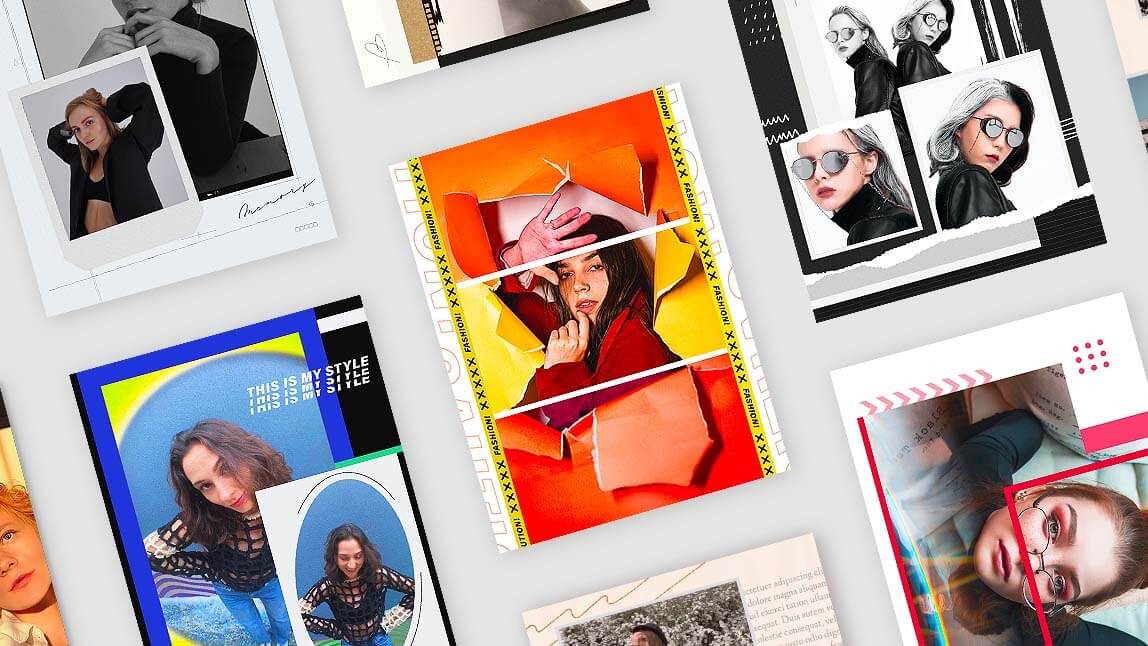
 ▲ Photo collage maker apps can make collage creation easy on mobile phones.
When choosing the best photo collage app, these factors matter most:
- Template Variety & Customization: More templates + flexible grid options = better creative control.
- Editing Tools: Ability to add text, stickers, filters, and effects beyond basic collage layout features.
- Export Quality: HD export without watermarks for social and print.
- Social Media Integration: Sized presets for Instagram Stories, TikTok, Facebook, etc.
- Ease of Use: Intuitive UI that works for beginners and pros alike.
Quick Comparison: 5 Best Photo Collage Apps
| App | Platform | Key Collage Features |
| YouCam Perfect | iOS & Android | 500+ collage templates, customizable grids, stickers, text, advanced editing tools |
| Canva | iOS, Android & Web | Drag‑and‑drop templates, graphic elements, grids up to 12+ photos |
| PicsArt | iOS, Android & Web | Community templates, stickers, effects |
| PhotoDirector | iOS & Android | 300+ templates, filters, stickers, AI editing |
| PicsArt | iOS, Android & Web | Community templates, stickers, effects |
Best Photo Collage Apps and Online Editors (iPhone & Android)
A vibrant photo collage not only preserves memories but also tells a story. Pick the one for your next social post from the 16 free photo collage maker apps on our list and start weaving your narrative today!
- Canva: Best Online Photo Collage App with Free Templates
- PicCollage: Best for High-Resolution Photo Grids
- Picsart: Best for Exploring User-Created Photo Collage Templates
- PhotoGrid: Best for Combining Photos and Videos
- Collageable: Rising Photo Collage Maker with Artistic Photo Effects
- Collage Maker: Easy-to-Use Collage Maker for iPhone
- Phototastic Collage Maker: Aesthetic Photo Collage Maker for Android
- PicPlayPost: Best for Adding Music to Photo Collages
- Pixlr: Free Picture Joiner App for Creating Collage and Editing
- Adobe Photoshop Express: Professional Photo Collage Maker
- Layout from Instagram: Best for Easy Collage Creation
- piZap: Best for Creating Collages with Special Layouts
- MOLDIV: Trendy Photo Montage Maker
- Diptic: Best for Combining Multiple Pictures
- Unfold: Best for Aesthetic Story & Reel Collage Templates
YouCam Perfect: Best Free App for Photo Collage
 ▲ YouCam Perfect's photo collage feature
Store Rating: 4.8 on App Store; 4.4 on Google Play
Best for: YouCam Perfect is the best all-in-one photo editor to create free photo collages easily.

Best AI Photo Editor
The Best AI Photo Editor & Selfie Camera.
Remove objects, apply filters & more.
Main Photo Collage Features

- 500+ Beautiful Photo Collage
YouCam Perfect offers hundreds of templates — from classic and daily life to film-inspired and modern styles — perfect for any occasion. - Customizable Photo Grids
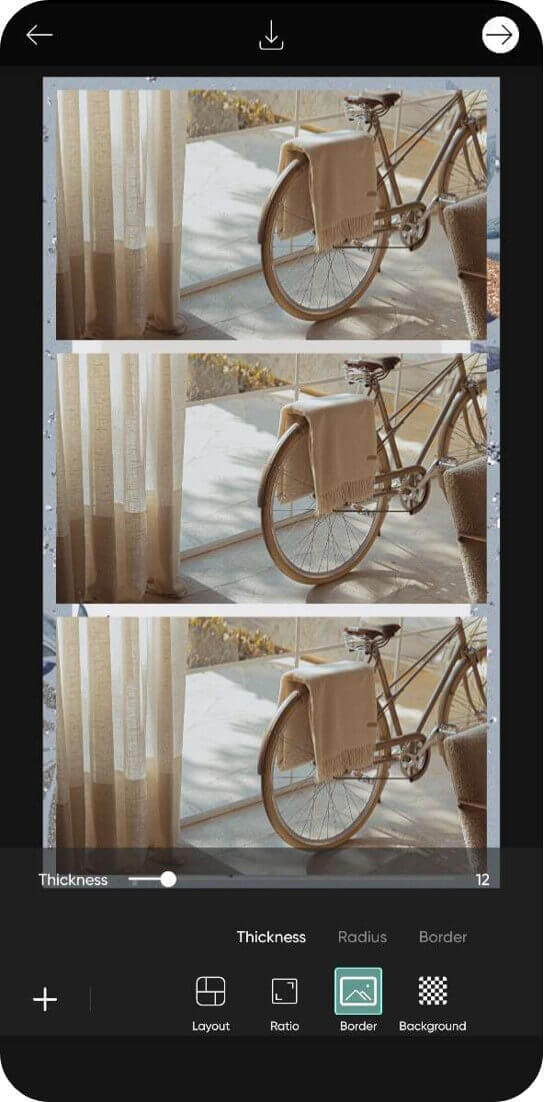
Adjust border thickness, corner radius, and colors, and rearrange photos to create a collage that fits your style. - Multiple Photo Collage Layouts
Choose from one-frame to multi-frame layouts, including minimalist, scrapbook, or magazine-style designs.
- Easy to Add Text, Stickers & Effects
Enhance your collage with fonts, stickers, and filters to make your images stand out.
YouCam Perfect gives you everything you need to create a photo collage. This app has many collages, frames, and effects you can apply for a beautiful image that brings all your favorite photos together. Its collages offer over 500+ collage templates you can decorate to create your ideal vibe in just a few taps.
Real user feedback is largely positive: one App Store reviewer (Linds_makeup1, 5 stars) said the photo edit toolkit "gives you all the tools and effects to feel like a professional photographer," with endless frames, templates, and stickers to create a collage in a few taps, while another (LadyMelinda, 3 stars) found resizing text on templates a hassle, noting "I have to start all over again, (which is very frustrating,) especially when using templates."
Canva: Best Online Photo Collage App with Free Templates
Available on: Online, iOS, and Android
Store Rating: 4.9 on App Store; 4.8 on Google Play
Best for: Canva is the best online photo template app for creating elaborate photo collages with graphic design elements and effects.
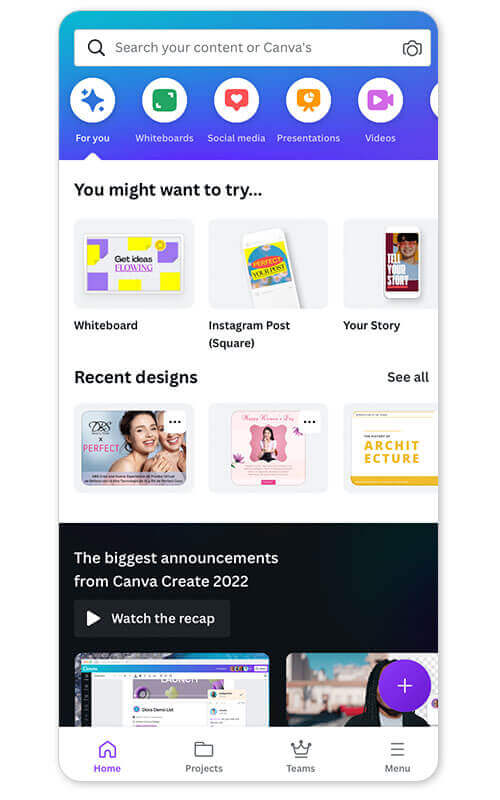
Main Photo Collage Features:
- Collage grids with up to 12 images
- Story templates
- Preset templates
- Graphic elements
Canva is a comprehensive online graphic design app that gives you creative grid collages and upgrades them with graphic elements. The Canva mobile app makes it easy with its drag-and-drop feature. The app lets you freestyle your images to create your collage as creatively as possible.
PicCollage: Best for High-Resolution Photo Grids
Available on: iOS and Android
Store Rating: 4.8 on App Store; 4.7 on Google Play
Best for: PicCollage is the best collage app for making high-resolution photo girds with a variety of styles.
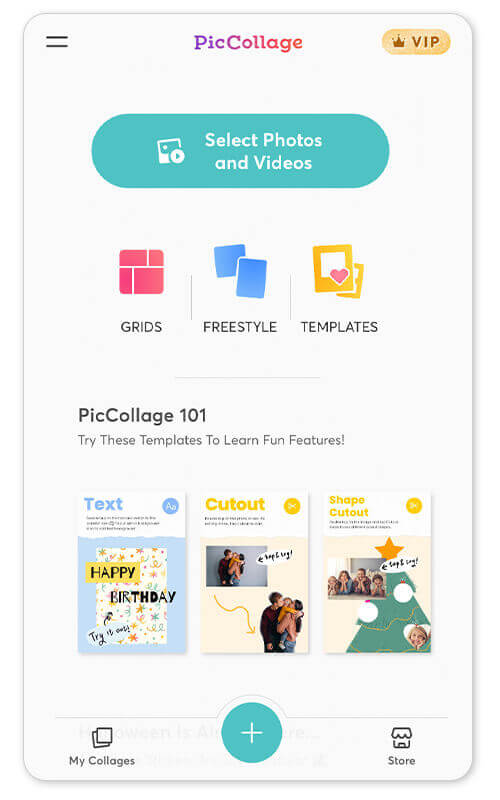
Main Photo Collage Features:
- Grids
- Templates
- Freestyle collage
PicCollage has a lot of free options for designing a beautiful collage for any occasion. It has plenty of layouts for customizing your collage, including grids and templates, while giving you the option to freestyle your designs, all in high resolution and quality.
Picsart: Best for Exploring User-Created Photo Collage Templates
Available on: iOS, Android, and Online
Store Rating: 4.7 on App Store; 4.1 on Google Play
Best for: Picsart is the best collage maker with an online creator community to get new photo editing inspirations.
Main Photo Collage Features:
- Limitless user-created photo collage templates
- Tons of free images and stickers
- Tons of fun editing tools for collages
Picsart allows users to create collages with special effects. You can add filters and stickers, as well as text to customize your collage. It is an excellent collage app to express your creativity and add a unique touch, also try the inspiring collage template created by other app users.
PhotoGrid: Best for Combining Photos and Videos
Available on: iOS and Android
Store Rating: 4.9 on App Store; 4.7 on Google Play
Best for PhotoGrid is the best app for combining photos and videos into stunning designs.
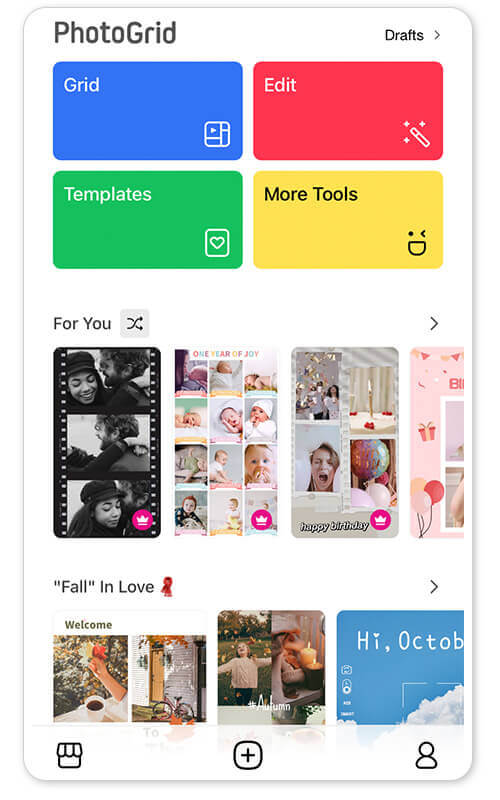
Main Photo Collage Features:
- Video grid maker
- 20,000 collage templates
- Freestyle stitches
- Video and photo combinations
Where most collage apps focus on photos, PhotoGrid has the tools to let you create impressive collages with your videos, too. You can even combine your photos and videos to bring your collages to life beyond still-life snaps.
Collageable: Rising Photo Collage Maker with Artistic Photo Effects
Available on: iOS and Android
Store Rating: 4.7 on the App Store
Best for: Photo Collage — Collageable is the best app for creating artistic photo collages using text and images to make them look like a postcard.
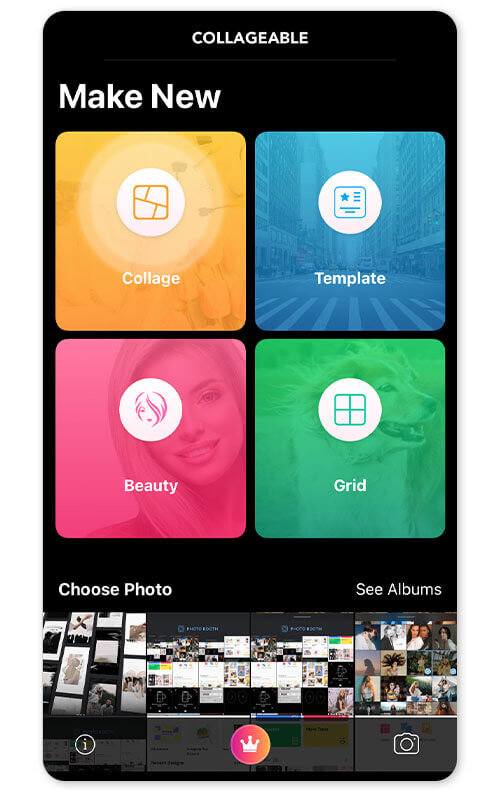
Main Photo Collage Features:
- Creative layouts
- Tons of backgrounds
- Frames
- Text and fonts
Photo Collage — Collegeable is an all-in-one picture collage maker that lets you quickly add photos to preset templates to create perfect collages using text and images. It comes with a creator feature to let you freestyle your favorite images into a show-stopping collage by adding more graphic elements.
Collage Maker: Easy-to-Use Collage Maker for iPhone
Available on: iOS only
Store Rating: 4.7 on the App Store
Best for: Collage Maker is the best app for creating quick collages with fewer frills so you can share fast.
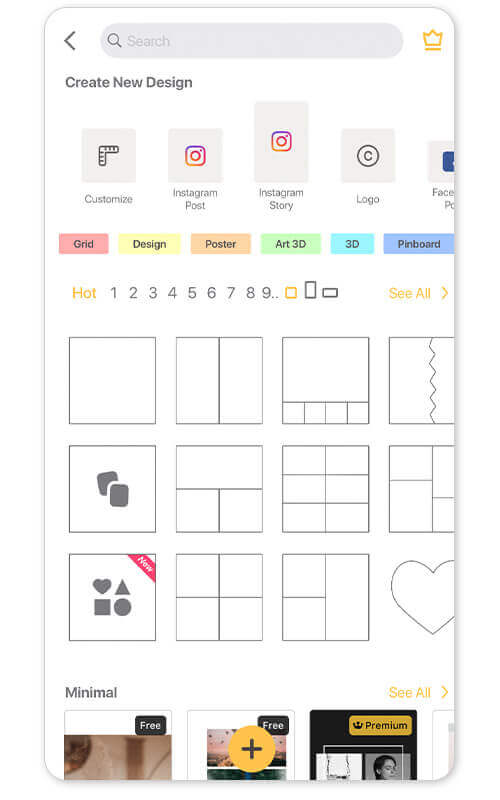
Main Photo Collage Features:
- Side-by-side photos
- Grid templates
- Freestyle collages
- Story templates
Collage Maker has over 100 layouts where you can combine up to 20 photos to create collages fast. Choose freestyle or grid style to make collages from the ground up or by using a template. It even has story templates to fit your collage to your Instagram story!
Phototastic Collage Maker: Aesthetic Photo Collage Maker for Android
Available on: Android only
Store Rating: 4.8 on Google Play
Best for: Phototastic Collage Maker is the best app for creating creative and artistic collages with designs and themes features on Android phones.
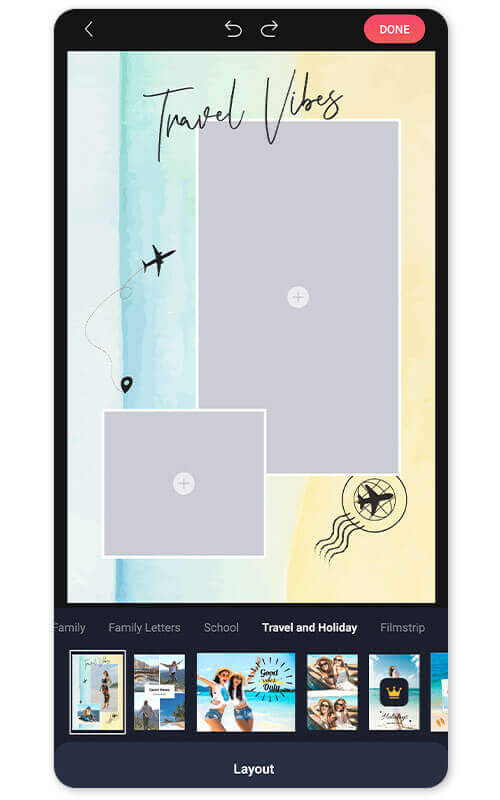
Main Photo Collage Features:
- Photo collage templates
- Collage layouts
- Backgrounds and frames
Phototastic Collage Maker lets you choose your favorite photos and add them to preset collage templates. Choose from their collection of themes and add frames, text, and effects to elevate your collages. The app lets you create photo collages for your Stories, TikToks, and feeds to create excellent content for your social media channels.
PicPlayPost: Best for Adding Music to Photo Collages

Available on: iOS and Android
Store Rating: 4.8 on App Store; 3.9 on Google Play
Best for: PicPlayPost is the best Collage App for adding music to photo collages.
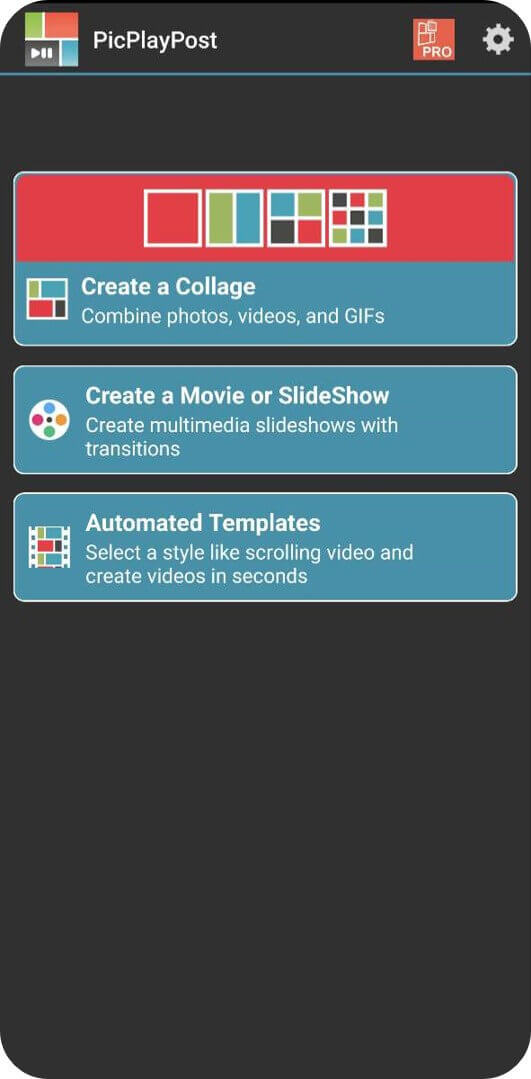
Main Photo Collage Features:
- Music integration
- Video collages
PicPlayPost allows users to create collages with music integration. You can also make video collages, adding music and transitions to create a dynamic Collage.
Pixlr: Free Picture Joiner App for Creating Collage and Editing
Available on: Online, iOS and Android
Store Rating: 3.6 on App Store; 4.2 on Google Play
Best for: Pixlr is a good collage app for creating collages with custom borders.
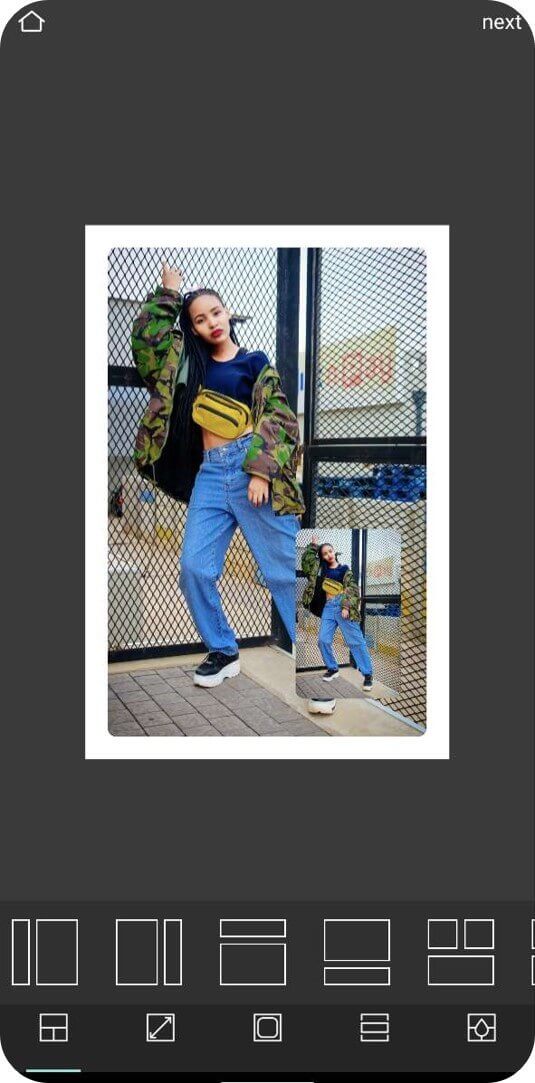
Main Photo Collage Features:
- Preset collages,
- Customizable borders
Pixlr is an easy-to-use collage app that allows users to customize collages with borders and add special effects and text. It is a great app for those looking to make free collages with a personalized touch.
Adobe Photoshop Express: Professional Photo Collage Maker
Available on: iOS and Android
Store Rating: 4.8 on App Store; 4.3 on Google Play
Best for: Photoshop Express is the best collage App for professional-level collages.
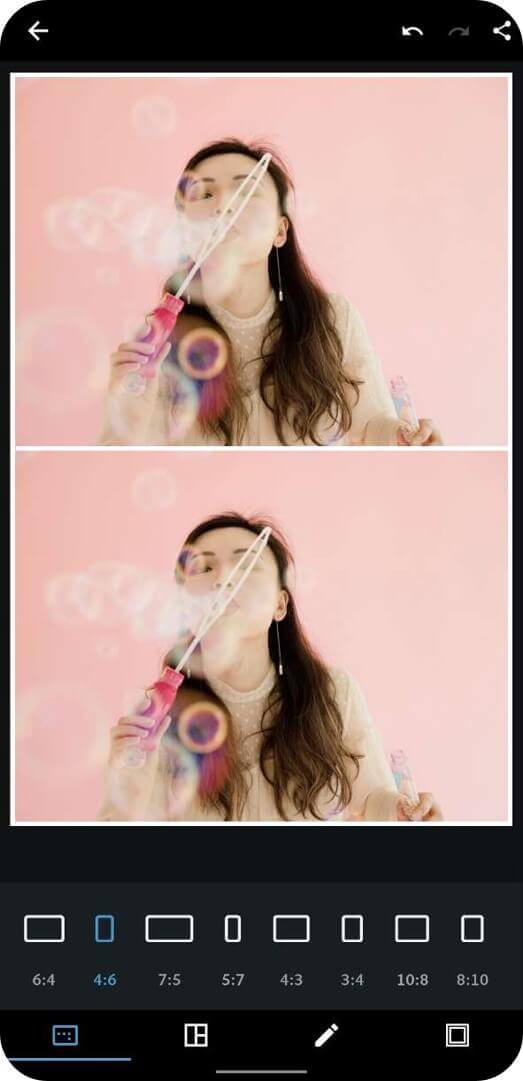
Main Photo Collage Features:
- Advanced photo edit tools
- Customizable Collages
Adobe Photoshop Express allows users to create high-quality photos with a range of advanced photo editing tools. You can customize collages with different shapes, sizes, and effects. It is the perfect collage App for those looking to create professional-looking pictures.
👉 Find the Best Free Photoshop Alternative Apps
Layout from Instagram: Best for Easy Collage Creation
Available on: iOS and Android
Store Rating: 4.4 on App Store; 4.4 on Google Play
Best for: Layout from Instagram: Collage is the best app for creating photo collages within the app for your Stories and Feed.
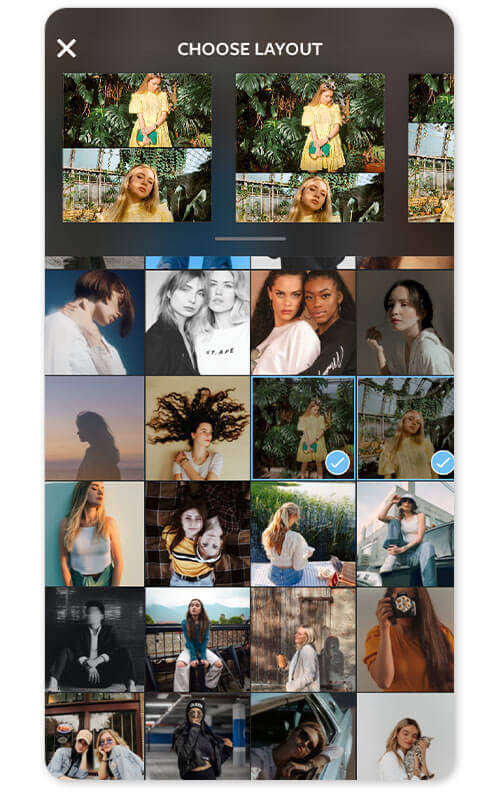
Main Photo Collage Features:
- Re-mix up to 9 photos at a time
- Built-in photo booth feature for spur-of-the-moment collages
- Pair collages with Instagram filters
Instead of just letting you add photos to a pre-existing collage, Layout from Instagram lets you mirror, flip, and edit photos to create a one-of-a-kind collage. You can even use the built-in photo booth to take spur-of-the-moment pics with your friends. While the app isn’t as flexible as other apps, it works for fun photo collages.
piZap: Best for Creating Collages with Special Layouts

Available on: iOS and Android
Store Rating: 4.7 on App Store; 4.3 on Google Play
Best for: PiZap is the best collage app for creating collages with fun stickers.
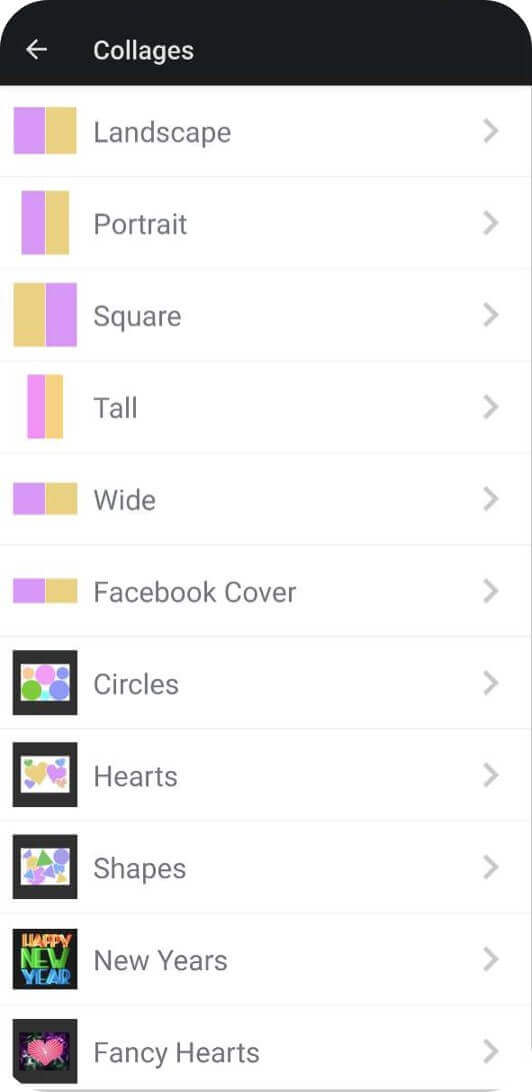
Main Photo Collage Features:
- Hundreds of layouts
- Fun memes and GIFs
PiZap is a collage app that allows users to create collages with fun stickers and add filters, text, and other features. It is a great collage App for creating Collages with a unique and fun touch.
MOLDIV: Trendy Photo Montage Maker
Available on: iOS and Android
Store Rating: 4.7 on App Store; 4.5 on Google Play
Best for: MOLDIV is the best app for creating beautiful magazine-style photo montages from your phone.
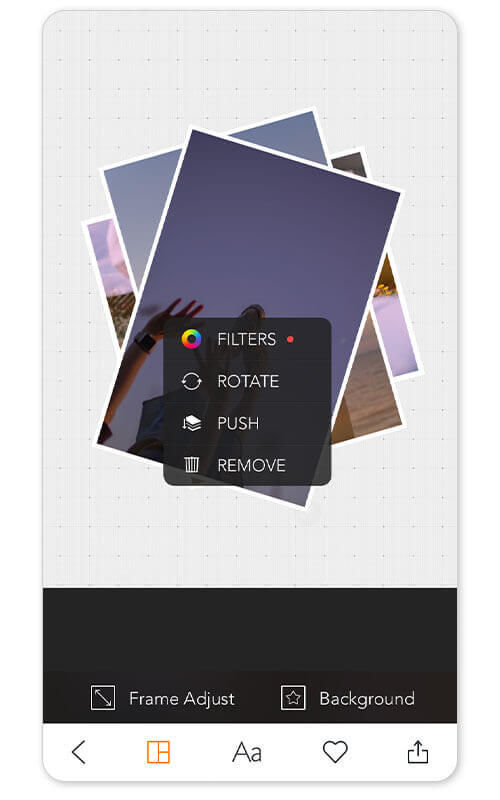
Main Photo Collage Features:
- Filters and themes
- Collage magazine styles
- Camera filters
MOLDIV is a photo editing app featuring magazine-style collages. Combine your favorite photos in a single frame with their collage features and make it look like a magazine spread. The app also features other editing tools, including photo filters and beauty editing tools to edit your selfies and photos before adding them to your new collage.
Diptic: Best for Combining Multiple Pictures

Available on: iOS only
Store Rating: 4.5 on the App Store
Best for: Diptic is the best Collage App for making Collages with multiple images.
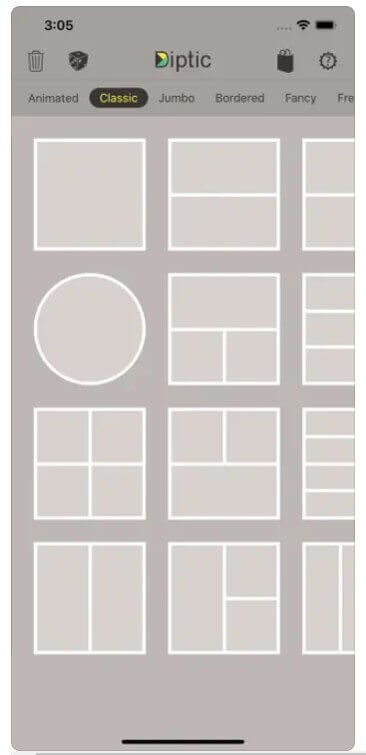
Main Photo Collage Features:
- Super customizable
- 194+ layouts
Diptic is the Collage App for making Collages with multiple images. It has PicStitch, which allows users to stitch together multiple photos into one Collage, as well as layouts to customize Collages. It is the perfect Collage App for those who want to create Collages with multiple images.
Unfold: Best for Aesthetic Story & Reel Collage Templates
Available on: iOS and Android
Store Rating: 4.9 on the App Store, 4.4 on Google Play
Best for: Unfold takes a different approach than most collage apps on this list — instead of grid-style layouts, it offers minimalist, aesthetic templates built specifically for Instagram Stories and Reels, so a collage feels like a designed page rather than a photo grid.
Main Photo Collage Features:
- Minimalist, design-forward Story and Reel templates
- Custom fonts, color palettes, and overlays built for social storytelling
Unfold is best for creators who post frequently to Instagram Stories or TikTok and want their collages to feel like a cohesive visual brand rather than a one-off grid. It won't replace a general-purpose collage maker for print or multi-photo grids, but for social-first layouts it's one of the most polished options available.
Real user feedback is largely positive: one App Store reviewer (Shiloesky, 5 stars) said, "Unfold has taken my Instagram stories to the next level. It is so fun to create unique and different pages!" Another reviewer (Cowlesk) gave it 4 stars, writing "I really love using this app for planning Instagram stories...I'm giving it 4 stars because there are a lot of issues," citing occasional glitches and limited customization for things like diagonal text placement.
How to Make a Photo Collage for Free on iPhone & Android
Keep Reading to learn how to make a photo collage easily on iPhone and Android with the free collage maker app, just follow our step-by-step guide!
Step 1. Download the Best Free Collage App
Best AI Photo Editor
The Best AI Photo Editor & Selfie Camera.
Remove objects, apply filters & more.
Download YouCam Perfect for free, available for iOS and Android. With YouCam Perfect’s free photo collage maker, you can quickly combine multiple photos into a photo collage.
Step 2. Explore Free Photo Collage Templates
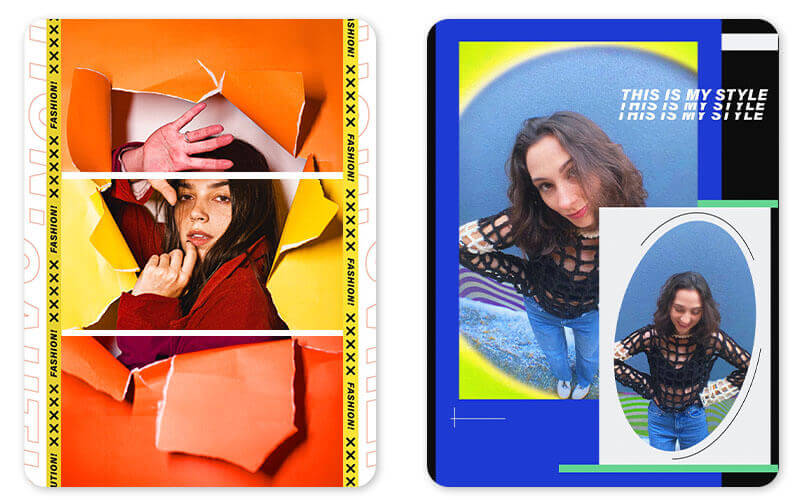
Begin making your photo collage in the YouCam Perfect app by tapping “Collage.” YouCam Perfect has 500+ free collage options whether you’re celebrating the holidays, highlighting your glam shots, or just marking life’s joyful moments.
Step 3. Choose a Photo Collage Layout
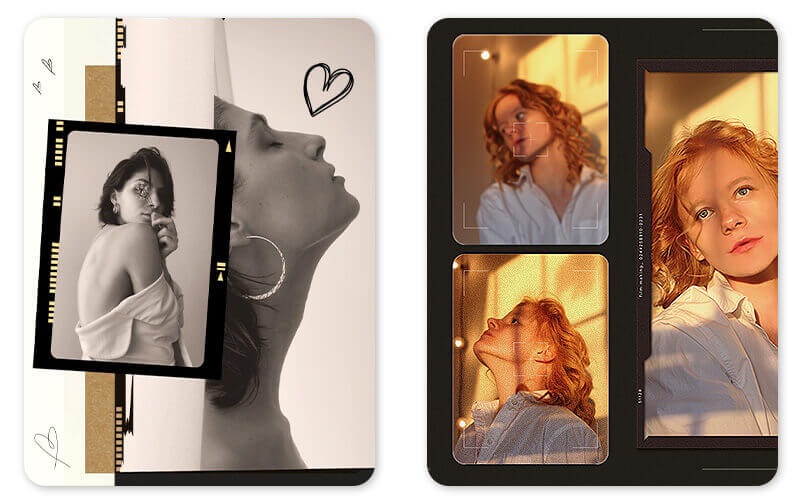
Once you’ve settled on a collage theme with the number of photos you’d like to use, tap it to move on to the next step in your creative process.
Step 4. Fill the Collage Grid with Images
After you’ve selected your photo collage template, it’s time to select the photos you’ll use. Once your photos are added to the collage, you can resize an image within the frame.
Step 5. Share Your Photo Collages
Click the save button and share your collage with your friends.
Download YouCam Perfect: Best Collage App for iPhone & Android
Best AI Photo Editor
The Best AI Photo Editor & Selfie Camera.
Remove objects, apply filters & more.
YouCam Perfect is the best free photo collage maker with all the tools you need to create collages for any occasion. You’ll never run out of ideas to combine your snaps, and you’ll always find a photo collage to match your aesthetic.
Best of all, most of these exclusive collages are free! Download the best free collage maker app - YouCam Perfect app for iOS or Android to get started and make your shareable collages now!
Photo Collage App FAQs
What is the best free photo collage app?

The best free photo collage app combines easy layout tools with powerful photo editing features. YouCam Perfect stands out because it offers 500+ templates, customizable grids, text, stickers, and advanced editing tools all in one app — so you can design collages that look professional right from your iPhone or Android device.
Are there any free collage apps for iPhone?
Here top free collage apps for iPhone:
- YouCam Perfect
- Picsart
- Adobe Photoshop Express
- MOLDIV
- PicCollage
- Pixlr
- Canva
- piZap
- PhotoGrid
- Collageable
- Layout from Instagram
- PicPlayPost
- Diptic
- Collage Maker
- Phototastic Collage Maker
What is the free app that puts photos together?
A free app that puts photos together into collages is any photo collage maker. Popular choices include YouCam Perfect, Canva, PicCollage, and PicsArt. Among these, YouCam Perfect is especially strong because you can customize layouts, add effects, and edit images before placing them into your collage — all for free.
How do I combine multiple photos into one photo?
To combine multiple photos into one:
- Open a collage maker app like YouCam Perfect.
- Tap Collage or Create and select the photos you want to combine.
- Choose a layout that fits the number of photos.
- Adjust borders, add text or stickers, and apply filters or effects.
- Save and share your combined photo.



