Author:
Are you looking for the best photo enhancer app in 2026 for iPhone and Android?
Whether it's for personal memories, professional portfolios, or social media sharing, we all want our photos to stand out and shine. Fortunately, the realm of AI-powered photo enhancer apps has advanced significantly.
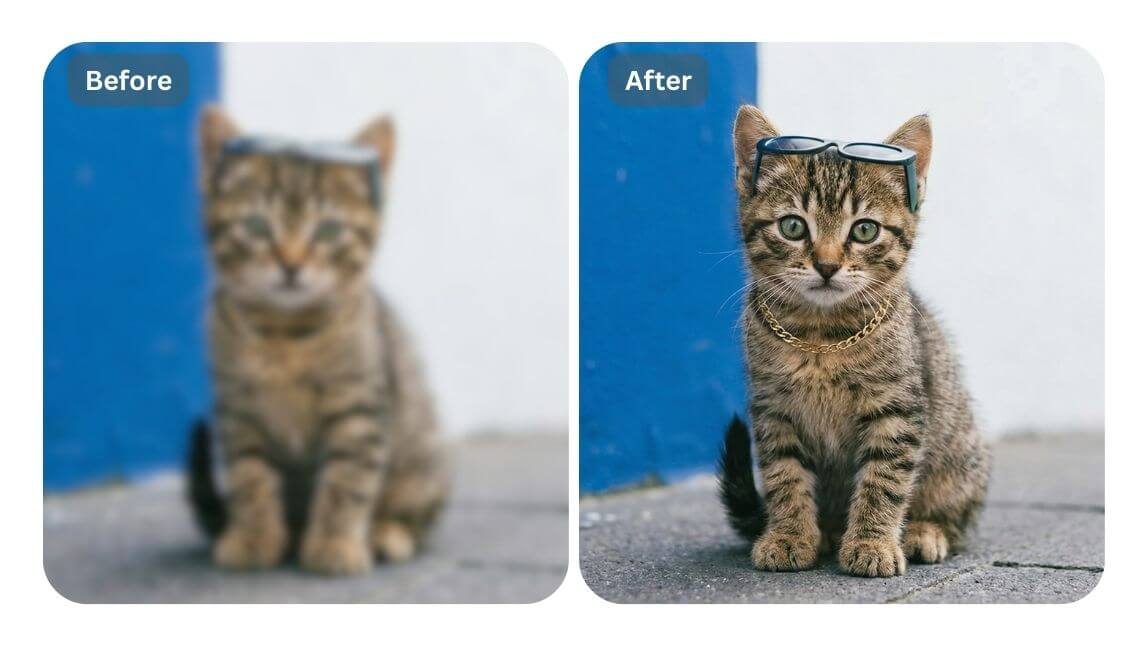
▲ Try enhancing your photos to 4K resolution for free.
Today, we'll delve into the top 10 options that enhance photo quality, boost resolution, and elevate your ordinary photos into extraordinary masterpieces.
(*Updated on Mar. 17th, 2026, to re-evaluate the best options and their latest features)
10 Best AI Photo Enhancer Apps to Improve Photo Quality in 2026
We tested and compiled a comprehensive list of the best AI photo enhancer apps for 2026, comparing their standout features, pros and cons, and their optimal use cases.
🔥Snapshot of the Top AI Photo Enhancer Apps in 2026
| AI Photo Enhancer | Available Platform | Best for |
| 1. YouCam Enhance | iOS / Android / Web | 4K AI Photo & Video Enhancement |
| 2. Canva | iOS / Android / Web | Design & AI Photo Editing, Quick Templates |
| 3. PicsArt | iOS / Android / Web | All-in-one AI Editor, Effects & Color Adjust |
| 4. Photoroom | iOS / Android / Web | Background Removal & Product / Portrait Photos |
| 5. Remini | iOS / Android / Web | Precise Face Enhancement for Photos & Videos |
| 6. Fotor | iOS / Android / Web | Comprehensive Quality Enhancing & Templates |
| 7. PixelCut | iOS / Android / Web | Upscaling Photos to HD & Background Removal |
| 8. PhotoDirector | iOS / Android | One-Tap Enhance, Deblur & Denoise |
| 9. Pixelup | iOS / Android | Unblurring Photos & AI Descratch |
| 10. PicWish | iOS / Android / Web | Retouching Selfie Photos & Videos |
Read on to explore these amazing apps! 🫧🪄
YouCam Enhance: Best All-In-One App for Photo & Video Enhancement
YouCam Enhance is the best free AI-powered photo & video enhancing app for both iOS and Android users, offering a myriad of powerful photo-enhancing tools and AI beauty filters to enhance your photos in high resolution.
Top Features of YouCam Enhance AI Photo Editing App
- Photo Enhance: AI Photo Enhance, AI Image Brightener, AI Color Correction, AI Video Enhancer (Try it Free)
- Video Enhance: Increase video resolution to 4K, high-quality AI Face Restoration technology (Try It Free)
- AI Color Grading: One tap match the color filter from your photos
- Generative AI Photo Editing: AI Object Remover, AI Replace, AI Image Extender (Try it Free)
- AI Background Editing: AI Background Remover, AI Background Generator, AI Depth Blur (Try it Free)
- AI Image Generation: AI Headshot, AI Avatar Generator, AI Style Transfer
- AI Face Swap for Photos & Videos (Try it Free)
- AI Image to Video: bring photos to life videos (New)
Wonder how to use these AI tools to enhance your photo editing?
→ Explore our comprehensive review of YouCam Enhance’s AI-powered photo editing features and its top 5 use cases.

AI Photo Enhancer
Fix blurry photos & enhance quality.
AI unblur, sharpen, and colorize.
▲ Download YouCam Enhance and Unlock AI Photo Editing Features
#1 Enhance Old Photo in Seconds

Besides enhancing regular photos, YouCam Enhance also offers remarkable tools like "AI Photo Colorize" and "AI Scratch Removal".
These features recolor old photos and automatically remove scratches and imperfections, almost as well as a professional photo restoration service. Especially perfect for enhancing portrait or headshot photos!
▲ It greatly enhanced the facial features
When I used it to enhance some of my blurry portrait photos, it effectiveldy removed blurriness and restored facial features exceptionally well, including eyes, hair, and beards.
#2 Enhance Images Up to 4K Resolution
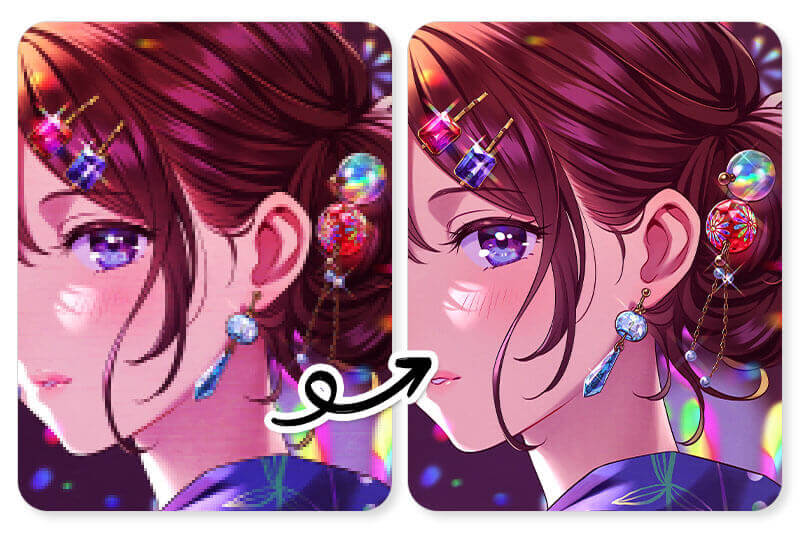
▲ Enhancing a blurry image with YouCam Enhance worked exceptionally well!
What amazed me was how well its 'Photo Unblur' feature worked, transforming my images into high resolution (up to 4K). It seemed that its AI could identify objects and portraits accurately, ensuring they weren't distorted in the photo after enhancement.
Why We Like It: All-In-One AI Photo Enhance
I've discovered that YouCam Enhance not only makes blurry photos clear but also enhances faded colors and eliminates noise from them.
With YouCam Enhance, it can automatically unblurs, denoises, color-corrects, and lightens photos with just one tap, saving you time on photo editing.
💡Read more
- How to Brighten Dark Photos: 5 Easy Ways to Make Your Images Brighter
- How to Unblur Text: 6 Free Ways to Make Blurry Text Clear [Online & App]
- How to Color Correct Photos: 5 Color Fixing Tips With AI
Latest User Reviews
Users on Slashdot praise YouCam Enhance for its powerful AI capabilities that can transform blurry and low-resolution images into HD, ultra-sharp photos with just one tap.
They appreciate its user-friendly interface and the ability to restore old memories effortlessly. The app is noted for maintaining image quality even when enlarging photos, making it a versatile tool for various photo enhancement needs.
MikeDada88 App Store review | ★★★★★ A really good AI upscalerCalled YouCam Enhance "a really good AI upscaler" that "brings out a lot of detail in photos." |
Binderea App Store review | ★★★★★ Finally, colorization done rightAfter trying other colorization apps unsuccessfully, praised YouCam Enhance for restoring old photos: "Thank you for doing it right!!" |
Jjpsmile App Store review | ★★ Worth checking the subscription tiers firstFound the subscription tiering unclear, saying the paid plan didn't unlock "half the features" they expected — worth reviewing what's included before you subscribe. |
Wonder how to try photo enhance online, without downloading an app?
→ Explore our free online AI photo enhancer, YouCam Online Editor!
Canva: Fast, Beginner-friendly Editing App
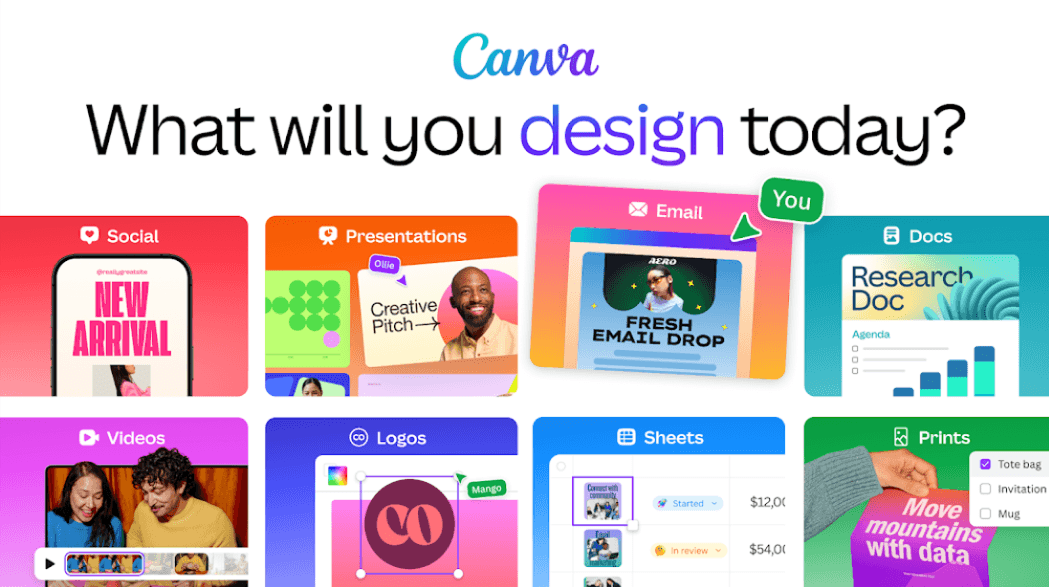
After using Canva’s AI Photo Enhancer, I’d describe it as a fast, beginner-friendly tool that combines photo editing with design workflow—rather than a heavy-duty photo restoration app.
Top Features of Canva AI Photo Enhancer
- Auto Enhance: Quickly improves brightness, contrast, and color balance with one click.
- AI Image Upscaler: Enlarges images up to 8x–16x while keeping them sharp and clear.
- Smart Lighting & Color Correction: Automatically adjusts lighting and colors for more vibrant, natural-looking photos.
- Filters & Manual Adjustments: Apply filters or fine-tune settings like exposure, sharpness, and saturation.
- Magic Studio AI Tools: Use AI-powered tools like Magic Edit, Magic Eraser, and Magic Expand for advanced creative edits.
- Seamless Design Integration: Directly use enhanced images in social media posts, presentations, and marketing materials.
What We Like About This App
What really stands out is that Canva doesn’t stop at enhancing photos. You can instantly turn your improved image into a design, whether it’s an Instagram post, presentation, or ad creative. That seamless workflow makes a big difference compared to traditional AI enhancers.
Latest User Reviews
According to various forums, users love Canva AI Photo Enhancer for its speed, ease of use, and beginner-friendly interface, making quick edits and social media posts effortless. The AI tools improve lighting, color, and clarity instantly, while features like background removal help create polished visuals fast.
However, some Reddit users note that recent updates feel buggy and overcomplicated, with certain features lagging or behaving unpredictably. While powerful, these changes have led some long-time users to explore simpler alternatives.
Picsart: Your go-to AI Enhancer App
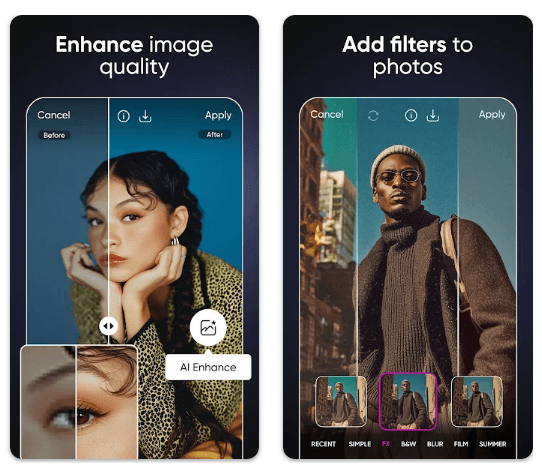
Using PicsArt AI Image Enhancer feels fast and intuitive. The AI automatically improves color, lighting, and sharpness, making photos look polished with minimal effort. Background removal and object erasing work seamlessly, which is great for creating social media content, marketing visuals, or personal edits.
Top Features of Picsart AI Image Enhancer
- One-Click Enhancement : Automatically optimizes brightness, contrast, and colors to make images pop.
- AI Background Removal: Quickly removes backgrounds from photos, perfect for collages or creative edits.
- Object & Blemish Removal: Erase unwanted elements or imperfections in a single step.
- Artistic Filters & Effects: Apply filters, stylized effects, or cartoon-like AI transformations for a creative touch.
- Upscaling & Sharpening: Enhance image resolution and clarity without losing quality, ideal for printing or sharing online.
- Integrated Creative Tools: Combine AI enhancements with text, stickers, and templates for complete visual projects.
What We Like About This App
We like Pisart for its combination of AI-powered tools and creative effects, makes it more than just an enhancer—it’s a mini design studio in your pocket!
Latest User Reviews
Many users on Trustpilot praise PicsArt AI Image Enhancer for its wide range of creative tools, user‑friendly interface, and powerful editing features that make it easy to improve lighting, apply filters, and remove backgrounds on the go.
However, some free users criticize the aggressive paywall, frequent ads, and occasional performance issues that can disrupt workflow.
Photoroom: Best for Product Photos
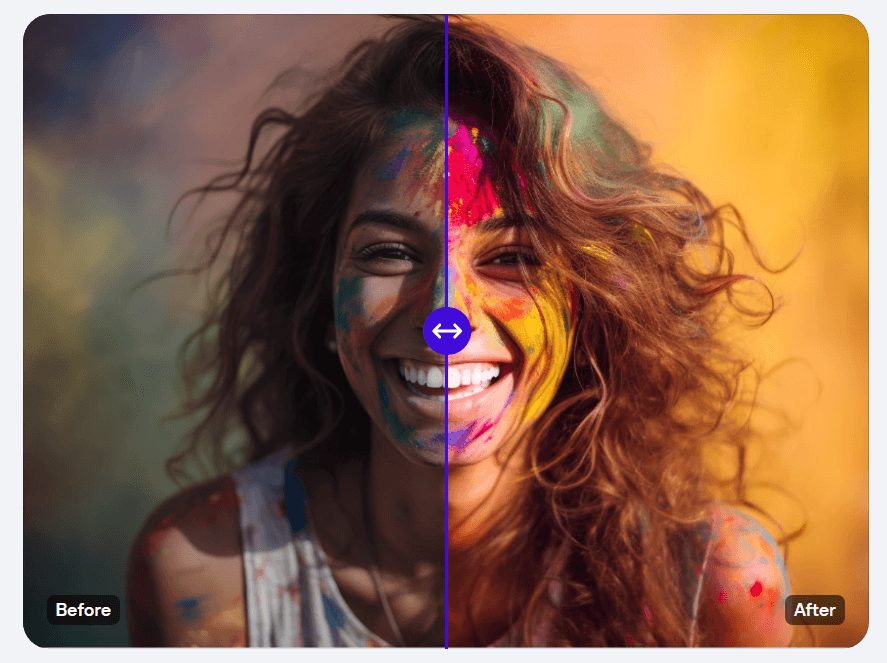
Using Photoroom feels like having a studio‑ready editing suite specifically tailored for product and social media visuals. Its AI background remover quickly isolates subjects and replaces backgrounds with clean, professional results, which is especially useful for e‑commerce and catalog photos.
What We Like About This App
We like Photoroom for its batch editing because it lets you apply the same changes across dozens of images at once, saving hours of manual work, and AI‑generated backgrounds can turn plain shots into eye‑catching lifestyle scenes with just a simple prompt.
Latest User Reviews
Many users on Trustpilot praise PhotoRoom for its powerful AI background removal and quick editing tools, which can turn ordinary photos into professional‑looking visuals with minimal effort. The app’s intuitive interface and templates make it easy to enhance product shots and social media content even without design skills.
However, some reviewers express frustration with subscription billing practices, unexpected charges, and reports of app crashes or bugs.
Remini AI: Best AI Photo Editing App for Precise Face Enhancement
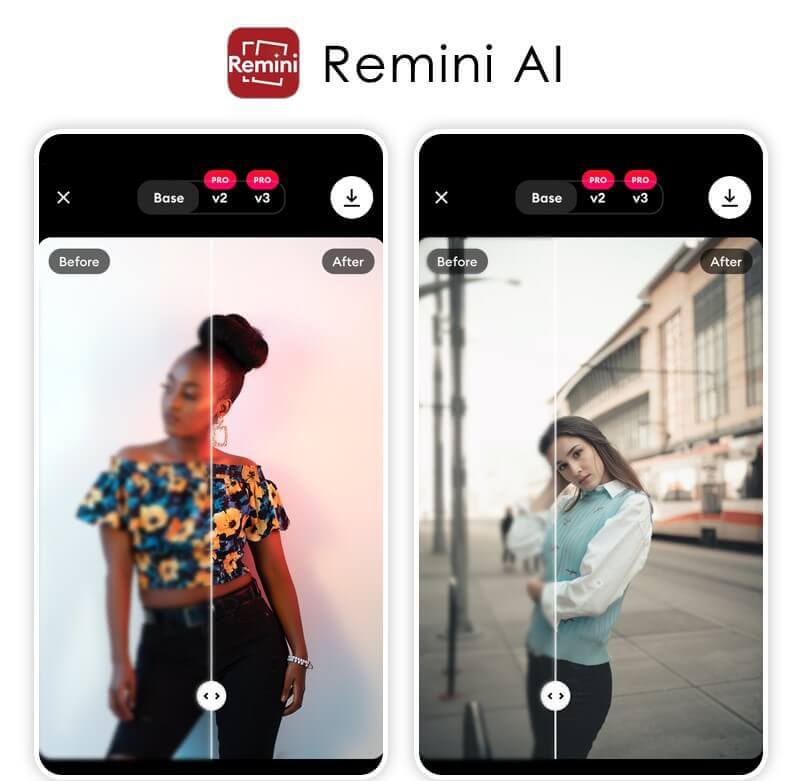
Next up is Remini AI- a powerful free photo & video enhancer app powered by advanced AI technology. This app automatically detects faces and objects in images and applies subtle enhancements to bring out the best details without overdoing it.
It also offers auto-contrast adjustments to correct brightness levels while retaining image clarity. Additionally, Remini also provides basic editing tools like cropping and rotating pictures as well as adding text or watermarks.
What We Like About This App
Remini not only offers an AI photo enhancement for overall improvement, but also includes features such as "Face Enhancer" and "Background Enhancer". This allows users to focus on enhancing portraits or landscapes, catering to different needs for photographers.
Our test results for its AI Enhance feature show proficiency in "AI color correction" and "brightness adjustment", significantly enhancing contrast and saturation.
Latest User Reviews
Users generally find Remini AI to be a powerful tool for enhancing photo quality, according to reviews on Fahimai.
They appreciate its ability to transform blurry, pixelated, or damaged photos into sharp, high-resolution images with just one tap. The app is praised for its realistic enhancements and additional features like video enhancement and motion blur reduction.
However, some users note that the best features are available only with a premium subscription.
Fotor: Best AI Photo Editing App for Comprehensive Quality Enhancing
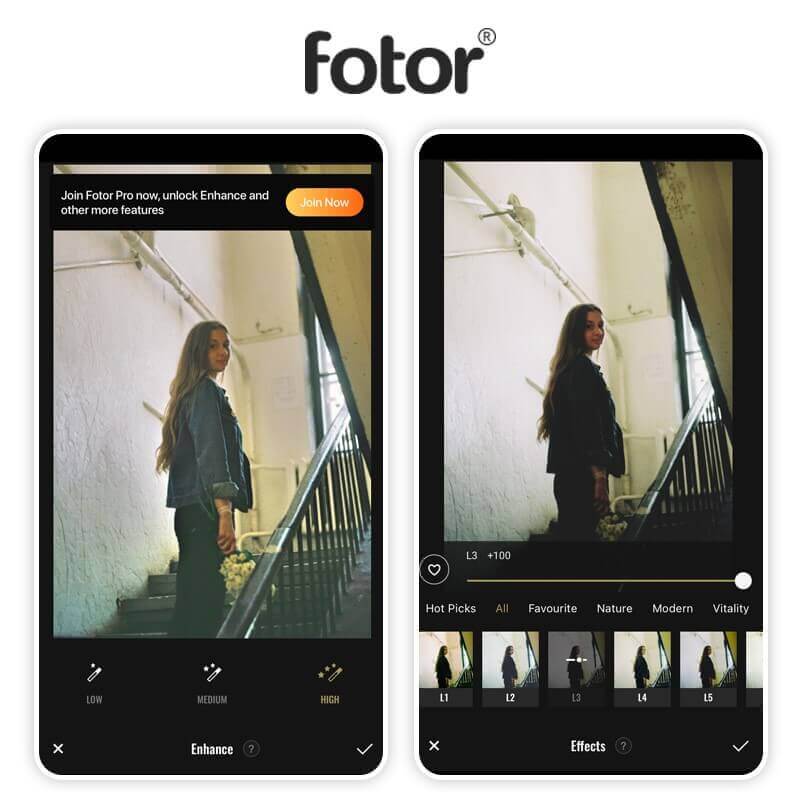
Fotor is an innovative all-in-one photo & video editor app that's packed with tons of features for enhancing your images quickly and easily for free. It includes advanced editing tools such as image enhancement algorithms based on AI technology so you can adjust colors, contrast levels, and sharpness without needing to adjust individual pixels manually.
Plus there are hundreds of filters available so you can add fun effects to your images or change the atmosphere completely.
What We Like About This App
Fotor is the most comprehensive photo editing app we've ever seen. It offers various AI photo-enhancing tools, including AI Enhance and AI Enlarger. Its "AI Enlarger" turned my photos into very high-resolution images, which makes them exceptionally clear to see.
However, the result looks a bit like adding a filter to it, which makes the portrait appear less natural.
Nevertheless, it works best for upscaling fan art or anime wallpapers, allowing you to enhance them effectively within this app.
Latest User Reviews
According to reviews on FixThePhoto, users find Fotor to be a versatile photo editing tool with a user-friendly interface.
They appreciate its wide range of features, including intelligent filters, effects, and the ability to edit RAW files.
However, some users note that the free version contains a lot of advertisements, which can be distracting, and it lacks some advanced features found in other professional editing software.
PixelCut: Best AI Photo Editor App for Upscaling Photos to HD
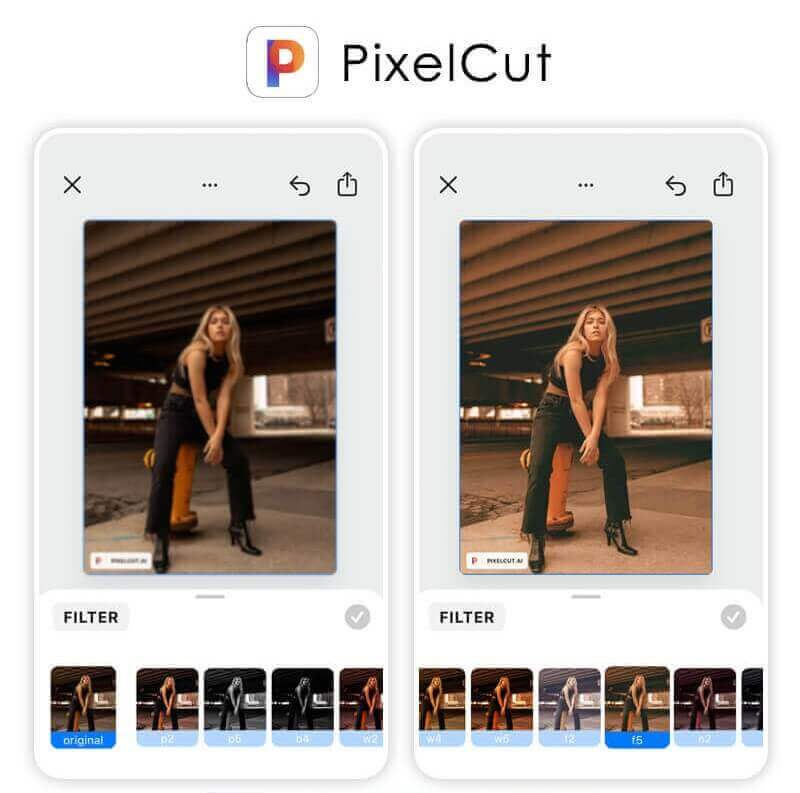
Pixelcut is another free AI-powered image editor app designed for mobile devices. It offers basic editing tools like resizing, cropping, rotating, adding text/icons/frames/filters, etc., but what sets it apart from other apps are its advanced features such as beauty retouching (including skin smoothing), facial recognition technology (for portrait enhancement), automatic color correction & adjustments.
What We Like About This App
We recommend PixelCut for its 'HD Photo Enhancement,' which is a unique feature that fewer photo enhancer apps offer.
You can choose to enhance images to either a normal HD resolution (1930x2560) or Ultra HD (3869x5120), making it ideal for upscaling images.
Additionally, PixelCut offers various photo editing tools such as 'Batch Edit' and 'Filters' for further enhancing photos."
Latest User Reviews
According to reviews on Techjockey and SourceForge, users find PixelCut to be a versatile and user-friendly photo enhancement tool.
Users also highlight its effectiveness for social media marketing and e-commerce, though some note that it lacks some advanced features found in other editors.
Overall, it's praised for its ability to quickly and efficiently enhance photo quality.
PhotoDirector: Best Photo Editing App to Enhance Photo Quality
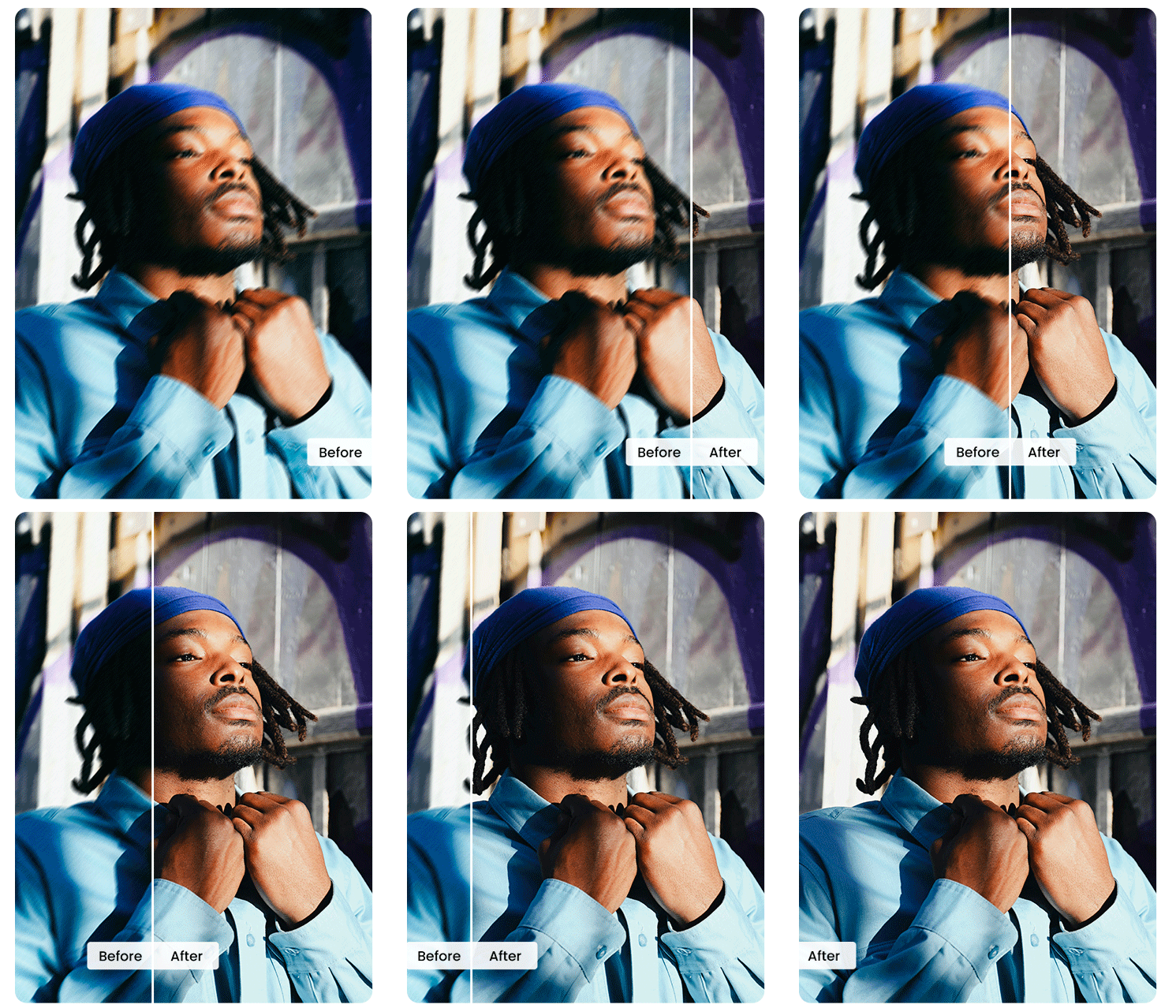
PhotoDirector’s AI Enhance is built for one-tap upgrades. It intelligently reduces noise from low-light shots, recovers detail, corrects color and exposure, and sharpens soft edges, while keeping skin tones natural and textures intact. You can fine-tune the strength, preview real-time before/after, and export at high resolution. Whether you’re rescuing a grainy selfie or polishing product images, PhotoDirector delivers clean, crisp results fast.
What We Like About This App
We like PhotoDirector for its accessible AI Enhance and broad creative toolbox (Object Removal, Background Swap, AI Replace, and Image-to-Video). It suits beginners who want fast results and creators who need deeper control, all inside a friendly UI.
Latest User Reviews
According to the PCMag review, PhotoDirector's enhancement tools are a significant strength, primarily due to a powerful and extensive integration of AI. Features like AI Deblur and one-click retouching are praised for making complex edits both accessible and efficient, making the app ideal for users who prioritize convenience and a broad set of creative AI options.
Pixelup: Best AI Photo Editing App for Unblurring Photos & AI Descratch
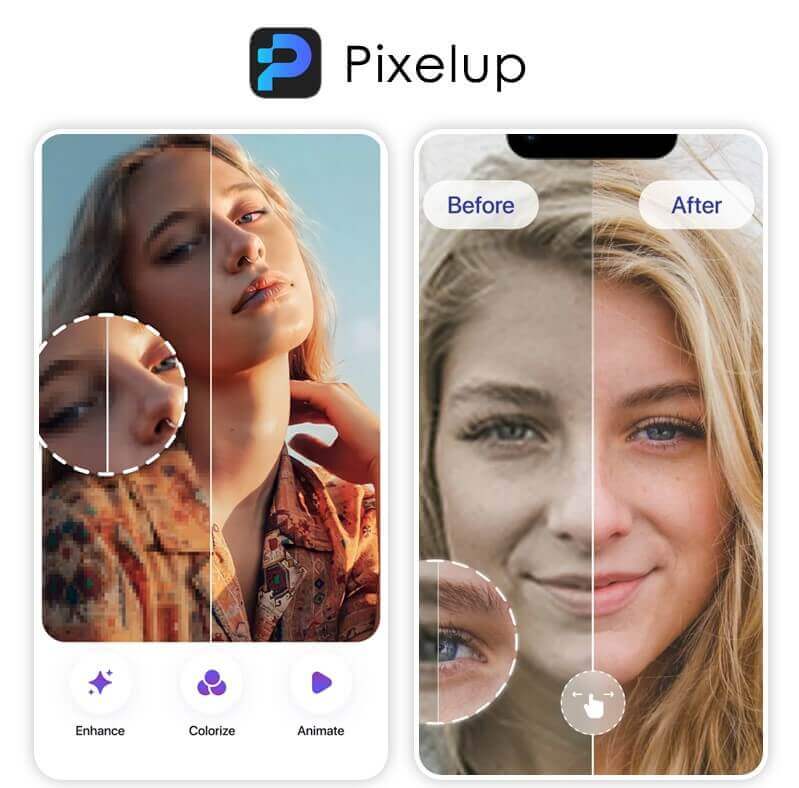
Pixelup is another great option for editing photos with AI-powered technology for free. This app offers smart auto enhancement that can adjust color balance, brightness levels, contrast settings, and sharpness levels among various other parameters with just a single tap!
Plus it offers various artistic filters such as vintage effects or retro styles that can be used to give your photos an extra touch of personalization.
What We Like About This App
After testing Pixelup's AI Photo Enhance, we found that it effectively unblurs photos.
Upon closer inspection, we noticed that many blurry areas were significantly improved and sharpened. We didn't observe much of a color-fixing effect after the enhancement; instead, it primarily focuses on unblurring photos.
If you're seeking the best AI solution for photo unblurring, Pixelup is our top recommendation for you.
Latest User Reviews
According to reviews on HitPaw and LinkedIn, users find Pixelup to be an effective photo enhancement tool.
They appreciate its advanced features like color correction, noise reduction, and the ability to animate photos, which bring old images to life.
However, some users mention that while the app is powerful, the best features are available only through a subscription.
PicWish: Best AI Photo Editing App for Retouching Selfie Photos
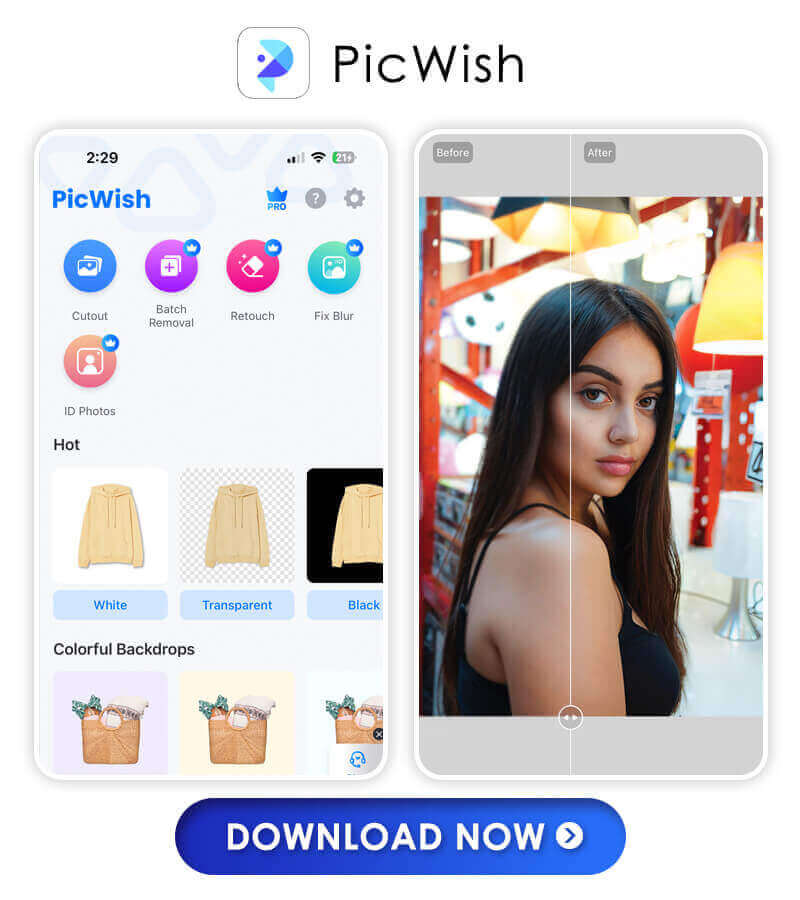
PicWish is a free AI-powered photo editor app with tons of great features like auto-enhancement, object segmentation, background removal/blurring, and color filters. It also offers over 100 fonts and stickers to customize your photos even further! Picwish also includes a library of professionally produced stock images and videos that can be used as backgrounds or overlays in your pictures.
What We Like About This App
PicWish stands out as the ultimate tool for refining selfie photos.
With its array of retouching features, including skin smoothing and blemish removal, PicWish effortlessly transforms selfies into stunning portraits.
However, some adjustments may verge on artificiality, yet for those seeking to enhance their selfies for social media or personal use, PicWish remains the go-to app.
Latest User Reviews
On Trustpilot, PicWish has an impressive rating of 4.7 out of 5 from 336 reviews. Users appreciate its background removal tool for its speed, accuracy, and ease of use, making it a favorite among graphic designers. However, a few users have reported performance issues.
How We Choose the Best AI Photo Enhancer App of 2026
We tested each of the AI photo apps for their "Photo Enhance" features and compared their abilities in 3 key factors: Quality of Enhancement, Ease of Use, and Unique Features. Each recommended app in this article possesses a standout feature that can be used for specific purposes, such as unblurring, increasing resolution, or fixing photos, providing you with the best options available.
Start Enhancing Photos With the Best AI Photo Enhancer Apps in 2026
There are plenty of great options when it comes to finding the perfect AI photo enhancer app for your needs in 2026.
Whether you want something quick and easy or more advanced features like facial recognition technology or lens corrections – there’s something here for everyone!
Give one (or more!) of these apps a try today – your future self will thank you!
About the Editors
The PERFECT Corp. Editorial Team
We are a team of experts on photo and video editing apps. Our goal is to deliver engaging content on everything from stunning selfie edits to eye-catching video effects. We cover the latest trends and share niche tips to help you master digital creation.
Discover more about us:
More AI Photo-Enhancer Ideas
- 10 Best FREE Online AI Photo Enhancers for 4K Resolution [2026]
- 5 Free Ways to Brighten Dark Photos in 2026
- How to Unblur Text: 5 Free Ways to Make Blurry Text Clear [Tutorial]
AI Photo Enhancer App FAQ
What is the best photo enhancer app in 2026?
If you're searching for the best photo enhancer app in 2026, we highly recommend YouCam Enhance for its AI-powered photo-enhancing and restoring abilities. With its latest "AI Beauty" feature (released in December 2023), it can not only enhance but also retouch photos automatically with just one tap, making it the ultimate choice for both beginners and professionals.
Is there a free AI photo enhancer?
YouCam Enhance is a newly released free AI photo enhancer available for iOS and Android since January 2023. It offers various AI photo editing features such as "AI Photo Enhance," "Old Photo Restoration," and "AI Object Remover," along with the latest additions of Generative AI features: "AI Image Extender" and "AI Replace," all offered for free. It is widely regarded as the best free photo enhancer in 2026.
Are there any limitations to using AI photo enhancer apps?
While AI photo enhancer apps can be very helpful, there are some limitations to their effectiveness. These apps may struggle to enhance low-quality images or those with significant damage or noise, and the resulting enhancements may not always be to the user's liking or artistic preference.
What AI app everyone is using?
The YouCam Enhance AI photo enhancer app is the newest AI photo app in 2026. Powered by the most advanced AI technology, it offers automatic photo enhancement with an easy-to-use interface. It is 100% free to use and has been the most look-after AI photo enhancer since its launch on January 2023.
Is there a photo enhancer app like Remini?
YouCam Enhance is the best Remini alternative app for iPhone and Android in 2026. With advanced AI technology, the YouCam Enhance app offers one-tap photo enhancement with high quality. It is easy to use, and 100% free to try.
Which AI Photo App is free?
The YouCan Enhance is one of the best free AI photo enhancer apps for iPhone and Android in 2026. It is 100% free to use, making photo quality improvement easy and fast.
What is the best free photo enhancer app in 2026?
Many users are looking for an all-in-one solution to enhance photo quality for free. YouCam Enhance's AI Photo Enhance tool is highly recommended for its powerful one-tap enhancement, 4K upscaling, and intuitive online editor, making it one of the best free options available.
How can I make blurry photos clear using a photo enhancer app?
YouCam Enhance's AI Photo Enhance feature allows you to unblur and sharpen images instantly. With advanced AI algorithms, it restores clarity to blurry photos with just a single tap, both online and on mobile devices.
Can I restore old or damaged photos with a photo enhancer app?
Yes, YouCam Enhance offers AI-powered old photo restoration. This feature can repair scratches, revive faded colors, and enhance details, bringing your cherished memories back to life effortlessly.
Is there an online tool to enhance photo quality without downloading software?
Absolutely! The YouCam Photo Enhancer Online Tool allows users to enhance, upscale, and retouch photos directly from their browser—no installation required. It’s perfect for quick edits and professional results on any device.
How do you increase the resolution of my photos to 4K?
With YouCam Enhance's AI Photo Enhance, you can upscale images up to 4K resolution. This feature maintains image quality and sharpness, making it ideal for printing or sharing high-definition photos online.
Can I batch enhance multiple photos at once with YouCam Enhance?
Yes, YouCam Enhance supports batch photo enhancement, allowing users to save time by processing several images simultaneously. This is especially useful for content creators and professionals managing large photo collections.
Is YouCam Enhance suitable for both beginners and professionals?
Definitely. YouCam Enhance features an intuitive interface for beginners and advanced AI-powered tools for professionals. Whether you need quick fixes or detailed enhancements, the platform adapts to all skill levels.
Start AI Photo Enhance With the Best AI Photo Enhancer App