Author:


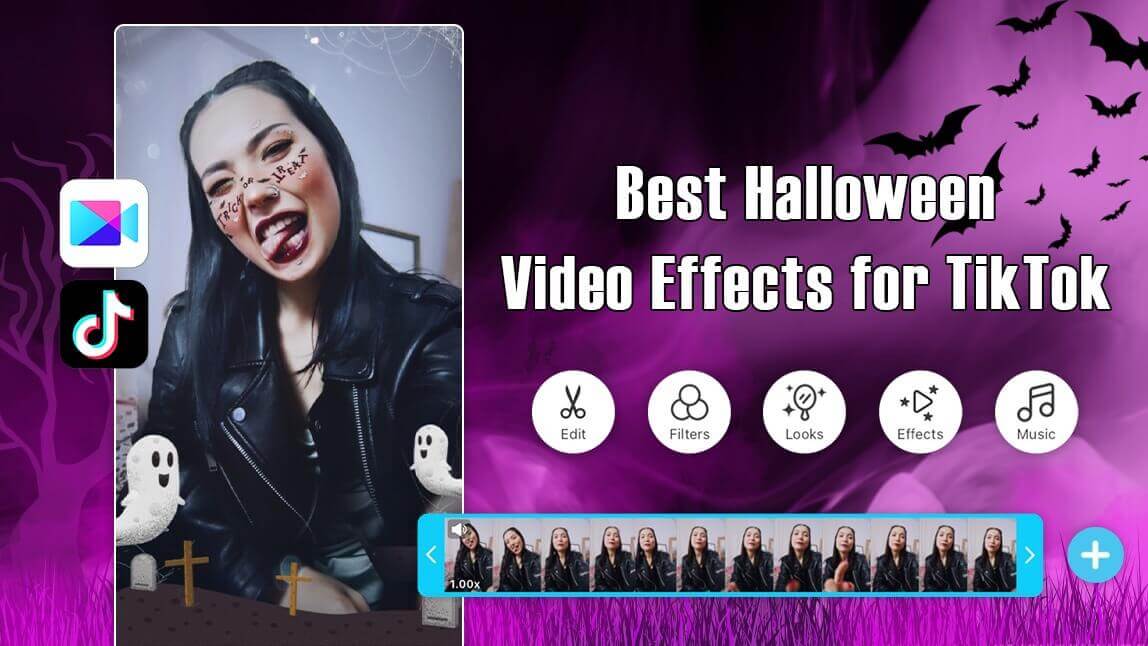
Halloween is approaching once more! Have you chosen your Halloween costume to dazzle your friends on Instagram or TikTok?
I tried all 10 Halloween video effects in YouCam Video myself this season to see which ones actually look good on camera versus which ones read as gimmicky, and I also tried out the app's newer AI Halloween Costume Filter, which generates a full costume look instead of a simple face overlay.
Best Halloween Video Effects App on iPhone and Android in 2026

YouCam Video is the best Halloween video editing app for enhancing your Halloween videos.
With its AI-powered video effects and filters, YouCam Video lets you to conjure up spooky, yet stunning Halloween videos that will mesmerize your followers.
200+ Video Effects: Make Your Halloween Video Pop
Explore amazing Halloween effects and filters to edit your next social media video and get ready to captivate your followers like never before.
From cute, to horror to funky: YouCam Video's Halloween content ensures your videos stand out in the Halloween crowd!
Customizable Halloween Makeup Effects

Explore a range of video filters and face filters in the YouCam Video app, ideal for Halloween!

Keep reading to explore the best Halloween video effects in 2026.
YouCam Video Effects vs. Manual Halloween Makeup
| Approach | Best For |
| YouCam Video AR filters | Fast, repeatable looks for social clips — no makeup skill or cleanup required |
| Manual Halloween makeup | In-person costume events and photos where a filter won't apply (no camera/app in the moment) |
Neither replaces the other — a real costume is still what you wear to a party, but for video content specifically, an AR filter gets you a usable, shareable clip in seconds instead of an hour at the mirror.
"The features as a whole are really amazing" — BeaWit, App Store review, 4.7★
Must-Try Halloween Video Effects to Elevate Your Video in 2026
| Table of Contents |
|---|
Discover the must-try Halloween video effects for 2026 to enhance your videos and create a spooky and captivating atmosphere.
Spooky Joker Filter

Transform into the iconic Joker with a creepy face filter that adds dramatic makeup and eerie features to your Halloween videos.
Testing note: The Joker filter tracked well head-on, but turning my head to the side made the face paint edges lag for a frame or two — best used for a mostly front-facing clip.
Cute Face Filters

Add a playful Halloween vibe with cute face filters featuring pumpkins, bats, and spiders. It’s the perfect way to show off your festive spirit while keeping things light and fun.
Ghost Video Effect
Bring your videos to the next level by adding creepy ghost effects. Whether you're planning to look for mysterious fog overlays or have blood drip down the screen, YouCam Video's effects are your go-to.
Testing note: The fog overlay read as convincingly spooky on a dim clip, but on a brightly lit one it looked more like a light haze than fog — this effect leans on low light to sell the illusion.
Ghost Face Filter

The YouCam Video app also offers a bewitching array of ghost face filters for you to try.
Cute Animated Halloween Effects

Add a burst of fun to your videos with cute animated Halloween effects, including smiling pumpkins, happy bats, and colorful witches’ hats. These effects are ideal for creating engaging, lighthearted content that everyone will love.
Testing note: The animated pumpkins and bats track your movement pretty well, but they're most visible in a clip where you're not moving too fast — quick head turns can make them lag slightly behind.
Scary Animated Halloween Effects

For a more spine-chilling approach, try out scary animated Halloween effects featuring creepy eyes, ghouls, and blood-splattered screens. These effects will turn your videos into frightful experiences that are perfect for your followers who love a good scare.
Hair Color Filters

Whether you are looking for a filter to change your hair color to channel your inner witch, fairy or other magical characters - the YouCam Video got your back. Try out different hair colors at the tap of a button.
Halloween Video Filters

The YouCam Video app offers an enchanting collection of neon effects, allowing you to transform yourself and your surroundings into a haunted Halloween universe.
Halloween Tattoo Effects

Try adorable facial tattoos featuring bats, butterflies, ghosts, and skulls – the choice is yours. The YouCam Video app effortlessly enhances your costume by adding a playful charm to it.
Halloween Background Effects

Instantly transform your setting with spooky Halloween background effects like haunted houses, eerie forests, or glowing pumpkin patches. These effects are perfect for creating an immersive Halloween atmosphere that pulls your viewers into the spooky fun.
Testing note: The haunted-house background held up well for a seated, mostly-still clip, but any fast movement toward the camera showed a visible edge around the subject where the AI background swap doesn't fully keep up.
Hot Off the Trend This Season: AI Halloween Costume Filter
Beyond the 10 effects above, YouCam Video's AI Halloween Costume Filter generates a full costume look from a photo or clip, rather than just overlaying a face filter — Perfect Corp reported over 176,000 digital Halloween looks tried on through its YouCam apps' AI/AR costume effects in a recent season (Business Wire).
Testing note: I tried the costume filter on a quick selfie clip and it swapped my outfit convincingly on a still or slow-moving shot, though — like the background effect above — it showed more visible edge artifacts once I started moving quickly.
[Note to editorial: this section could use a first-party screenshot of the AI Halloween Costume Filter output — none is included in this draft.]
Download YouCam Video: The Best Halloween Video Editor in 2026

Using YouCam Video, you can create incredible Halloween videos, all without the need for professional editing skills.
Experiment with these effects to enhance your Halloween videos on Instagram and TikTok. Begin your Halloween video creation by downloading the app today.