


 Author: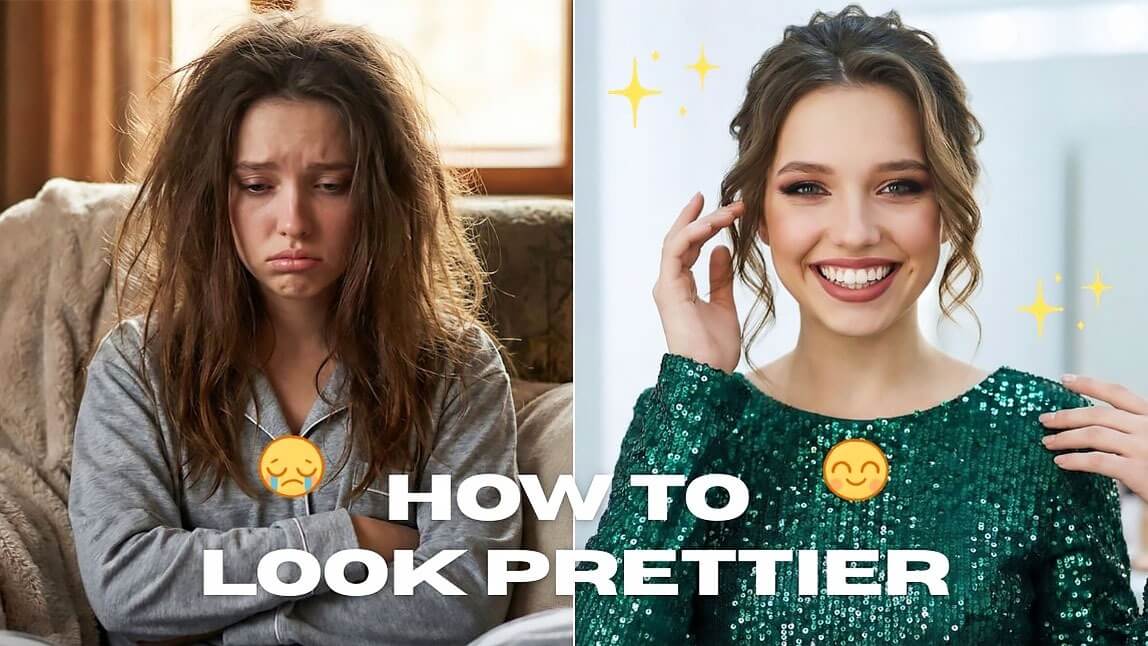
Everyone wants to know how to look prettier—whether it's for photos, social media, or simply feeling more confident in everyday life. The good news is that looking prettier doesn't mean drastically changing your appearance. Small adjustments in skincare, makeup, and even AI beauty tools can make a big difference.
Table of Contents ▼ Click to Expand
In this guide, we'll share 5 easy tips to help you look prettier naturally, including how AI beauty apps like YouCam Makeup can instantly enhance your look.

Best Makeup & Face Retouch App
The #1 Virtual Makeover & Selfie Camera App.
Experience real-time AR makeup trials.
Realistic AI Face Editing: YouCam Makeup
Here are five simple ways to make you look prettier with YouCam Makeup.
#1 Subtly Adjust Your Facial Features
Small adjustments to facial proportions can enhance your natural beauty without making you look edited.

🔎 Use AI Facelift and Face Reshape
The AI Facelift and Face Reshape tools in YouCam Makeup help refine your facial structure by adjusting your jawline, cheekbones, chin, and even face width. It also helps create a more lifted and youthful appearance, perfect for reclaiming youth and feeling young again!
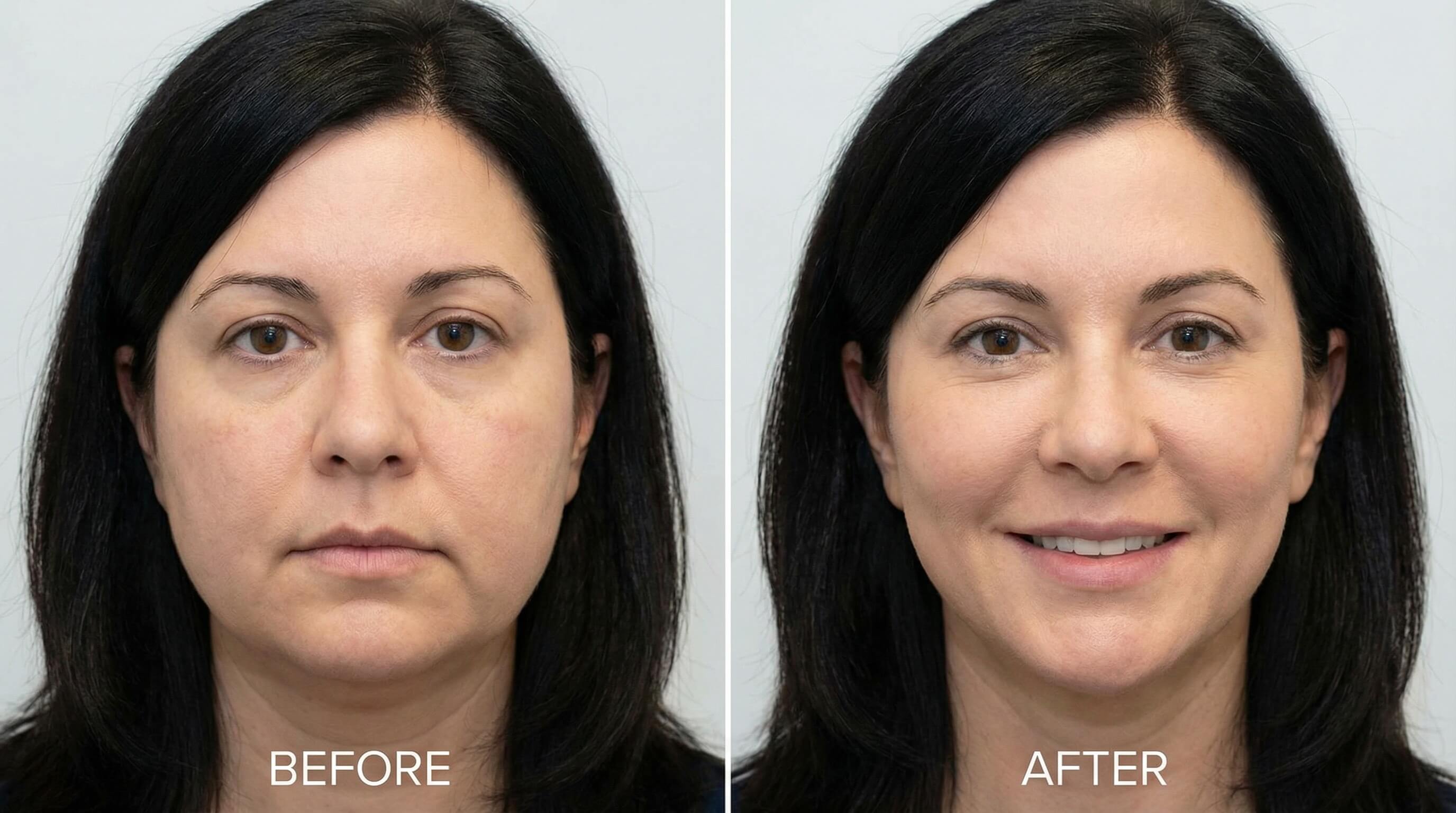
🪄 How To Try “AI Facelift”
Step 1. Tap AI Facelift
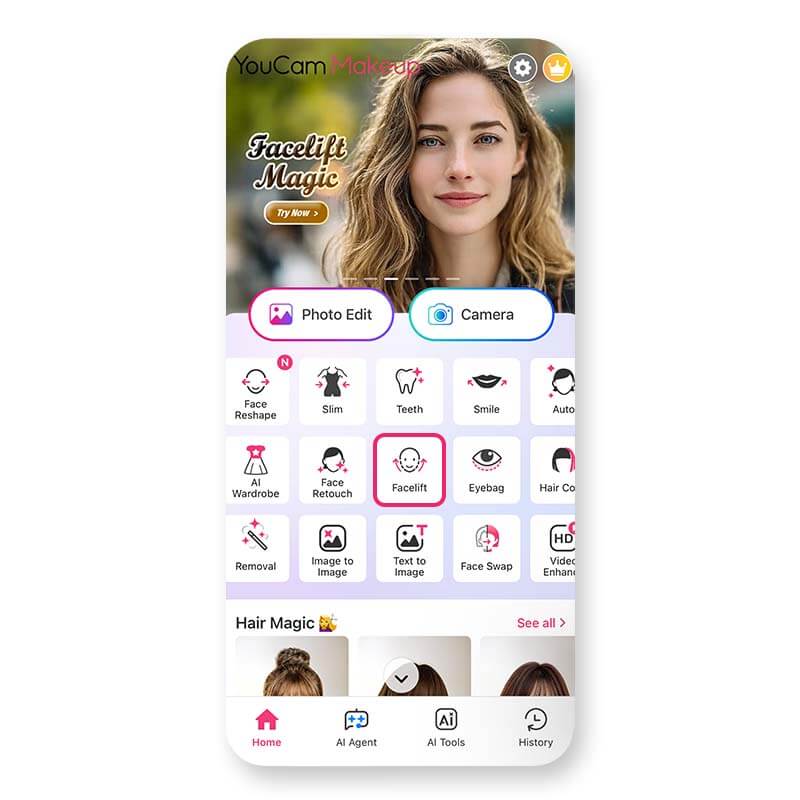
Step 2. Upload your photo
Step 3. Adjust the sliders for jawline or cheekbones
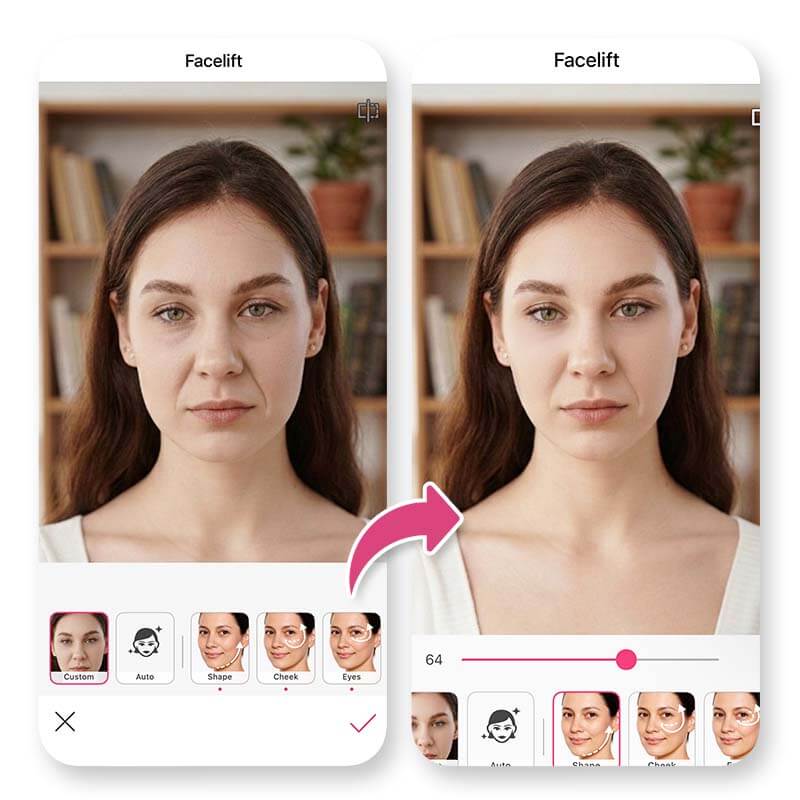
The goal is to enhance—not completely change—your face.
Best Makeup & Face Retouch App
The #1 Virtual Makeover & Selfie Camera App.
Experience real-time AR makeup trials.
#2 Take Care of Your Skin
Healthy skin is the foundation of beauty. Clear, hydrated skin instantly helps you look fresher and more attractive.
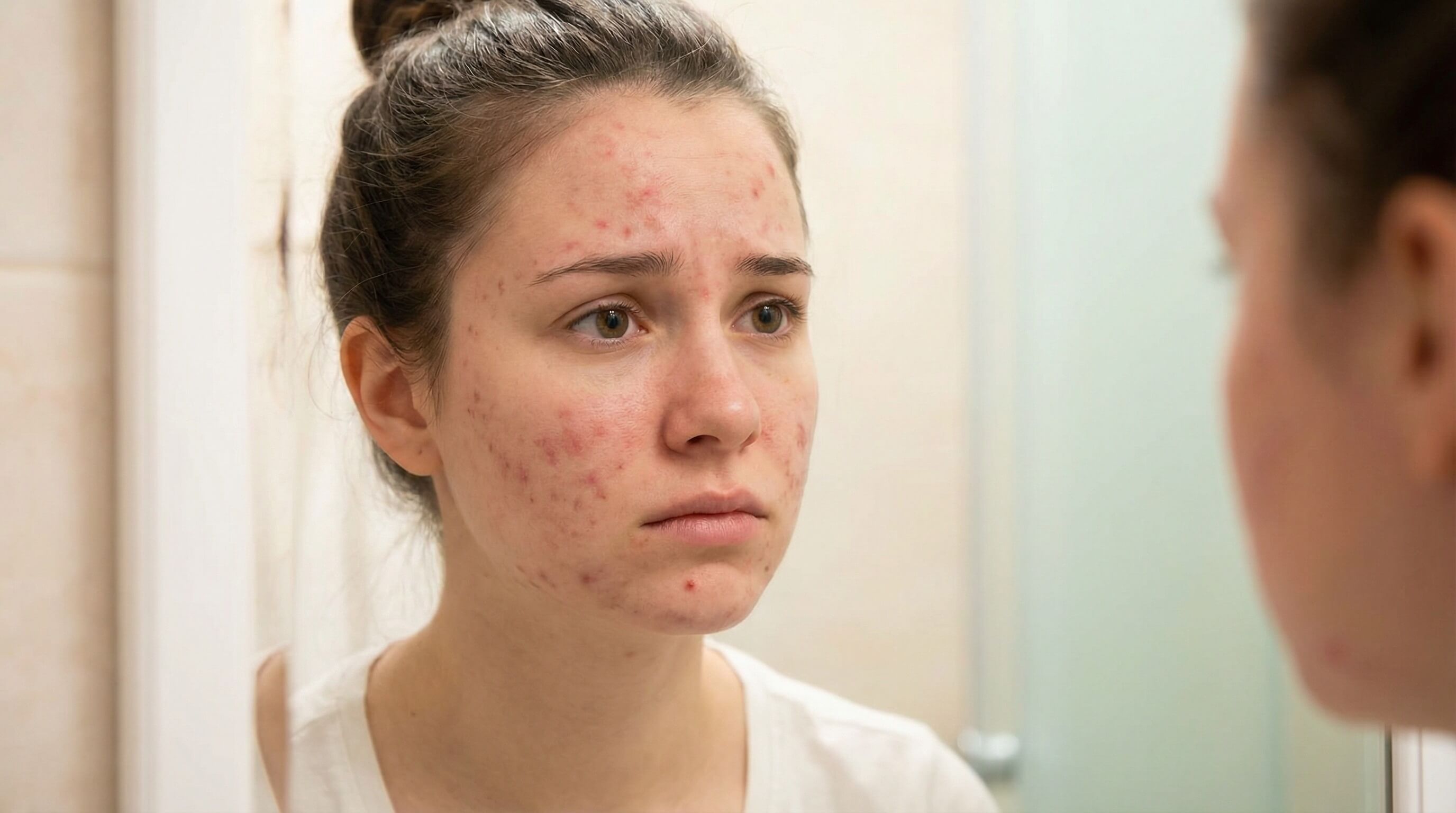
A simple skincare routine can make your face look brighter and smoother. Try this routine to start:
- Cleanser
- Moisturizer
- Sunscreen
- Occasional face masks
Healthy, smooth skin is one of the biggest factors in looking prettier. Removing redness, blemishes, and uneven skin tone can instantly make your face look brighter and more refreshed.
🔎 Use Face Retouch to Smooth Skin Instantly
The Face Retouch tools in YouCam Makeup allow you to quickly improve your skin appearance. Key features include:
- Redness – reduces red or irritated areas
- Spots – removes pimples, acne marks, and dark spots
- Skin smoothing – softens texture while keeping your skin natural
🪄 How To Try “Face Retouch”
Step 1. Open YouCam Makeup
Step 2. Tap Face Retouch
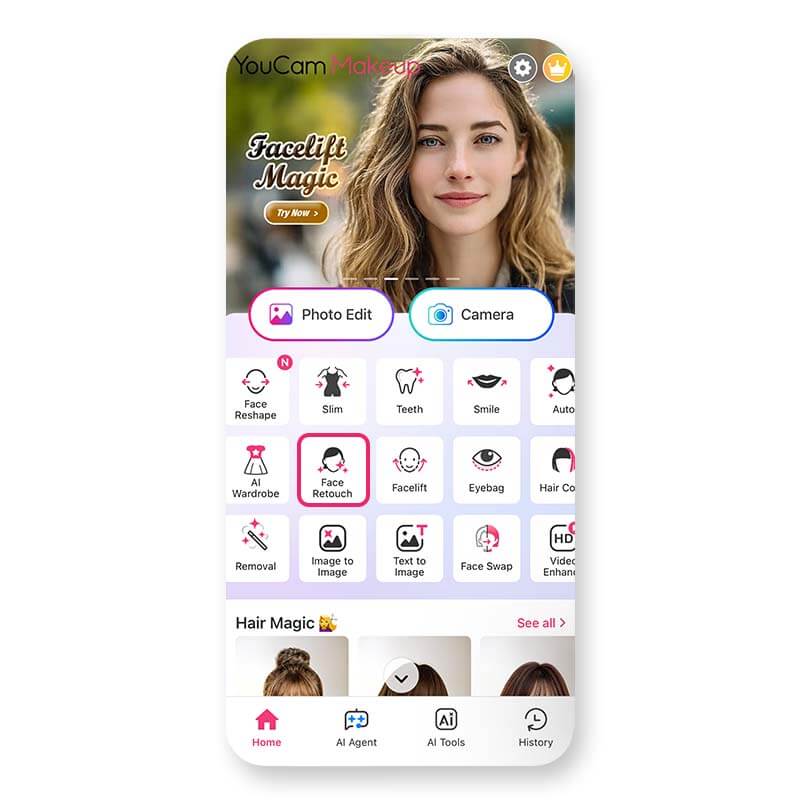
Step 3. Upload your photo
Step 4. Adjust Redness, Spots or Pores to clean up your skin
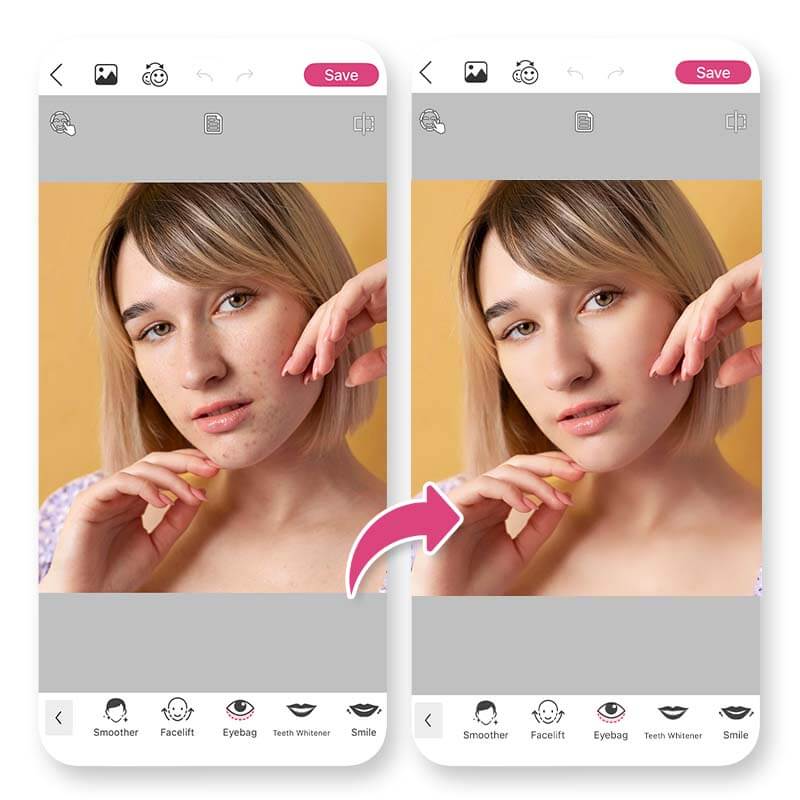
Step 5. Save your photo with a natural-looking glow
With YouCam Makeup, even small adjustments can make your skin look clearer and healthier.
Best Makeup & Face Retouch App
The #1 Virtual Makeover & Selfie Camera App.
Experience real-time AR makeup trials.
#3 Find the Right Hairstyle
Your hairstyle can dramatically affect how pretty you look. The right haircut or hair color can frame your face and highlight your best features.

Here are some matched examples:
- Round faces: layered cuts
- Square faces: soft waves
- Oval faces: almost any style
🔎 Try Virtual Hairstyles Before You Commit
With the Hairstyle and Hair Color tools in YouCam Makeup, you can preview different looks instantly. You can try:
- Short vs long hairstyles
- Bangs or layered cuts
- Blonde, brunette, red, or fantasy colors
🪄 How To Try “Hairstyles”
Step 1. Tap Hairstyle and upload your photo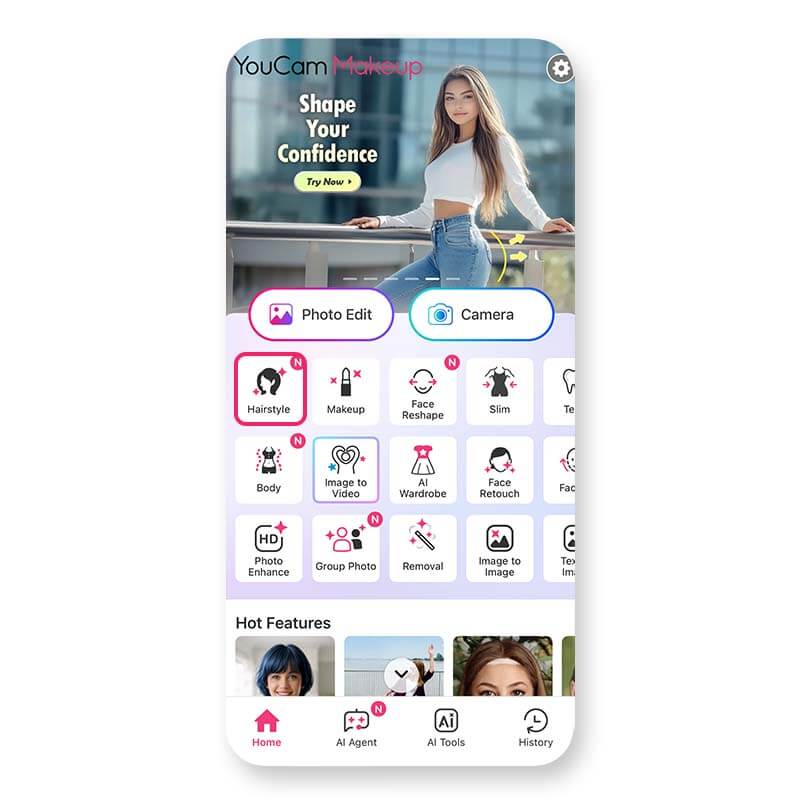
Step 2. Browse different haircut styles
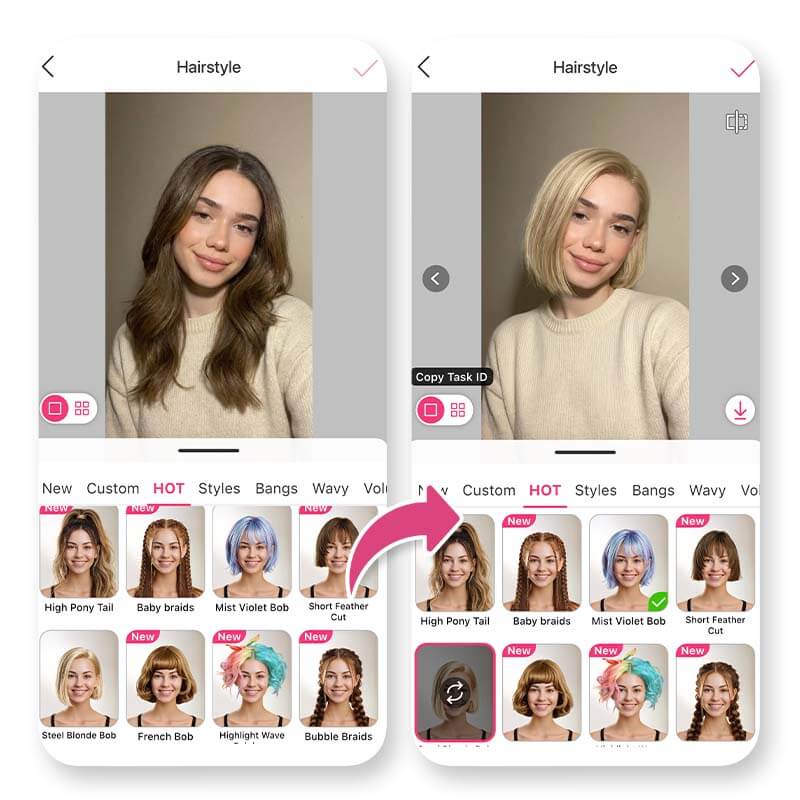
Step 3. Try different Hair Color options
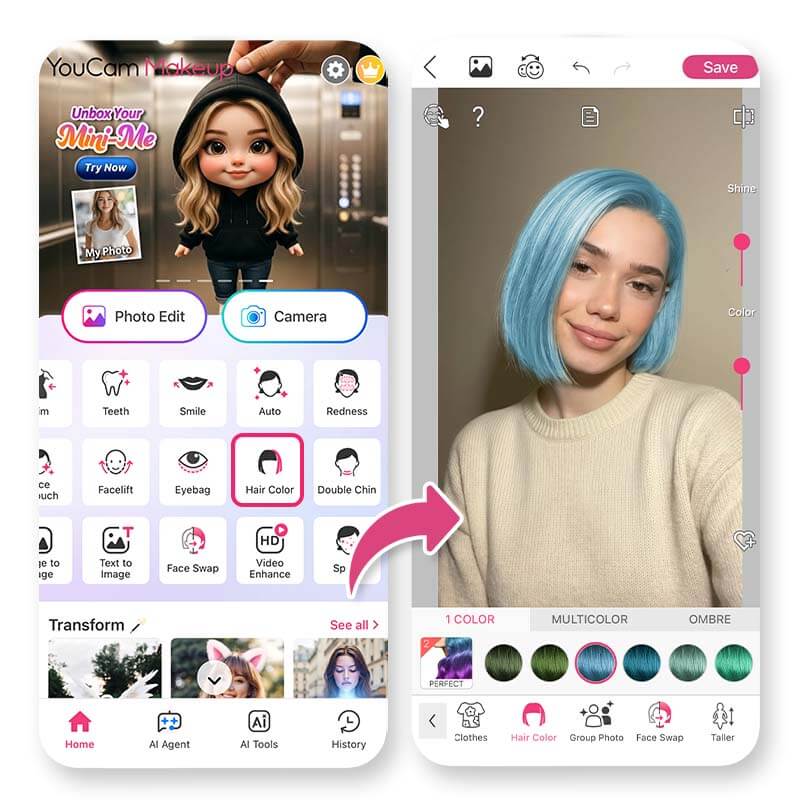
Step 4. Save the look you like best
This is a great way to experiment before visiting the salon.
Best Makeup & Face Retouch App
The #1 Virtual Makeover & Selfie Camera App.
Experience real-time AR makeup trials.
#4 Improve Your Smile
A natural smile instantly makes anyone look prettier and more approachable.
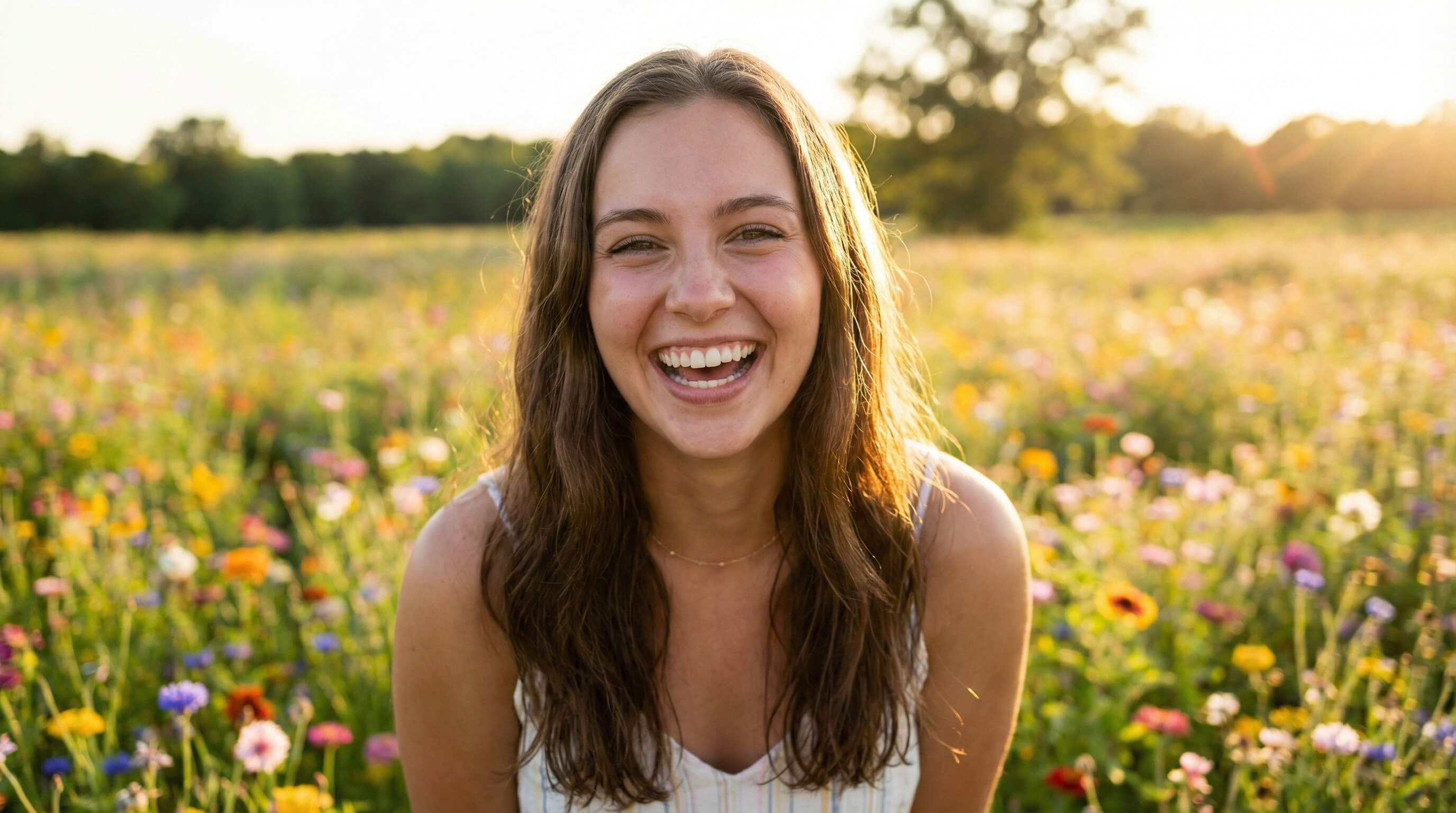
🔎 Enhance Your Smile and Teeth
Tools like Smile and Teeth in YouCam Makeup help improve your smile in photos. Features include:
- Adjusting smile intensity
- Whitening teeth
- Brightening your overall expression
🪄 How to Enhance your Smile
Step 1. Upload your photo
Step 2. Tap Smile to adjust expression
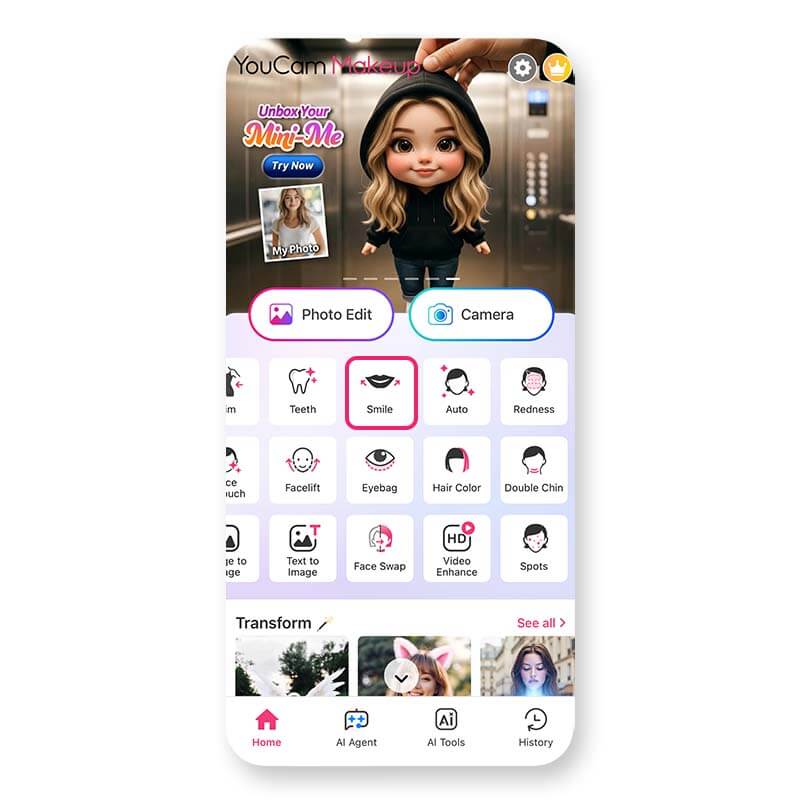
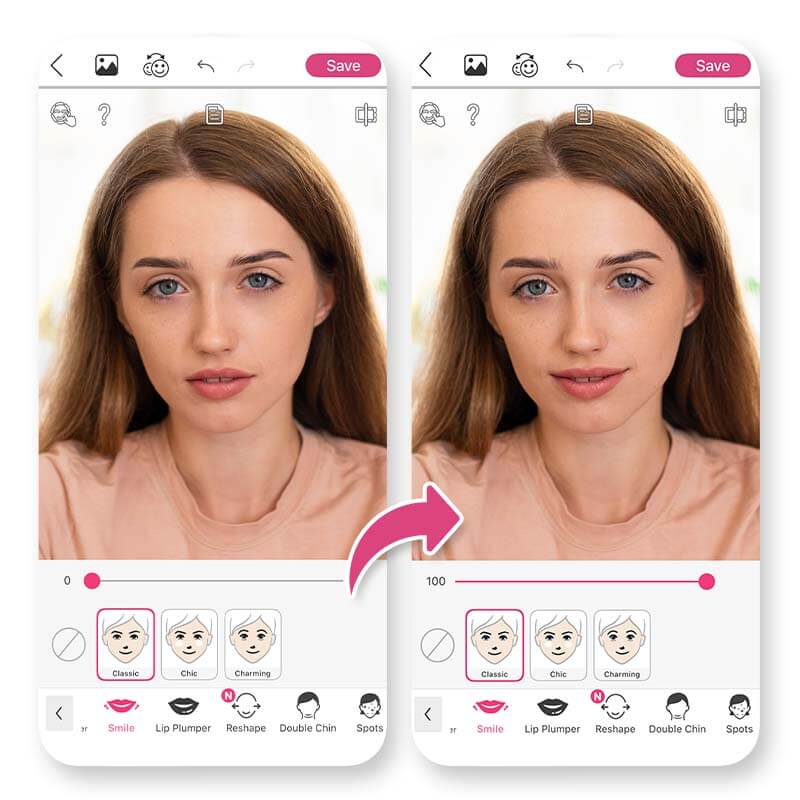
This creates a brighter, more confident smile in pictures.
Best Makeup & Face Retouch App
The #1 Virtual Makeover & Selfie Camera App.
Experience real-time AR makeup trials.
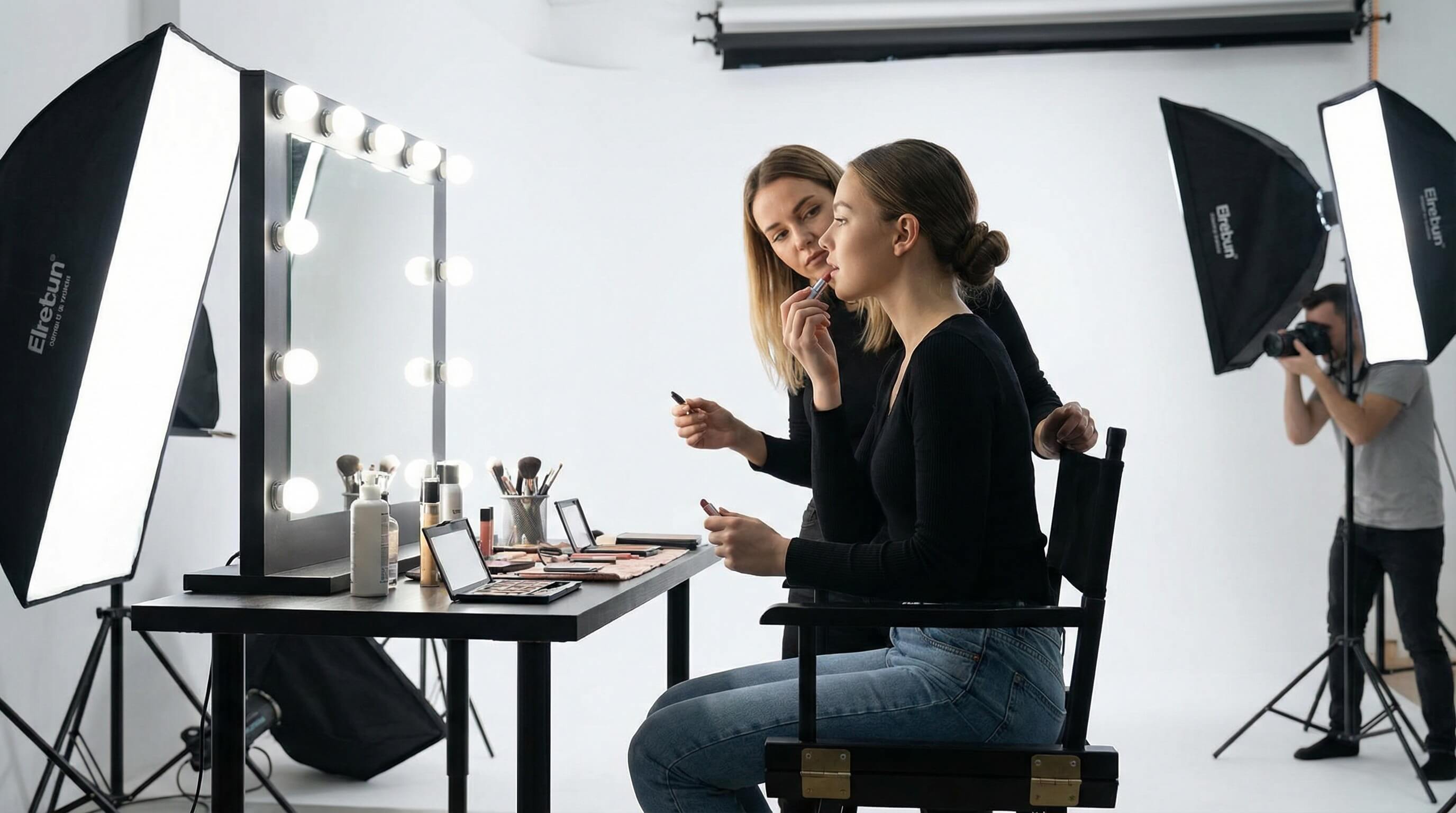
#5 Find a Makeup Style That Suits You
The right makeup can highlight your natural features and help you feel more confident.
🔎 Experiment with Virtual Makeup
The Makeup feature allows you to try different makeup styles instantly. You can test:
- Lipstick shades
- Eyeshadow styles
- Contour and blush
- Eyebrow shapes
🪄 How To Try “Makeup” Virtually
Step 1. Tap Makeup and upload your photo
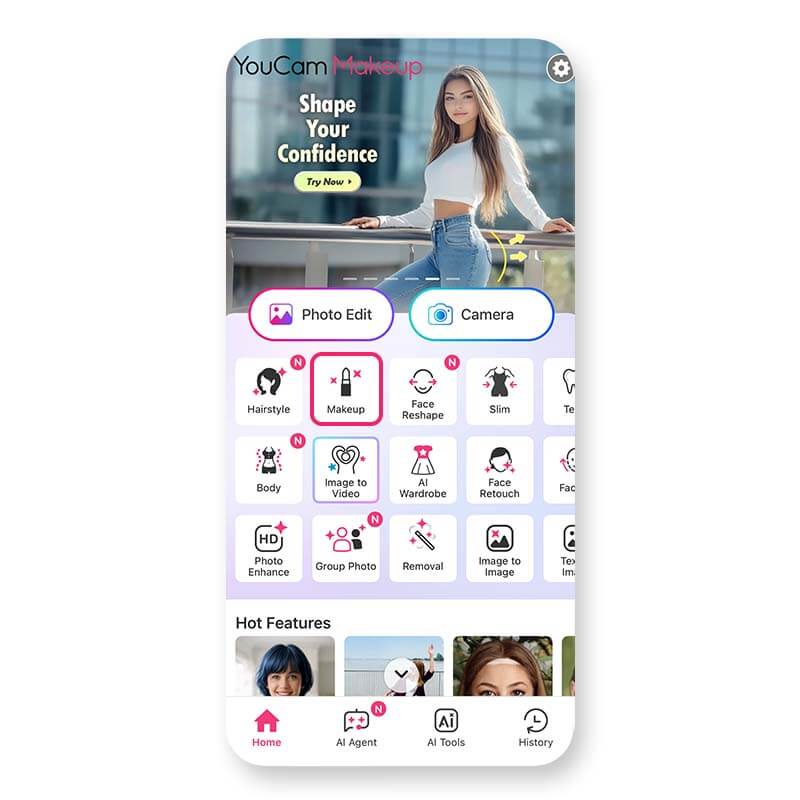
Step 2. Choose one of the makeup looks
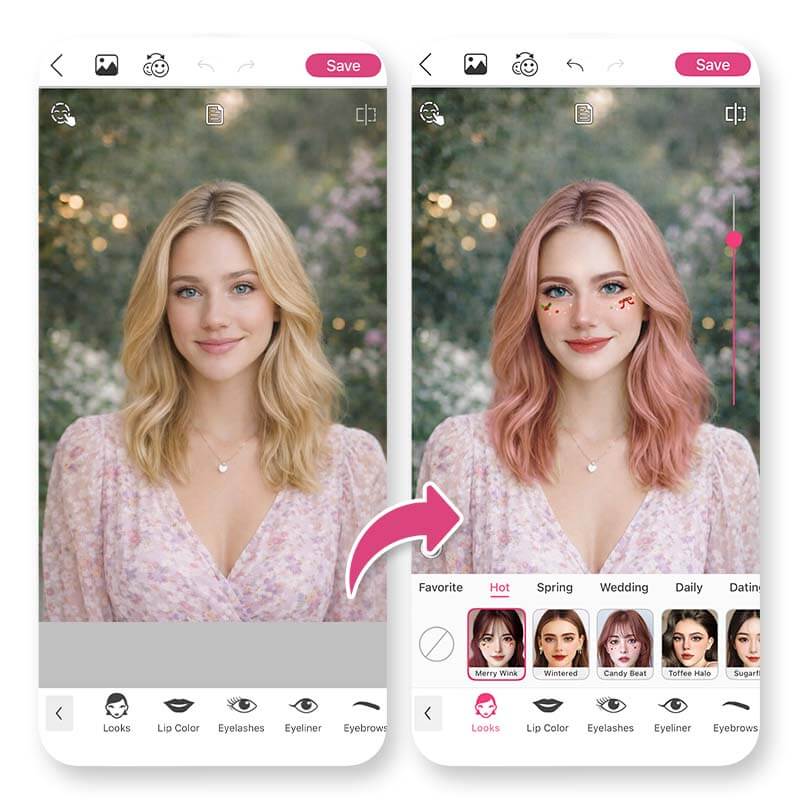
Step 4. Save your favorite style
This helps you discover the makeup that makes you look your best.
Best Makeup & Face Retouch App
The #1 Virtual Makeover & Selfie Camera App.
Experience real-time AR makeup trials.
Looking Prettier Is About Enhancing Your Natural Beauty
If you're trying to figure out how to look prettier, remember that beauty often comes from small improvements. Clearer skin, flattering hair, subtle facial adjustments, and a confident smile can all make a big difference.
With AI beauty tools like YouCam Makeup, you can easily experiment with different looks and enhance your natural beauty in seconds.
Best Makeup & Face Retouch App
The #1 Virtual Makeover & Selfie Camera App.
Experience real-time AR makeup trials.
FAQs for How to Look Prettier
How can I look prettier instantly?

You can look prettier instantly by improving your skin appearance, adjusting your hairstyle, enhancing your smile, and using subtle makeup.
How does AI face editing differ from traditional photo editing?
One popular option is YouCam Makeup, which offers features like AI Facelift, face reshape, skin retouch, virtual hairstyles, and makeup try-on.
Can AI make you look younger?
Yes. AI tools like AI Facelift can smooth lines and lift facial contours to create a more youthful appearance.



