


 Author: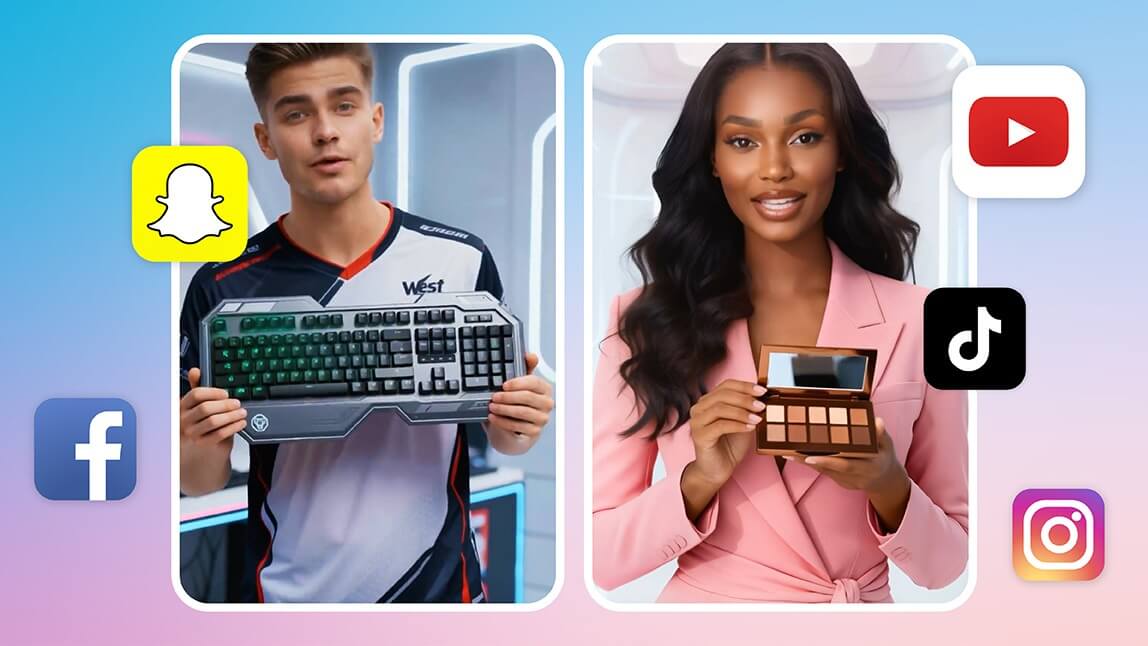
If you’ve ever tried to create a product video, you already know the struggle: expensive shoots, time-consuming edits, inconsistent lighting, and endless reshoots just to get one usable clip. For beauty brands, creators, and eCommerce sellers, video is essential—but traditional production often feels out of reach.
That’s where an AI product video generator changes everything.
- An AI product video generator turns photos, text prompts, or templates into finished product videos without a camera crew or studio.
- YouCam AI Pro is the strongest all-in-one option for beauty and product brands thanks to its business templates and fast turnaround.
- Runway and Google Veo lead on creative/cinematic control, while Synthesia and HeyGen focus on avatar-led explainer and multilingual content.
- PuppyDog.io is built specifically for personalized sales and marketing demo videos rather than general product shots.
- Keep backgrounds clean, match motion speed to the platform, and focus each clip on one benefit for the best results.
What Is an AI Product Video Generator?
Instead of traditional video production, AI handles:
- Motion generation (zoom, pan, rotation, transitions)
- Scene composition and sequencing
- Lighting consistency and visual effects
- Style alignment for different platforms (Reels, TikTok, ads)
For beauty and fashion brands especially, this means studio-quality results without studio-level costs.

How to Create an AI Product Video Using YouCam AI Pro
Why Choose YouCam AI Pro?
YouCam AI Pro is designed for beauty, fashion, and lifestyle creators who want professional visuals without technical complexity. It combines AI image enhancement, generative tools, and video creation features in one intuitive platform.
Step by Step Tutorial
Step 1. Download YouCam AI Pro – An All-in-One AI Product Video Generator
Once installed YouCam AI Pro, you’ll unlock the full suite of AI video creation tools.
Step 2. Open “AI Business” and Choose a Product Video Template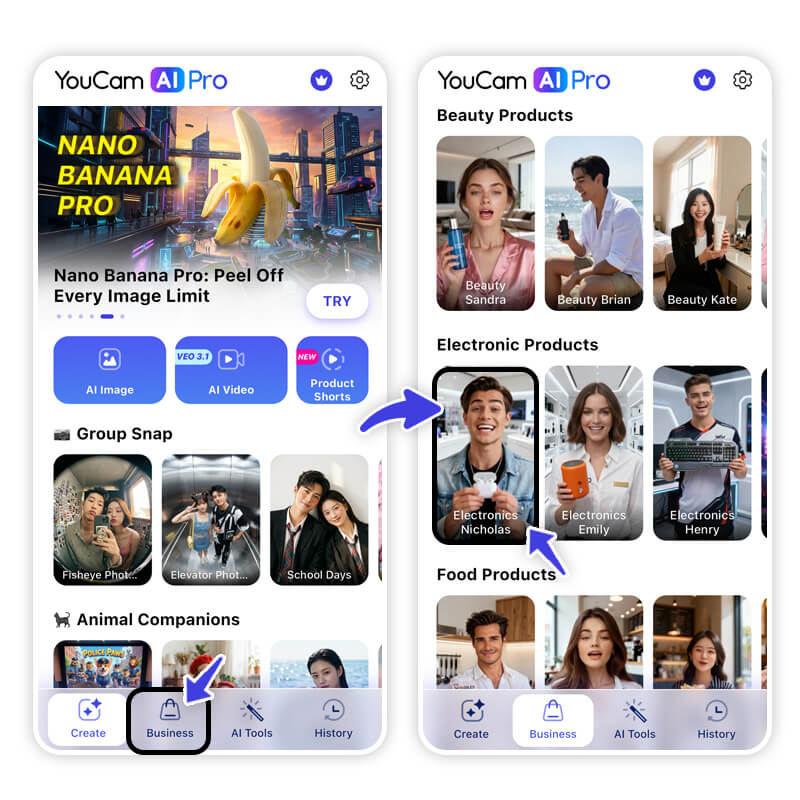
Each template is pre-optimized for platform-specific performance, helping your product videos look native and scroll-worthy.
Step 3. Customize Your AI Product Video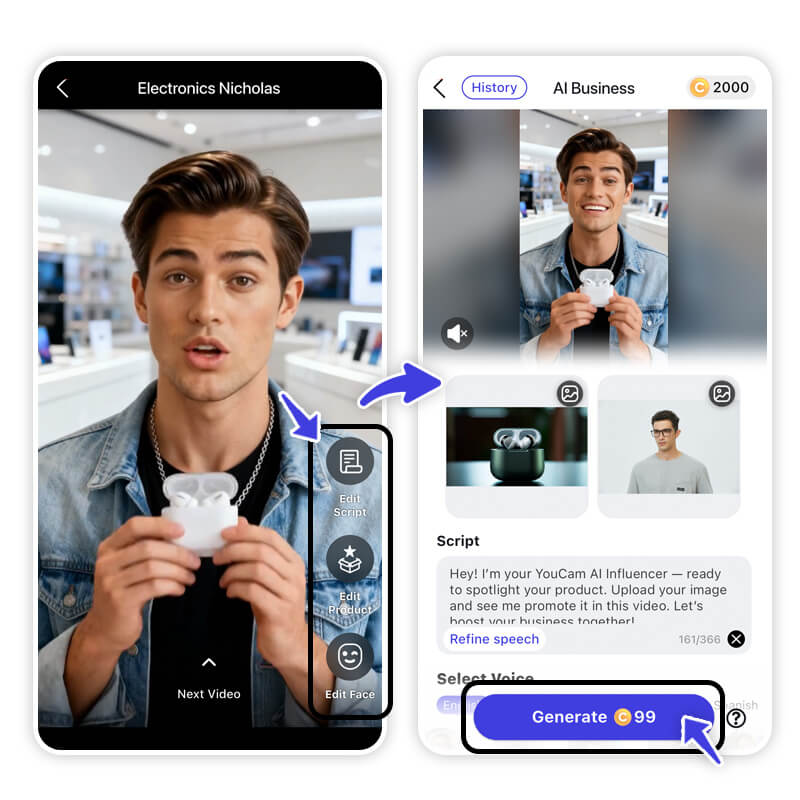
- Add your product description or ad script
- Upload your product image or packaging photo
- Select an AI actor or business avatar to present your product
The AI automatically aligns visuals, motion, and timing to create a natural, authentic product video experience.
Step 4. Generate and Export Your AI Product Video
Click Generate, and let the AI product video generator handle the rest.
Export your video and start using it for ads, product pages, or social campaigns—no reshoots needed.
Tips to Get Better Results with AI Product Videos
Using an AI product video generator gives you speed and flexibility—but smart creative choices are what turn views into clicks and conversions. These tips will help you get consistently stronger results across social media, ads, and eCommerce platforms.
Keep Backgrounds Clean and Intentional
Simple backgrounds help AI-generated motion look more natural and keep attention where it matters: the product.
- Neutral tones (white, beige, soft gradients) work best for skincare and makeup
- Avoid busy patterns that compete with product textures
- For lifestyle products, subtle environmental context (bathroom, vanity, desk) adds realism without distraction
Clean backgrounds also improve visual clarity on small mobile screens.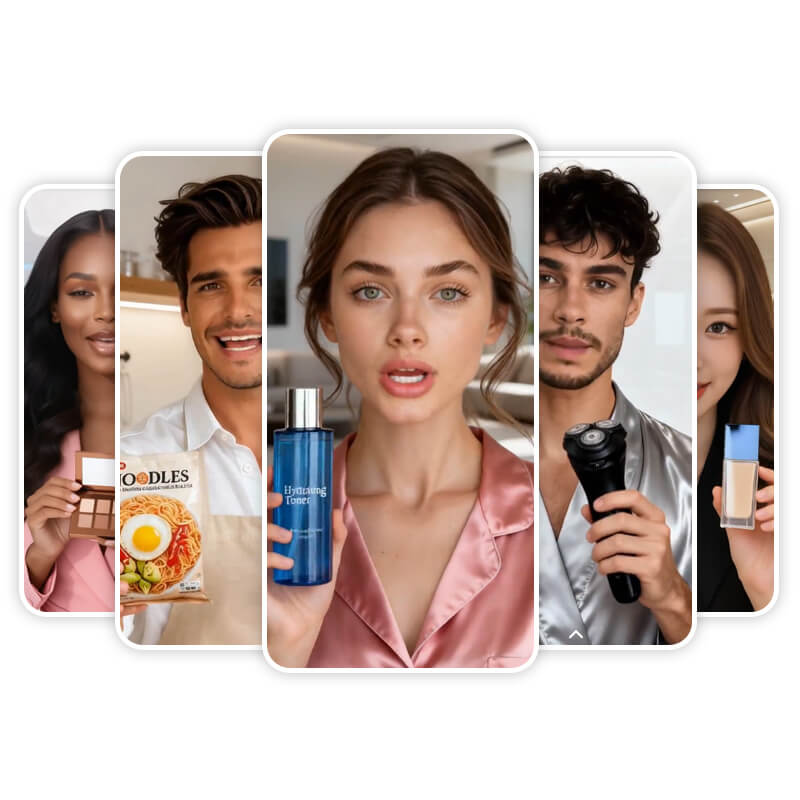
Match Motion Speed to the Platform
When using an AI product video generator, adjust motion intensity to match viewer expectations for each platform. Different platforms reward different pacing.
- TikTok & Instagram Reels: Faster cuts, dynamic zooms, and quick transitions
- YouTube Shorts: Balanced pacing with a strong hook in the first 3 seconds
- Product pages & landing pages: Slower, smoother motion that highlights details
Focus on One Key Benefit per Video
Instead of listing multiple features, center each video around one strong message:
- “Instant glow”
- “Smooths texture”
- “Long-lasting wear”
- “Before-and-after transformation”
You can always create multiple short videos, each spotlighting a different benefit.
How to Create Scroll-Stopping Videos with an AI Product Video Generator
| Tool | Best For | Standout Feature |
|---|---|---|
| YouCam AI Pro | Beauty & product videos, all-in-one | Business templates for fast, branded product clips |
| Runway | Creative control & professional editing | Advanced generative video tools |
| HeyGen | Multilingual avatars & voiceovers | Expressive AI presenters in multiple languages |
| PuppyDog.io | Personalized sales & marketing demos | Automated personalized outreach videos |
| Synthesia | Corporate & explainer videos | Polished business avatar presenters |
| Google Veo | Cinematic AI clips | High-fidelity cinematic motion generation |
1. YouCam AI Pro — Best All-in-One for Beauty & Product Videos
I generated a full product video from a single photo using YouCam AI Pro's business templates and had a usable clip in a few minutes — the motion and lighting stayed consistent across scenes, which is what usually breaks in DIY edits.
- "I was surprised by how realistic the images turned out, which is exactly what I wanted!" — Jayleigh42
- "Results are stunning — smooth and super responsive results without waiting around." — Lars in ATX
YouCam AI Pro blends multi-model AI video generation, text-to-video and image-to-video tools, and product staging/AI avatars — all within one creative app. It’s especially strong for beauty, fashion, and lifestyle brands wanting to create both product showcases and avatar-led brand videos without filming.
Best For: Beauty makers, small eCom teams, social media content creators, and small brands prioritizing UGC-style ads.
2. Runway — Best for Creative Control & Professional Editing
I pushed Runway harder on custom motion and camera angles than any other tool here — it gave me the most creative control, but it also took longer to get a shot looking exactly right.
Runway offers powerful generative AI and real-time editing features that let creators refine AI clips like they would with traditional software. Its tools are ideal for animated effects, motion control, and cinematic transitions.
Best For: Creative professionals and designers who want deep control over effects and motion.
3. HeyGen — Best for Multilingual Avatars & Voiceovers
When I generated a multilingual product intro with HeyGen, the avatar's lip sync stayed accurate even after I swapped the voiceover language, which impressed me more than I expected.
HeyGen specializes in AI avatar videos and voice cloning, giving marketers dynamic talking-head content in 140+ languages — ideal for product explainer and testimonial videos.
Best For: Marketers and creators focused on voice-led social ads and global campaigns.
4. PuppyDog.io: Best for Personalized Sales and Marketing Demos
I tested PuppyDog.io for a personalized outreach-style video and it's clearly built for that use case specifically — it's less useful if you just want a general product shot like the other tools here.
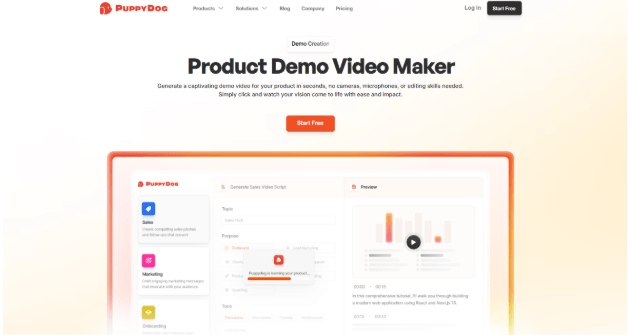
PuppyDog turns a single screenshot or screen recording into a full product demo video. The AI writes the script, adds narration, highlights key parts of the screen, and can even personalize each version for a different viewer using data from your CRM.
Best For: Sales and marketing teams who need tailored, trackable demo videos for leads and customers at scale.
5. Synthesia — Best for Corporate & Explainer Videos
Synthesia's explainer-style avatars felt the most 'corporate polished' out of everything I tried, which made sense for a formal product walkthrough but felt a bit stiff for a casual social clip.
Synthesia’s focus is on generating AI avatar videos that feel like real presenters, with robust multi-language support and professional output for product education and tutorials. (Commonly cited in AI video platform reviews).
Best For: Teams needing polished explanation videos or presenter-led product content.
6. Google Veo — Best for Cinematic AI Clips
Google Veo produced the most cinematic-looking motion of any tool I tested, though it took a few regenerations to land a clip that matched what I actually wanted.
Models like Google Veo excel at generating highly realistic short clips from text prompts, often used for concept ads or cinematic branding visuals.
Best For: Concept storytelling, cinematic branding, and short video art.
The Future of Product Videos Is AI-Powered
Creating high-quality product videos no longer requires a studio, a big budget, or a production team. With an AI product video generator, brands and creators can produce engaging, platform-ready videos in minutes.
Tools like YouCam AI Pro make this process accessible, efficient, and tailored to beauty and lifestyle needs—helping you stay competitive in a video-first digital world.
If you’re ready to upgrade your content strategy, now is the perfect time to experiment with AI-generated product videos and see the difference for yourself.
2026 Trend: AI-Generated Product Videos Are Replacing Studio Shoots for Small Brands
More small and mid-size beauty and eCommerce brands are skipping studio production entirely and generating product videos directly from existing photos. Tools like YouCam AI Pro make this workflow especially fast for beauty brands since the same app also handles the AI editing and effects most product teams already use. For more ways AI is reshaping everyday video production, see our guide to the best AI-powered video editing apps.
FAQs About AI Product Video Generators
What is an AI product video generator used for?

An AI product video generator creates marketing and eCommerce videos from images or prompts, helping brands produce video content faster without filming.
Are AI-generated product videos good for social media ads?
Yes. AI videos are ideal for short-form platforms like TikTok and Instagram because they’re fast to produce, visually engaging, and easy to customize.
Can I use an AI product video generator without video editing skills?
Absolutely. Tools like YouCam AI Pro are designed for beginners and professionals alike, requiring no prior editing experience.
Are AI product videos suitable for beauty and skincare brands?
Yes. AI tools are especially effective for beauty products because they enhance lighting, texture visibility, and overall visual appeal.



