 Author:


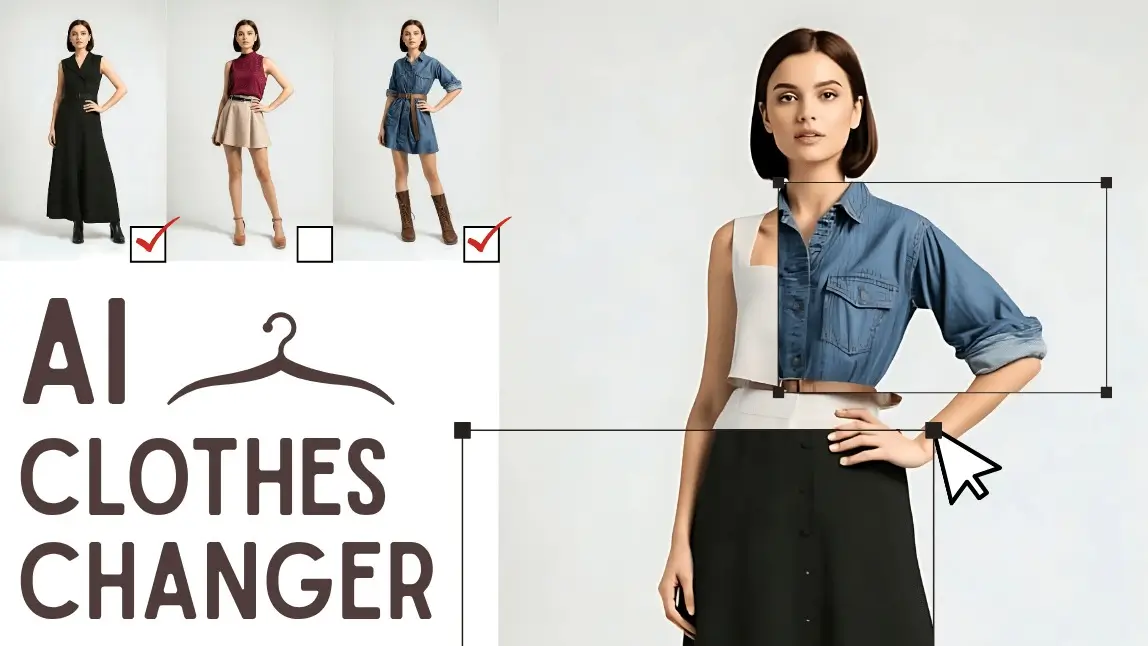
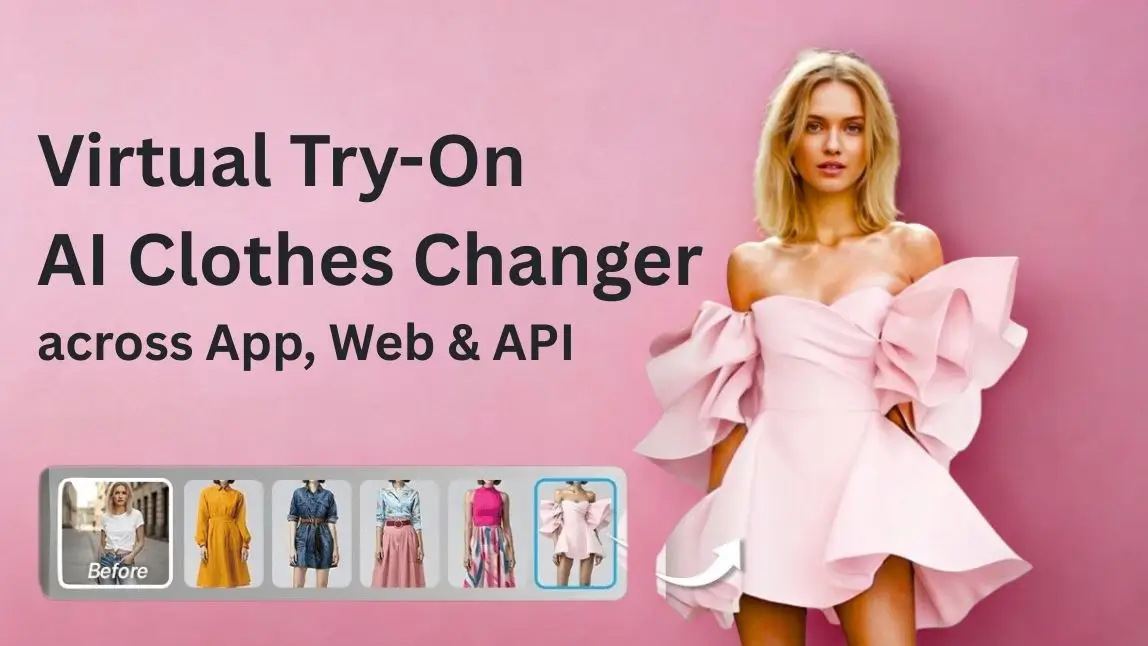
An AI clothes changer turns a single photo into a realistic virtual outfit preview. Upload your own image—or start with a model—then choose a preset style or upload a clothing reference to explore a new look without changing clothes or arranging a photoshoot.
Perfect Corp.’s AI Clothes Changer supports individual garments and complete outfits, giving shoppers, creators, stylists, and fashion businesses a faster way to visualize clothing ideas. This official guide introduces what the tool does, why we created it, who can use it, and how the same technology can be integrated into digital fashion experiences.
At a glance:
- Use your own photo or select a model to begin.
- Explore preset styles or upload a garment or outfit reference.
- Transform tops, bottoms, dresses, pants, skirts, jumpsuits, jackets, outer layers, and complete looks.
- Use the online experience for styling inspiration or integrate the technology into a website or app.
Table of Contents
- What Is an AI Clothes Changer?
- Why We Built the AI Clothes Changer
- Transform Clothes Using a Photo or Outfit Image
- How to Use the AI Clothes Changer
- What Makes Our AI Clothes Changer Different?
- Who Can Use an AI Clothes Changer?
- How Fashion Retailers Can Use Virtual Try-On
- AI Clothes Changer API for Websites and Apps
- What to Expect from AI Virtual Try-On Results
- Explore Fashion with AI Clothes Changer
- FAQs About AI Clothes Changer
What Is an AI Clothes Changer?
An AI clothes changer is a virtual try-on tool that uses artificial intelligence to generate a new image of a person wearing different clothing. Instead of placing a flat sticker over the original photo, the technology adapts the selected outfit to the subject’s pose, proportions, lighting, and image composition.
Users can upload a personal photo, choose a model, select an available style, or provide a garment reference. The result is a visual preview that helps users compare fashion ideas, experiment with different looks, and create outfit content more efficiently.
AI clothes changing is designed for visual exploration. It can show how an outfit may look in a photo, but it does not replace physical fitting, garment measurements, or fabric evaluation.
Virtual Outfit Try-On Online
Upload a photo, select a style or clothing reference, and explore a new outfit with AI.
Why We Built the AI Clothes Changer
We created the AI Clothes Changer to make fashion visualization faster, more flexible, and more accessible. Styling often requires users to imagine how separate pieces will work together, while digital shopping limits the ability to see clothing on a familiar person or body shape.
The tool gives users a visual starting point for several everyday and professional tasks:
- Explore new styles: Compare colors, silhouettes, categories, and complete outfit directions.
- Visualize clothing ideas: Turn a garment or outfit reference into a personalized preview.
- Plan content efficiently: Create multiple fashion concepts from one source photo.
- Support digital shopping: Help users see products in a more personal and interactive context.
Rather than replacing personal taste or physical try-on, AI gives users another way to move from inspiration to a visible fashion concept.
Transform Clothes Using a Photo or Outfit Image
Perfect Corp.’s AI Clothes Changer supports more than one way to create a virtual outfit preview:
- Upload your own photo: Visualize a new look while preserving the subject’s overall pose and appearance.
- Select a model: Start quickly without uploading a personal image.
- Choose a preset style: Explore ready-made fashion directions and outfit categories.
- Upload a clothing reference: Use a clear garment or outfit image that you are authorized to use.
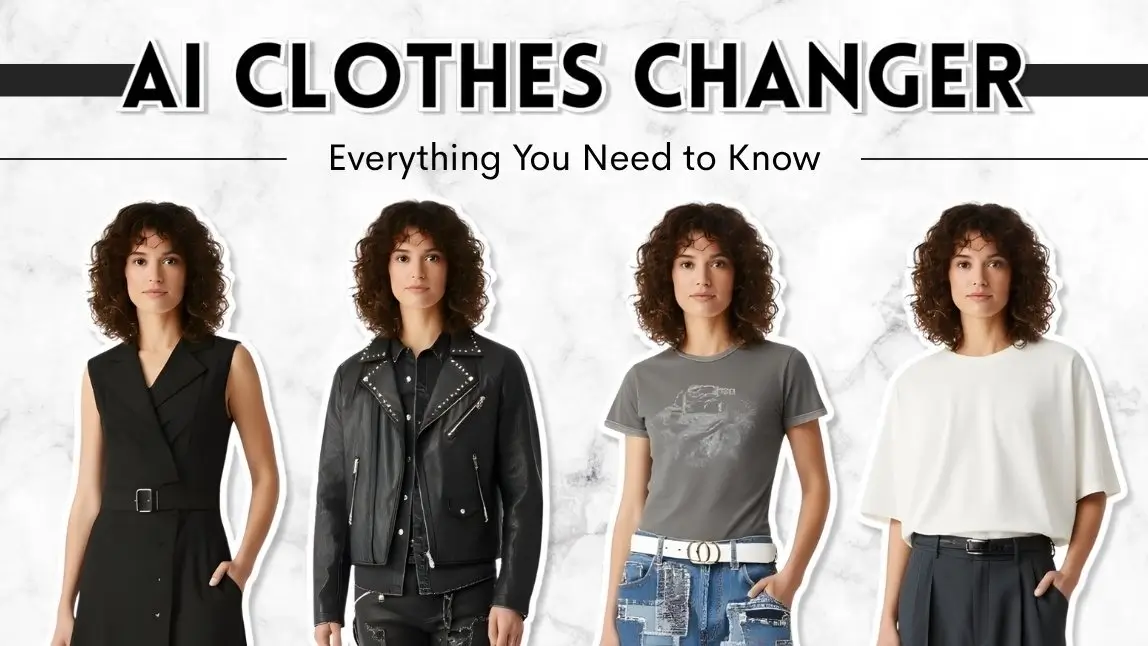
Users can explore upper-body, lower-body, and full-body transformations, including tops, pants, skirts, dresses, jumpsuits, jackets, vests, coordinated sets, and complete outfits. This makes the experience useful for both small styling changes and full wardrobe transformations.
The generated preview adapts the selected clothing to the source image. For the most consistent results, use clear photos with visible clothing areas, balanced lighting, and minimal obstruction around the body.
How to Use the AI Clothes Changer
The online experience uses a simple three-step workflow:
1. Upload a Photo or Select a Model
Open the AI Clothes Changer and upload a clear image. A front-facing or naturally posed photo with good lighting usually gives the AI more visible information to work with. You can also select a model to begin without using a personal photo.
2. Choose a Style or Upload Clothing
Select an available outfit style or upload a clear image of a garment or complete look. Product-focused images with the clothing clearly visible can help the AI interpret the reference.
3. Generate and Explore the New Look
Generate the virtual try-on result, compare the outfit with the original photo, and explore additional clothing references or style categories. Different source images and garment references may produce different visual results.
Create a New Outfit from One Photo
Try preset styles, upload a clothing reference, and compare multiple fashion directions online.

What Makes Our AI Clothes Changer Different?
The AI Clothes Changer combines a simple user experience with flexible fashion inputs:
- Pose-aware generation: Clothing is adapted to the subject’s pose, proportions, lighting, and image composition.
- Flexible outfit inputs: Users can choose preset styles or upload custom garment and outfit references.
- Partial and complete transformations: Change upper-body, lower-body, outer-layer, or full-body clothing.
- Broad style exploration: Create casual, professional, formal, seasonal, activewear, swimwear, lingerie, and creative outfit concepts.
- Online and business access: Individuals can explore the web experience, while developers and brands can access the technology through an API.
These capabilities make the tool suitable for quick personal experimentation as well as structured fashion, content, and e-commerce workflows.
Who Can Use an AI Clothes Changer?
AI clothes changing can support several types of users and objectives:
- Online shoppers: Visualize fashion ideas before deciding which products or styles to explore further.
- Style explorers: Experiment with colors, silhouettes, categories, and complete looks without changing clothes.
- Content creators and marketers: Develop outfit concepts and fashion visuals from fewer source photos.
- Stylists and fashion professionals: Create visual references for lookbooks, mood boards, and client discussions.
- Fashion retailers and marketplaces: Add interactive product visualization to digital shopping journeys.
- Developers and product teams: Build virtual styling features into websites, apps, kiosks, or custom interfaces.
How Fashion Retailers Can Use Virtual Try-On

For fashion businesses, an AI clothes changer can turn static product discovery into a more interactive experience. Retailers can use virtual try-on to help shoppers visualize individual products, compare complete looks, and engage with clothing in a more personal context.
Common placements include product pages, campaign landing pages, mobile apps, digital fitting rooms, and in-store displays. The most useful implementation depends on the retailer’s catalog, customer journey, image assets, and technical environment.
Virtual try-on can support shopper confidence and engagement, but it should complement—not replace—accurate product photography, garment measurements, size information, and clear return policies.
AI Clothes Changer API for Websites and Apps
Brands, retailers, and developers can bring clothes virtual try-on to their own platforms through Perfect Corp.’s AI Clothes Changer API.
The API is designed to support different user images, garment inputs, and digital channels:
- Flexible image inputs: Work with full-body photos, half-body photos, selfies, model images, and custom product references.
- Multiple garment categories: Support upper-body, lower-body, full-body, and outer-layer try-on, including jackets and vests.
- Standard product images: Use real-person or product-only garment images without building every item as a traditional 3D asset.
- Omnichannel deployment: Integrate into website browsers, iOS and Android apps, virtual mirrors, kiosks, backend systems, or custom interfaces.
- Developer-ready architecture: Connect through a RESTful API with standard authentication, endpoints, and JSON-based workflows.
The API can be used to create branded virtual fitting rooms, outfit generators, digital styling tools, campaign experiences, and fashion e-commerce features. Development teams should review the current documentation and test representative user and garment images before launch.
Virtual Try-On for Fashion Platforms
Add AI clothes try-on to websites, mobile apps, in-store experiences, and custom digital fashion products.
What to Expect from AI Virtual Try-On Results
AI Clothes Changer creates a visual simulation of clothing in a photo. It can help users evaluate style direction, color combinations, silhouettes, and complete outfit concepts, but it does not calculate an exact clothing size or reproduce every physical property of a garment.
Results may vary depending on the source photo, pose, lighting, body visibility, garment image, fabric complexity, overlapping objects, and fine details such as text, logos, prints, transparency, or accessories. For stronger results:
- Use a clear, well-lit image with the relevant body area visible.
- Choose a garment reference where the clothing is easy to identify.
- Avoid heavy obstruction from bags, crossed arms, furniture, or other people.
- Compare several generated results before selecting a final visual.
- Use size charts and garment measurements when making a purchase decision.
Explore Fashion with AI Clothes Changer
Perfect Corp.’s AI Clothes Changer gives users a simple way to turn fashion ideas into visible outfit previews. Start with a personal photo or model, choose a style or upload a clothing reference, and explore individual garments or complete looks in a few steps.
For personal use, the online experience supports styling inspiration and content creation. For business use, the API can bring virtual try-on into fashion websites, apps, digital fitting rooms, and custom shopping experiences.
Ready to explore a new look? Try the AI Clothes Changer online, or contact our team to discuss a branded virtual try-on experience.
FAQs About AI Clothes Changer
What is an AI clothes changer?
An AI clothes changer is a virtual try-on tool that generates an image of a person wearing different clothing. Users can begin with a personal photo or model and then select a preset style or upload a garment reference.
Can I upload my own clothing or outfit image?
Yes. You can upload a clear image of an individual garment or complete outfit, provided you have permission to use the image. The AI uses the clothing reference to generate a virtual outfit preview on the selected person or model.
What types of clothes can the AI Clothes Changer transform?
The tool supports upper-body, lower-body, outer-layer, and full-body clothing. Examples include tops, pants, skirts, dresses, jumpsuits, jackets, vests, coordinated sets, swimwear, lingerie, and complete outfits. Available categories may vary by experience or API version.
Can I use a model instead of uploading my own photo?
Yes. The online experience lets users select a model to explore outfit styles without starting with a personal photo.
Is the AI Clothes Changer free to try online?
A free online experience is available through Perfect Corp.’s AI Clothes Changer page. Usage limits, access conditions, and available features may change, so check the product page for the current experience.
Does virtual try-on show the exact physical fit?
No. AI clothes try-on provides a visual styling simulation. It does not determine an exact size, fabric feel, stretch, comfort, or physical fit. Shoppers should continue using garment measurements, size charts, product details, and retailer guidance.
Can fashion retailers add AI Clothes Changer to a website or app?
Yes. Perfect Corp. offers an AI Clothes Changer API for websites, mobile apps, in-store experiences, backend systems, and custom interfaces. Retailers and developers can review the API documentation or contact the team to discuss implementation.

This article was edited and reviewed by the Perfect Corp. editorial team.
Welcome to contact us or give us more suggestions.