Free AI Breast Expansion: Realistic Breast Enlargement

Enhance your photos with AI breast enlarger. Try AI breast expansion to increase breast size naturally and celebrate your curves with lifelike results!

Get Started for Free

Why AI Breast Expansion Works

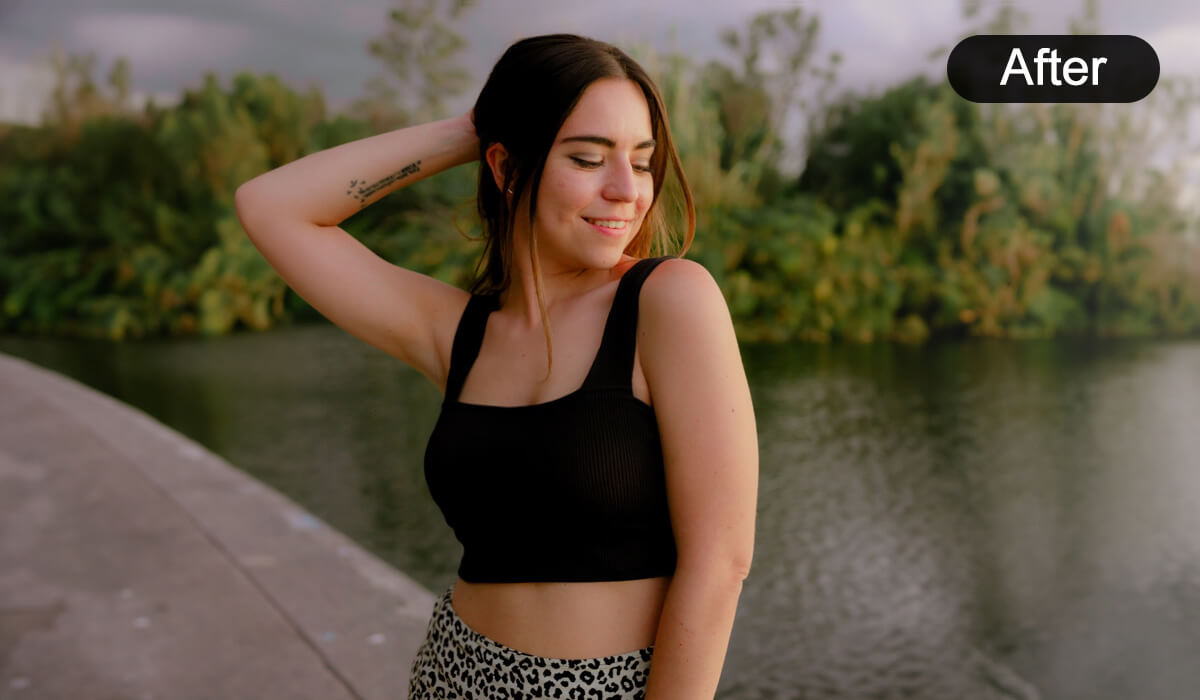
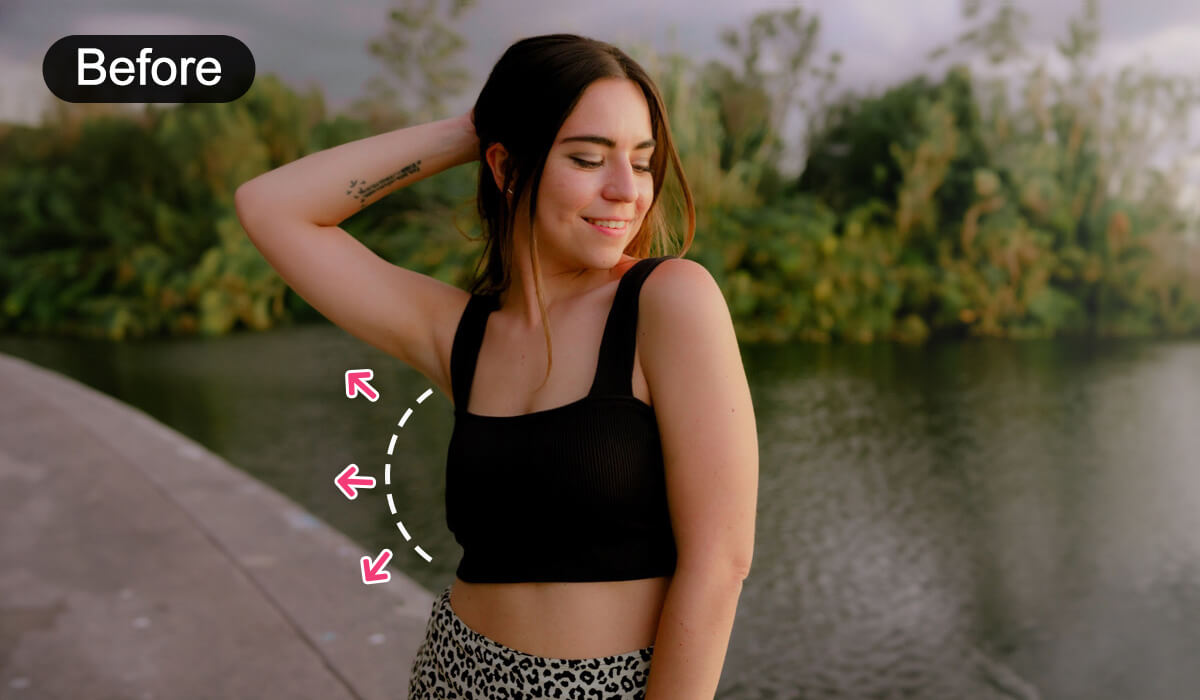
AI Breast Expansion isn’t just a simple filter — it’s a smart photo editing tool that analyzes body contours, lighting, and clothing. This lets you make boobs bigger in your photos while keeping the results realistic and personalized.

Perfect for selfies, portraits, and creative content, it helps you explore different looks without surgery.
Visualize Your Ideal Look with AI

Curious about breast augmentation? With AI Breast Expansion, you can preview fuller curves in your photos before taking the plunge. This virtual tool gives you a fun and pressure-free way to explore your options with realistic AI breast expansion results.

Enhance Curves and Body Features

Take your selfies and portraits to the next level. AI Breast Expansion lets you subtly or noticeably increase breast size in your photos while keeping your look natural and flattering.

Enhance Curves and Body FeaturesEnhance Curves and Body Features

Refine Visuals with AI Breast Expansion

Want to make your content stand out? AI breast enlarger helps brands and influencers enhance breast size naturally in photos. Adjust curves while preserving realistic details, giving your shots a flawless, confidence-boosting look.

Easily Adjust Your Breast Size with AI

Want fuller curves without surgery? With AI breast expansion, you can easily adjust breast size to match your style. Increase breast size and fine-tune each side for a natural, confidence-boosting look that’s totally you.

How to Enlarge Breast Size Naturally with AI

  1. Upload Your Image  
    Open YouCam Makeup and choose ‘Photo Edit’ to upload your photo you want to increase breast size.
  2. Try AI Breast Expansion
    Under the ‘Body’ feature, choose ‘Chest’. Select the left or right chest to enlarge or choose 'Overall' for a proportional look. Use the slider to adjust breast size.
  3. Download and Share a New You 
    Once you’re satisfied with your new look, save and download your photo to share!

AI Breast Expansion FAQs

What is AI Breast Expansion?

AI Breast Expansion is a smart photo editing tool that lets you make boobs bigger in your photos while keeping results natural and realistic. It analyzes body contours, lighting, and clothing to create flattering, lifelike enhancements.

How to increase breast size?

To increase breast size in photos, you can use an AI breast expansion tool like the one in YouCam Makeup. This feature allows you to instantly adjust and enhance your breast size, giving you natural-looking results without the need for surgery or physical changes.

What is the app that enhances breasts?

The YouCam Makeup app is a top choice for enhancing breasts with its AI breast enlarger. This feature lets you adjust breast size in photos to achieve the look you want, all while keeping it natural and realistic.

How do I make my chest look bigger in pictures?

To make your chest look bigger in pictures, use the AI breast expansion tool in YouCam Makeup. The app allows you to increase breast size in a few simple steps, adjusting your figure for a fuller, more confident look in photos.

Is there an app to simulate boob jobs?

Yes! YouCam Makeup offers a virtual breast augmentation feature that lets you simulate a boob job. The AI breast enlarger allows you to see how different breast sizes would look on your body—perfect for visualizing changes before making any decisions.

Other Features

Body Editor

Effortlessly enhance curves, slim down, or make subtle tweaks to your portraits. Refine your shape seamlessly while keeping the background untouched!

Makeup & Beauty Filters

Give your portraits a glow-up with a free makeup photo editor! Add trendy styles and flawless beauty filters for a natural, head-turning makeover.

Face Editor

Transform your look in seconds with an AI face editor that edits your photos automatically and flawlessly—just a few taps, and you’re selfie-ready!

By using the website, you agree to our use of cookies. Head to our cookie statement to learn more about cookies and manage cookies on this website.