


 Author: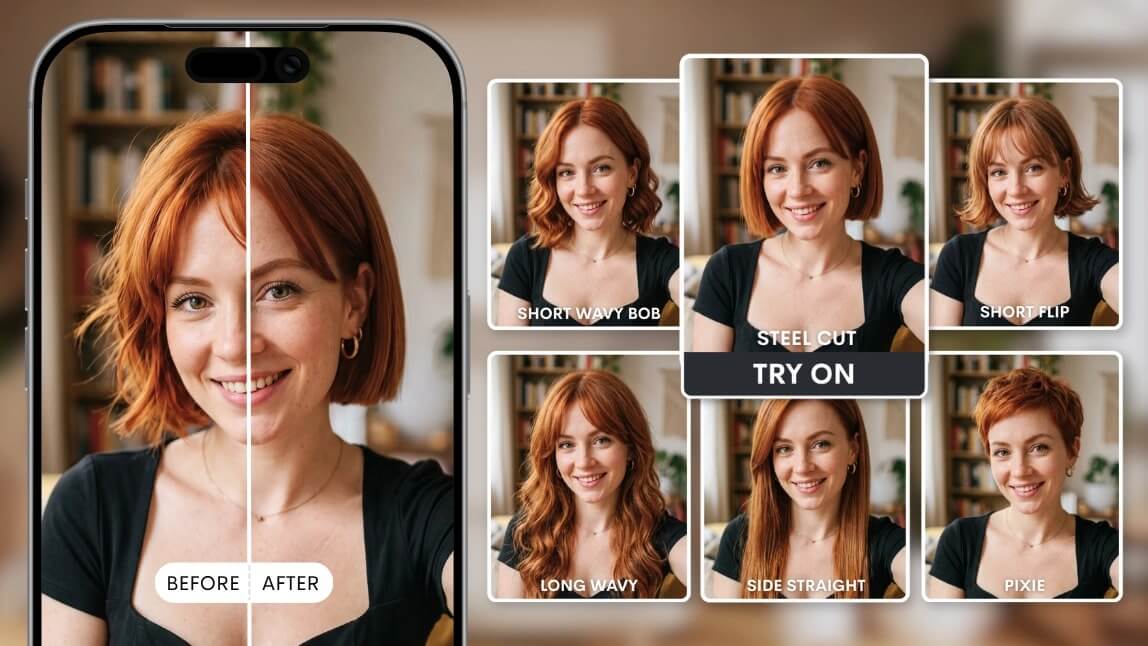
Disclaimer: Some images in this article may have been created or modified by AI
Everyone has a haircut story they would rather forget. The fringe that looked great on the mood board and terrible on your forehead. The "just a trim" that came back three inches shorter. A haircut filter fixes the part of the problem that has always been unfixable, which is seeing the result before it happens. Powered by AI and AR, these tools map a new cut onto your actual face in seconds, so you can audition twenty styles in the time it takes to scroll a feed. For beauty brands, salons and app builders, the same technology has quietly become one of the highest converting engagement tools on the market.Table of Contents
- Want to try a haircut filter right now?
- What is a haircut filter?
- How does a haircut filter actually work?
- Are haircut filters accurate?
- Where can you find the best free haircut filter?
- How do you use a haircut filter in four steps?
- Which haircuts should you test first?
- Why are salons and brands adding haircut filters to their own sites?
- How do you build a haircut filter into your own app or website?
- What mistakes make a haircut filter look fake?
- FAQ
Want to Try a Haircut Filter Right Now?
Try the free haircut filter now
Fair enough. Reading about a haircut filter is nothing like watching one drop a blunt bob onto your own reflection. Here is the short version before the long version.
- Try it free, no download: Perfect Corp.'s free AI haircut filter and virtual hairstyle try-on runs in your browser with endless styles, bangs and colors. Upload a selfie or turn on your camera and start swapping.
- See the business version: The same engine powers the commercial AI Virtual Hairstyle Try-On solution that brands embed on product pages, salon booking flows and mobile apps.
- Planning to launch your own: Contact Perfect Corp. for a demo and the team will walk your use case through live, including pricing and integration timelines.
Everything below explains what is happening under the hood, how accurate it really is, and how companies turn a fun filter into measurable revenue.
What Is a Haircut Filter?

A haircut filter is an AI-powered tool that replaces the hair in your photo or live camera feed with a different hairstyle, so you can preview a cut, a fringe or a full color change before committing to it. Unlike a sticker-style social filter that slaps a wig on top of your head, a modern haircut filter analyzes your head shape, hairline, part and lighting, then renders new hair that follows the contours of your actual head.
The category has split into three tiers, and knowing which one you are using explains most of the quality gap people complain about.
| Type | How it works | Realism | Best for |
|---|---|---|---|
| Social AR sticker filter | Overlays a fixed 2D or 3D hair asset anchored to face tracking | Low to medium | Fun, short-form video, novelty |
| Generative AI hairstyle tool | Regenerates the hair region of your photo with a diffusion or GAN model | High | Realistic previews, salon consultations |
| Real-time AR try-on | Renders hair live on camera at 30fps with physics and lighting adaptation | High, and interactive | Ecommerce, retail kiosks, beauty apps |
Most consumers meet the first type on social platforms and assume that is the ceiling. It is not. The tools built for beauty brands sit in the second and third tiers, and the difference is immediately obvious the moment you see your own hairline preserved instead of erased.
How Does a Haircut Filter Actually Work?
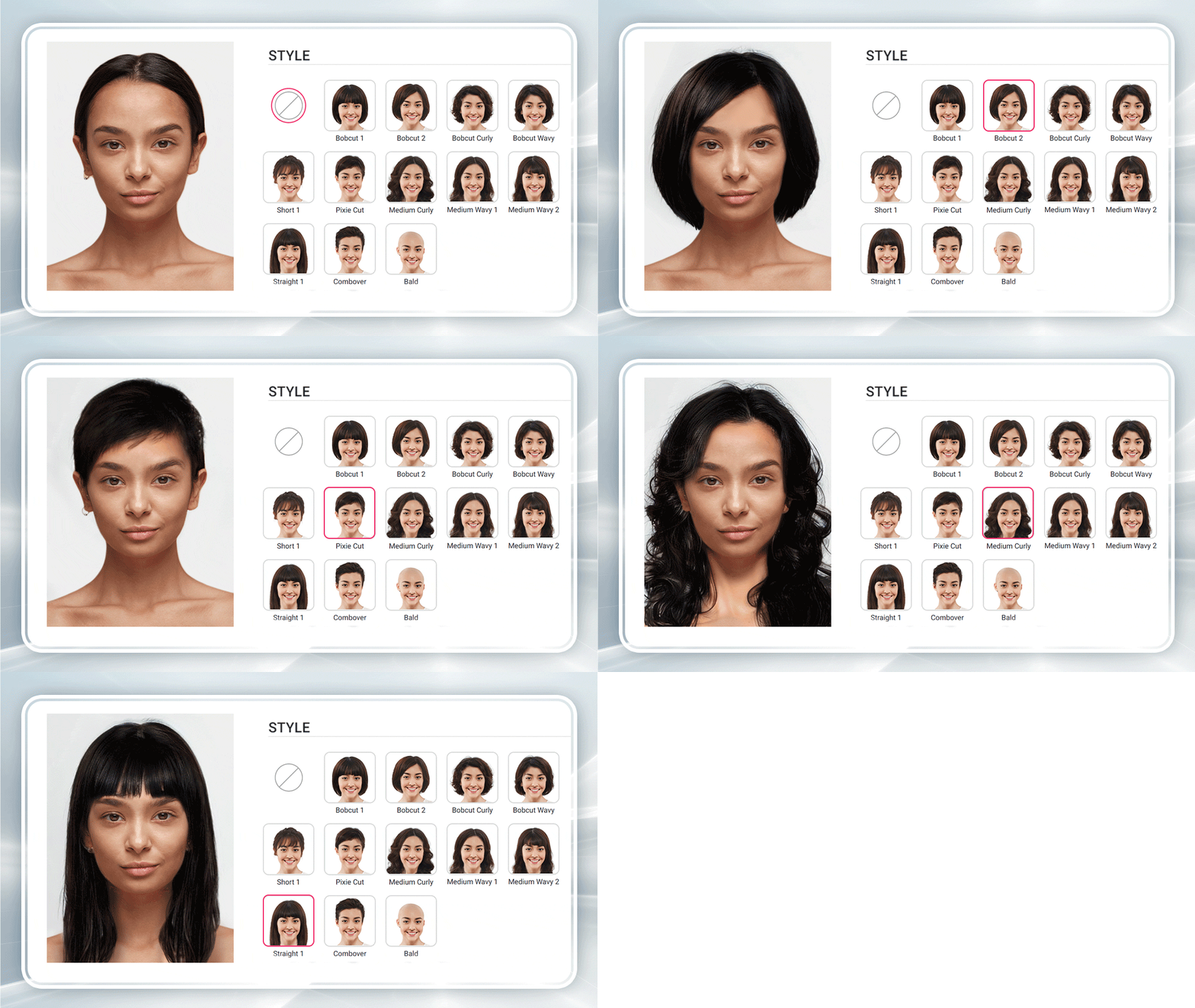
Test the hair try-on API in the AI Playground
Four things happen between your selfie and the preview, usually in under two seconds.
Step one: facial detection and head geometry
The model locates your face and estimates head pose, tilt and proportions. This is what tells the system where a hairline sits, how wide the forehead is, and which direction the head is turned. Get this wrong and every downstream step inherits the error, which is why cheap filters slide hair around when you move.
Step two: hair segmentation
The system separates existing hair from skin, background and clothing at the pixel level. Flyaway strands, curly outlines and dark hair against dark backgrounds are the hard cases here. Strong segmentation is the single biggest predictor of whether a result looks believable.
Step three: generation or rendering
Generative tools synthesize new hair that matches the target style while respecting your head shape. Real-time AR try-on instead renders a 3D hair asset with simulated strand behavior, then anchors it to the tracked head so it moves when you do.
Step four: lighting and color harmonization
The last step is the one amateurs skip. New hair has to inherit the light in your photo, including the warm kitchen bulb above you and the window on your left. Without harmonization, the cut looks pasted on even when the shape is perfect.
If you want the deeper technical version of this pipeline, our breakdown of the generative AI haircut simulator goes further into the model architecture.
Are Haircut Filters Accurate?
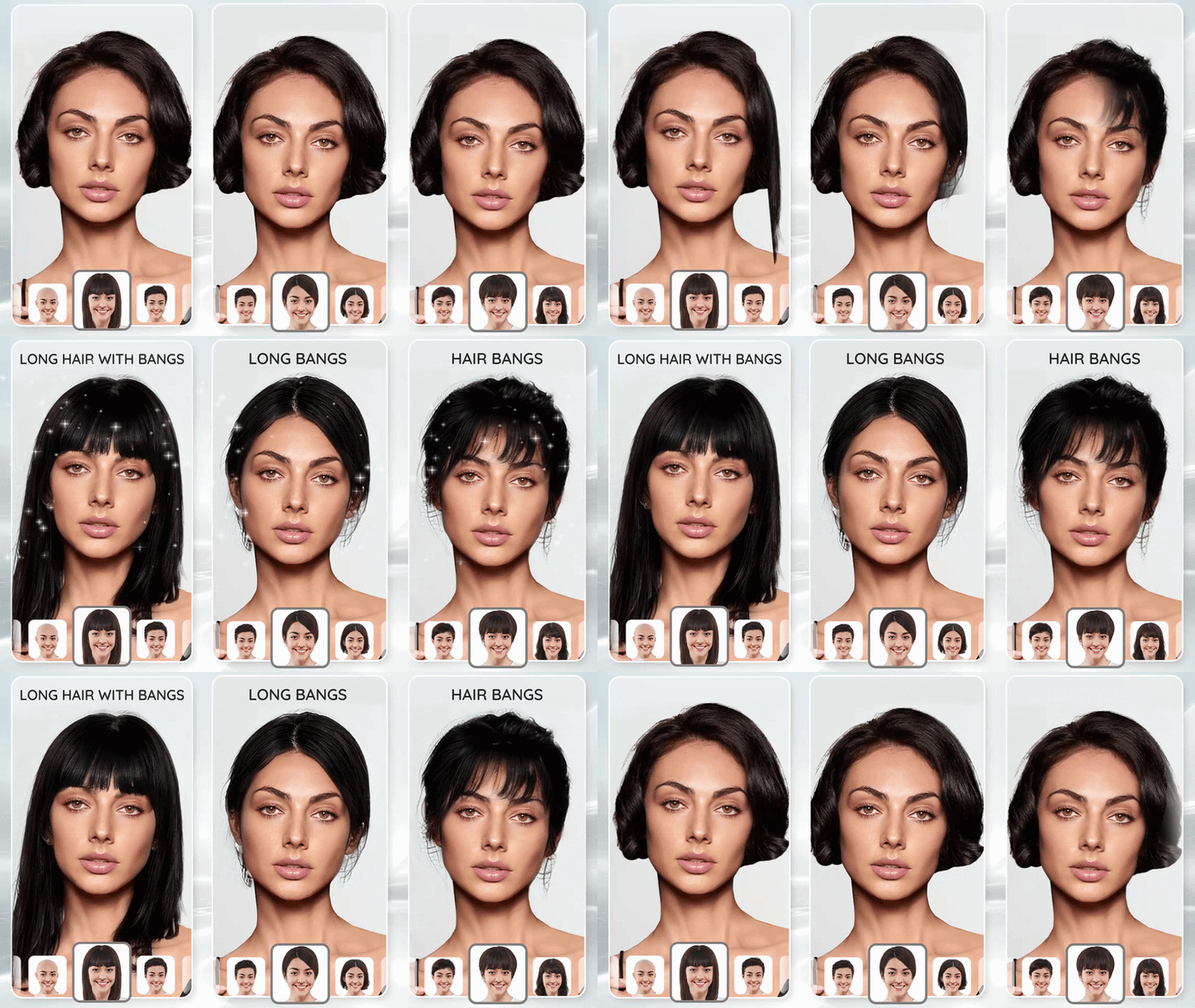
Accurate enough to change your decision, not accurate enough to replace your stylist. That is the honest answer, and it deserves nuance.
What haircut filters get reliably right: overall silhouette, length, how a fringe interacts with your forehead, how a style frames your jaw, and whether a color suits your skin tone. These are the four things people are actually trying to decide, and they are the four things a filter answers in seconds.
What they approximate: strand-level texture on tightly coiled hair, how much volume your hair will hold without product, and how a cut behaves after a week of growth. A filter shows you day one styled by a professional. Your hair on a Tuesday morning is a different negotiation.
Accuracy also depends heavily on your input photo. A front-facing shot in even light with hair pulled away from the face produces dramatically better results than a dim mirror selfie at an angle. Most disappointing previews are input problems, not model problems.
Where Can You Find the Best Free Haircut Filter?
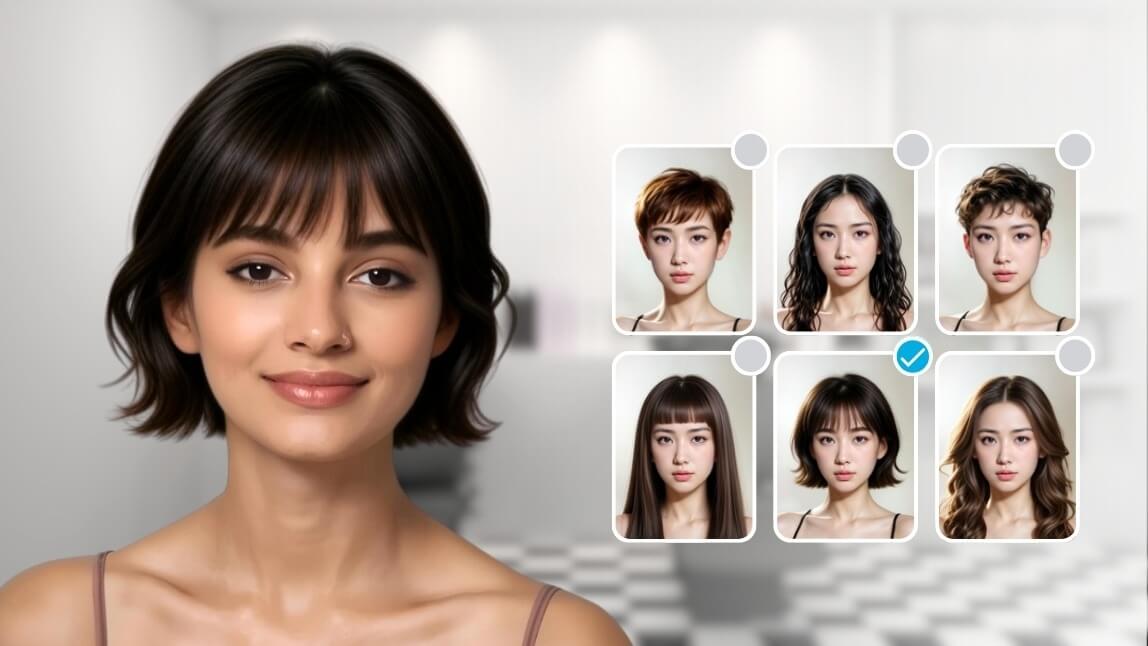
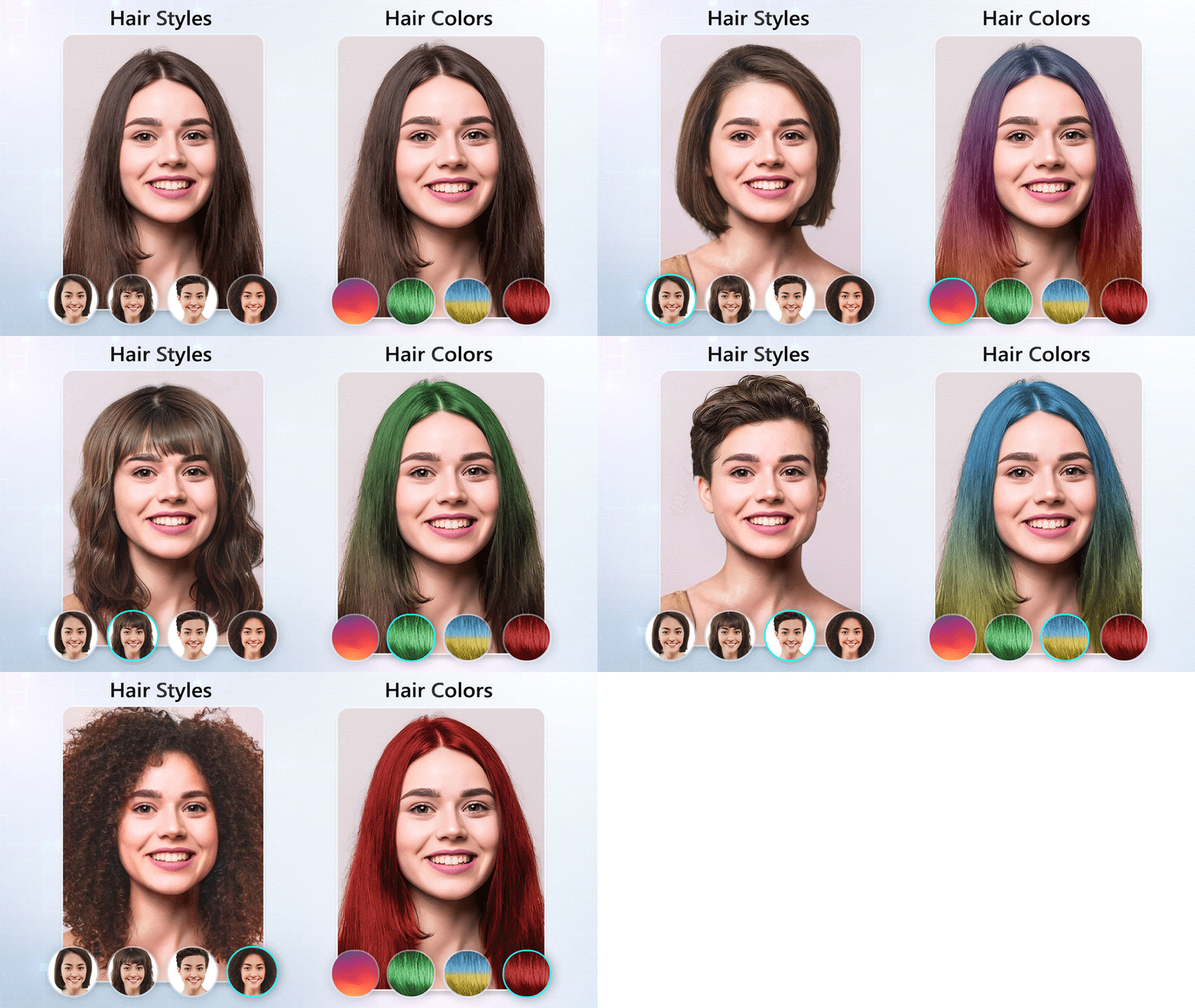
Compare it yourself with any haircut style
Free options cluster into browser tools, mobile apps and social platform effects. Here is how they compare on the criteria that matter.
| Option | Style library | Download needed | Realism | Watermark |
|---|---|---|---|---|
| Browser-based AI try-on (Perfect Corp.) | All manner of cuts, bangs and colors | No | High | No |
| Dedicated hairstyle apps | Limited | Yes | Medium to high | Often on free tier |
| Social platform effects | A handful per effect | App required | Low to medium | Platform branding |
| General AI photo editors | Prompt dependent | Usually no | Inconsistent | Sometimes |
Browser tools win on speed for a simple reason: nothing to install, nothing to sign up for, and you can run ten styles before an app store download would have finished. Try the free haircut filter and hairstyle try-on to see the difference in the first thirty seconds.
How Do You Use a Haircut Filter in Four Steps?
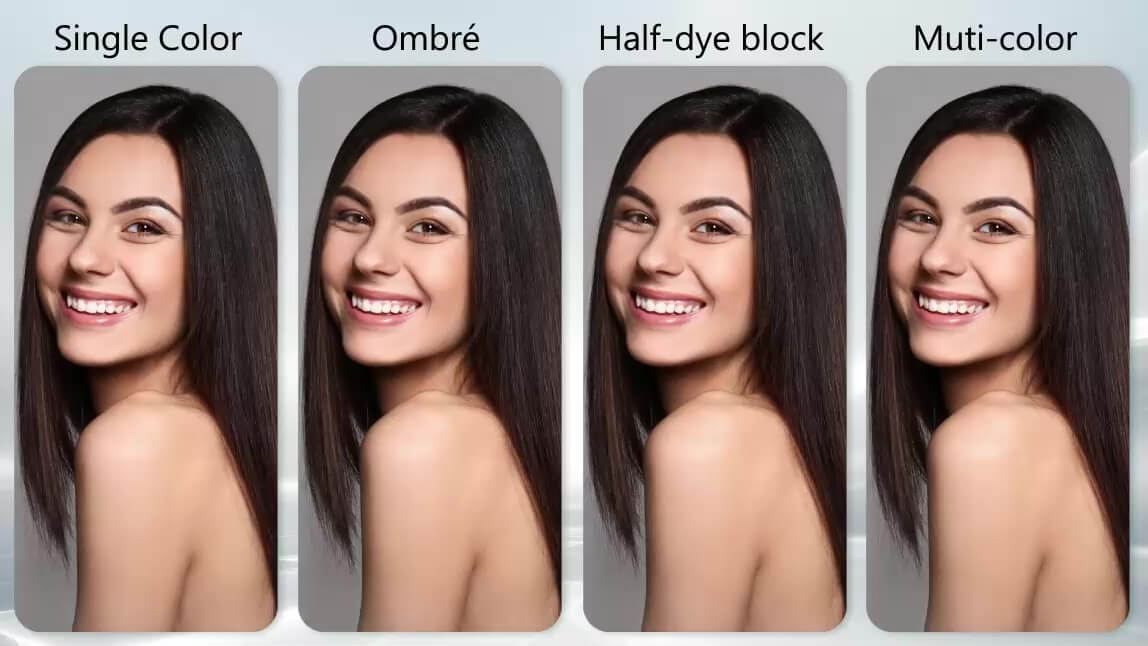
- Take or upload a clear front-facing photo. Even lighting, no hat, hair tucked behind your ears, camera at eye level. Daylight near a window beats any ring light.
- Pick a starting style close to your current length. Jumping from waist-length hair straight to a pixie makes it hard to judge. Step down gradually and you will spot the point where the shape stops working.
- Test the same cut in two or three colors. Shape and color interact more than people expect. A blunt bob reads sharp in black and soft in caramel.
- Save your top three and bring them to your stylist. A screenshot is a far better brief than "shorter, but not too short." Stylists consistently say visual references cut consultation time and reduce regret.
Which Haircuts Should You Test First?
See the AI Virtual Hairstyle Try-On solution
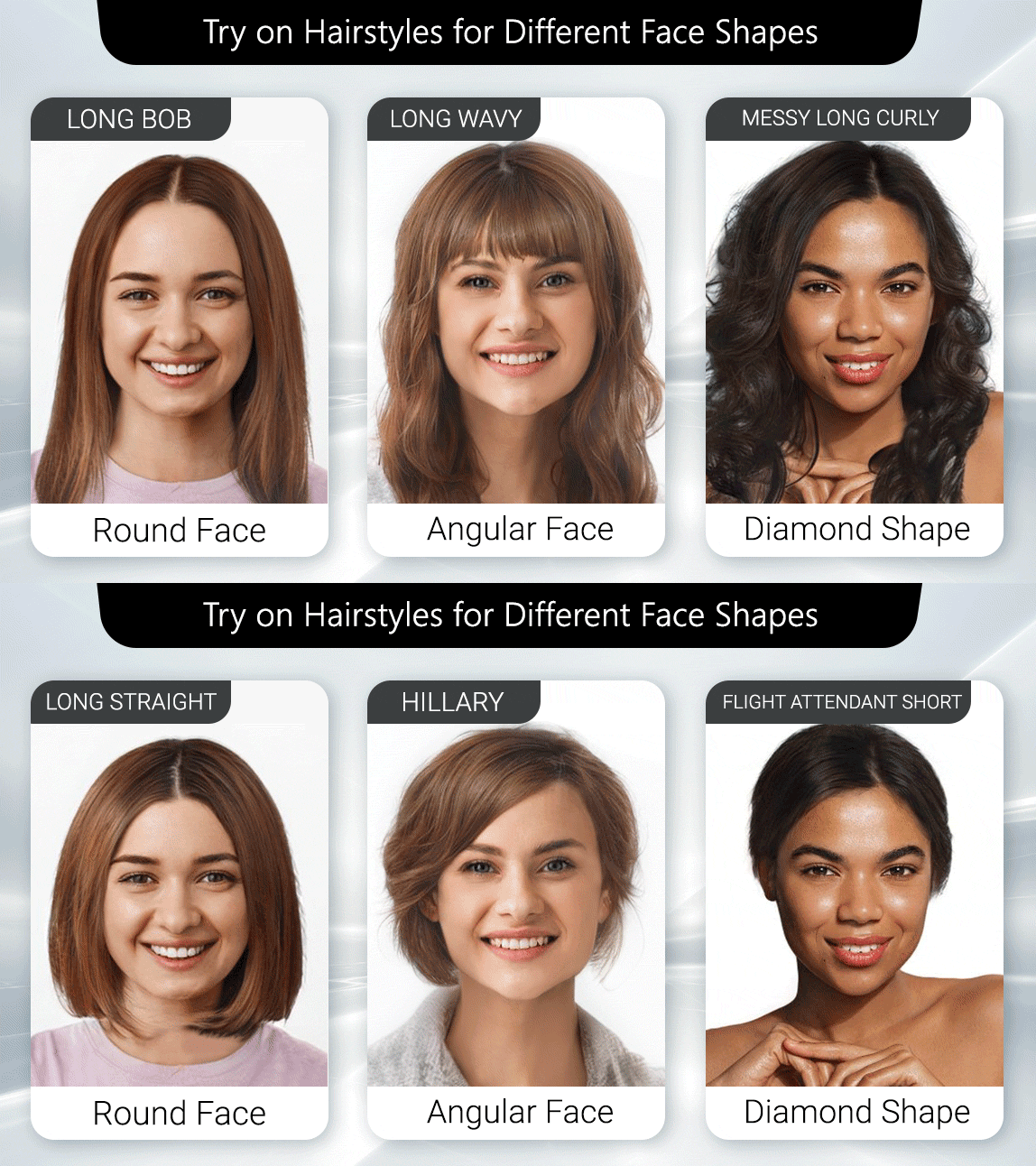
Rather than scrolling every style in the library, start with the cuts that historically flatter your face shape, then use the filter to confirm or reject them.
Round face shapes
Test long layers, a side-swept fringe, and a lob that falls just past the jaw. These add vertical length. Use the filter to check whether a blunt chin-length bob widens or sharpens your face, because the answer varies more than the rulebooks admit.
Square face shapes
Test soft curtain bangs, textured shags and waves starting below the cheekbone. The goal is to break the strong horizontal jawline without hiding it.
Heart face shapes
Test chin-grazing bobs and styles with volume low on the head. Anything that stacks weight at the crown tends to exaggerate a narrow chin, and a filter shows that in one tap.
Oval face shapes
Almost everything works, so use the filter to test the riskier ideas instead: micro fringe, buzz cut, dramatic asymmetry. This is where a preview earns its keep.
Men's cuts worth previewing
Fades, textured crops, mid-length flow and full buzz cuts all sit far apart on the commitment scale. A buzz cut in particular is the single most previewed style in the category, because it is the one with the longest recovery time if it goes wrong.
Why Are Salons and Brands Adding Haircut Filters to Their Own Sites?
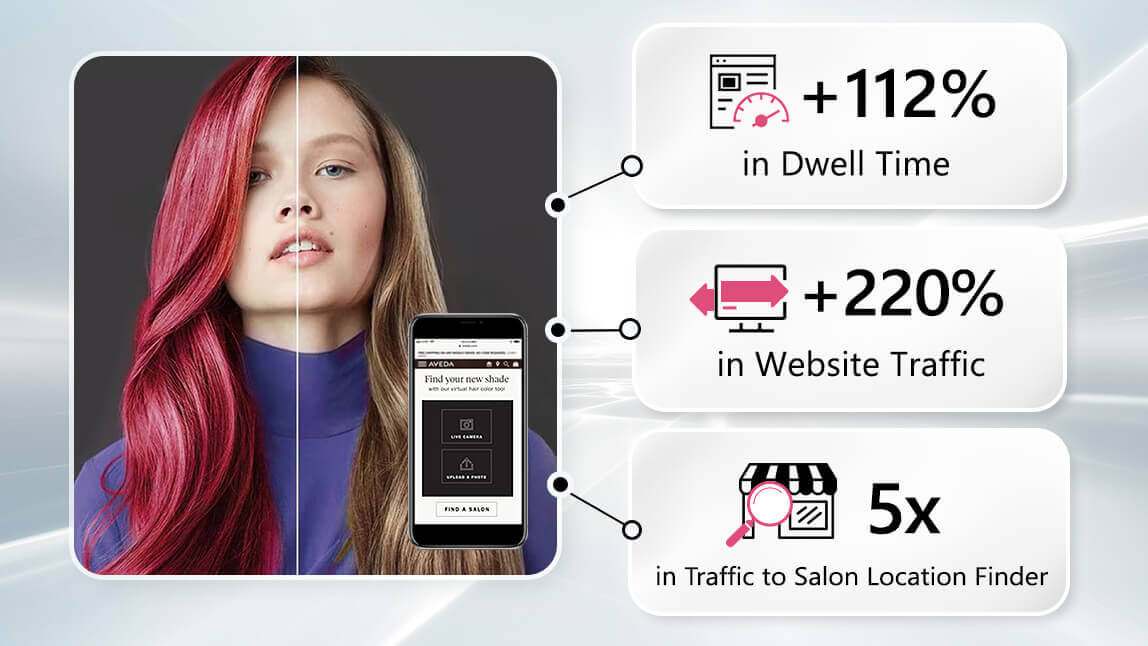
The consumer appeal is obvious. The commercial case is stronger than most people assume.
Hair is a high-anxiety purchase decision. Anxiety kills conversion, and it drives the two costs that hurt hair brands most: abandoned baskets on color products and unhappy clients after an appointment. A try-on experience attacks both by moving the decision earlier and making it visual.
What brands using Perfect Corp.'s technology consistently report:
- Longer sessions. Try-on pages hold attention far longer than static product galleries, because users run multiple styles instead of viewing one image.
- Better qualified consultations. Clients arrive with saved references, so stylists spend less time interpreting and more time cutting.
- Higher confidence at checkout. Seeing a shade on your own face removes the main objection to buying hair color online.
- First-party data. Every try-on is a signal about which styles and shades your audience actually wants, which is worth more than a survey.
Perfect Corp. works with 800+ brand partners across beauty and fashion, and hair try-on is one of the fastest growing categories in that portfolio. You can browse live implementations in our showcase of AI and AR beauty experiences.
How Do You Build a Haircut Filter Into Your Own App or Website?
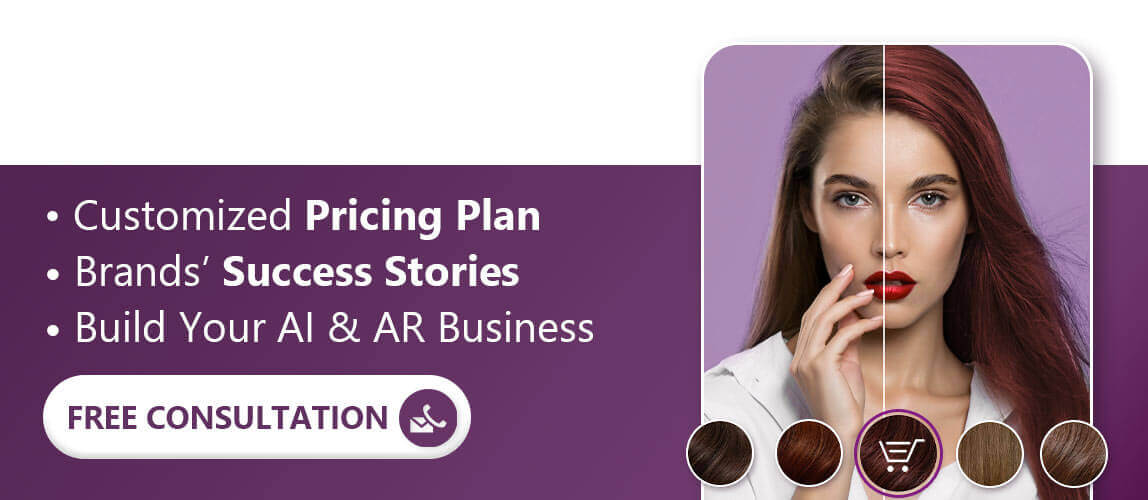
Contact Perfect Corp. for a demo
You have three realistic paths, and the right one depends on how much control you need.
| Approach | Effort | Control | Good fit for |
|---|---|---|---|
| Embed a hosted try-on page | Lowest, days | Limited | Salons, small brands, campaign pages |
| API integration | Medium, weeks | High | Ecommerce sites, web apps, custom flows |
| Mobile SDK | Highest, weeks to months | Full, including real-time camera | Native beauty apps, retail kiosks |
For most teams the API route is the sweet spot. You send an image, you get a rendered result, and your own front end keeps full control of the experience. The YouCam AI API playground lets you test hair try-on and related endpoints with your own images before you write a line of production code.
If your roadmap needs more than hair, the same platform covers AI Face Analyzer, AI Skin Diagnostic, makeup try-on, and jewelry and eyewear AR, all through one integration rather than four vendors.
Ready to scope it? Contact Perfect Corp. for a demo and bring your use case. The team will show the closest live implementation and give you a realistic integration timeline.
What Mistakes Make a Haircut Filter Look Fake?
- Harsh side lighting. Deep shadows confuse hair separation and produce hard edges at the hairline.
- Hats, headbands and glasses on top of hair. Anything crossing the hairline gives the model a false boundary.
- Extreme angles. A photo shot from below or far off center forces the system to guess at head geometry.
- Busy backgrounds that match your hair color. Dark hair against a dark wall is the classic failure case.
- Expecting a filter to predict maintenance. A preview shows the shape, not how long you will spend on it every morning.
Fix the first four and most complaints about realism disappear.
Frequently Asked Questions
What is a haircut filter?
It is an AI tool that replaces the hair in your photo or camera feed with a different hairstyle, so you can preview a cut, fringe or color before booking an appointment. The better versions analyze your head shape and lighting rather than pasting a fixed image on top.
Is there a free haircut filter?
Yes. Perfect Corp.'s free browser-based haircut filter offers try ons for every hair style with no download and no watermark. Several mobile apps offer free tiers, though they usually limit styles or add branding.
Do haircut filters work on curly and coily hair?
Modern generative models handle curls and coils far better than early versions, especially for silhouette and length. Strand-level texture is still the hardest case, so treat the preview as a strong shape guide rather than an exact texture match.
Can a haircut filter tell me which cut suits my face?
Indirectly, and that is the point. Rather than relying on face shape rules, you see the cut on your own face and judge it yourself. Some tools pair the try-on with face shape analysis to narrow the starting list.
Do I need an app to use a haircut filter?
No. Browser-based tools run on your phone or laptop without installation, which is why most people start there. Apps make sense if you want offline use or live camera try-on.
Are haircut filters safe with my photos?
Check the provider's policy before uploading. Enterprise-grade providers process images for the try-on and do not use them for unrelated purposes. Perfect Corp. operates to enterprise privacy and security standards for its brand partners.
How accurate are haircut filters compared to the real cut?
Very reliable for length, silhouette and color, approximate for texture, volume and how the cut behaves after growing out. Use a clear front-facing photo in even light to get the closest match.
Can businesses add a haircut filter to their own website?
Yes. Options range from embedding a hosted try-on page to full API or SDK integration. The AI Virtual Hairstyle Try-On solution covers all three, and the API playground lets developers test first.
What is the difference between a haircut filter and a hairstyle generator?
A filter applies existing styles to your photo. A generator can create styles from a text description. In practice the categories have merged, and most strong tools do both.
The Bottom Line
A haircut filter will not cut your hair, but it will stop you from booking the wrong appointment. That is a small promise with a large payoff, which is exactly why the technology jumped from novelty effect to standard feature on beauty ecommerce sites in under three years. Run a few styles on your own face, save the ones that surprise you, and bring them to your stylist. If you are on the business side of that conversation, the same engine is one integration away.
Try the free haircut filter now, or contact us for a demo to see the commercial version live.



