


 Author: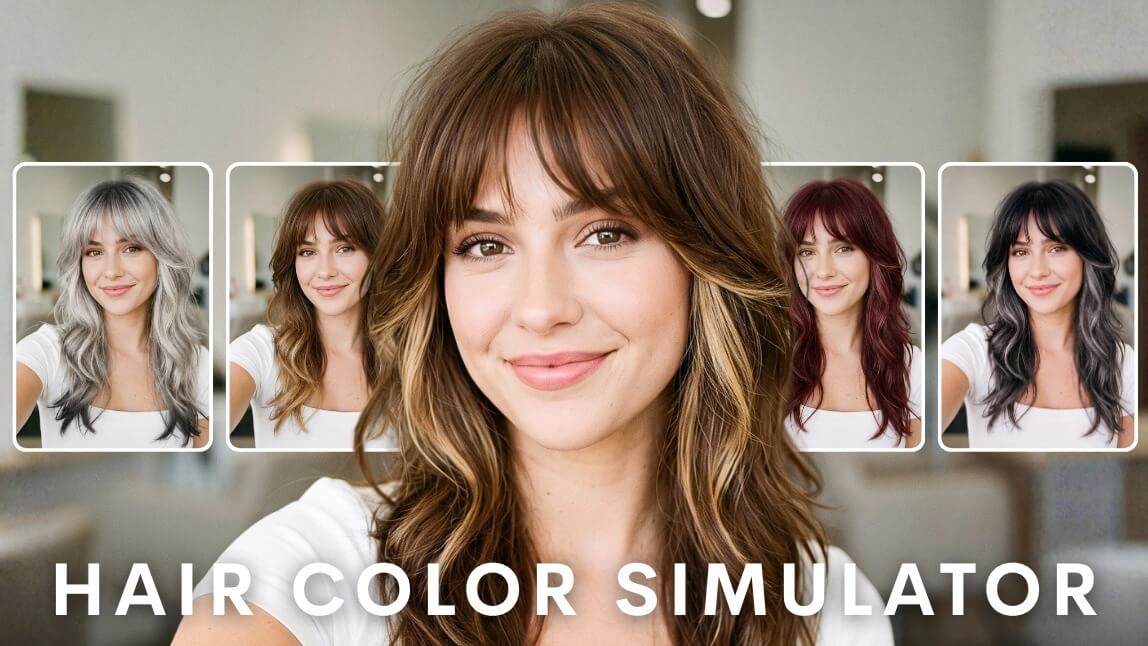
Disclaimer: Some images in this article may have been created or modified by AI
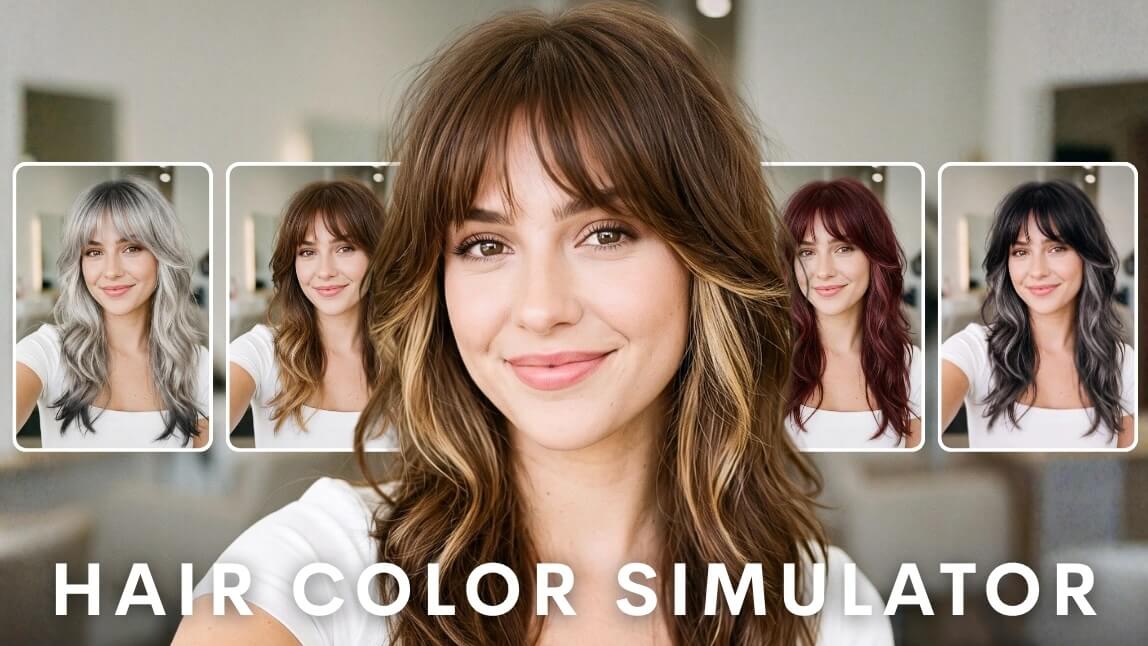
Everyone has stood in front of a bathroom mirror holding a box of dye, doing the math on how bad it could get. A hair color simulator deletes that gamble. It maps your hair in a photo or a live camera feed, then repaints it with a new shade while keeping your natural texture, shine, and shadows intact, so you see a believable version of yourself rather than a flat sticker of color. The good ones now run in a browser, need no app, and render in real time as you turn your head. For beauty brands and salons, the same technology has quietly become one of the highest converting things on a product page. Here is how it works, how accurate it really is, and how to get a result you can actually take to a colorist.Table of Contents
- Want to Try a Hair Color Simulator Right Now?
- What Is a Hair Color Simulator and How Does It Actually Work?
- How Accurate Is a Hair Color Simulator?
- Which Hair Color Simulator Should You Use?
- How Do You Get the Most Accurate Result From a Photo?
- Which Hair Color Suits Your Skin Undertone?
- Do Hair Color Simulators Work on Gray, Curly, and Very Dark Hair?
- Which Hair Colors Are People Simulating Most in 2026?
- Hair Color Simulator vs. Color Chart vs. Salon Consultation
- How Do You Take a Virtual Shade to a Real Salon Appointment?
- What Are the Most Common Hair Color Simulator Mistakes?
- How Has Hair Color Simulation Changed?
- How Do Brands and Salons Use a Hair Color Simulator?
- How Do You Add a Hair Color Simulator to Your Own Site or App?
- Hair Color Simulator FAQ
Want to Try a Hair Color Simulator Right Now?
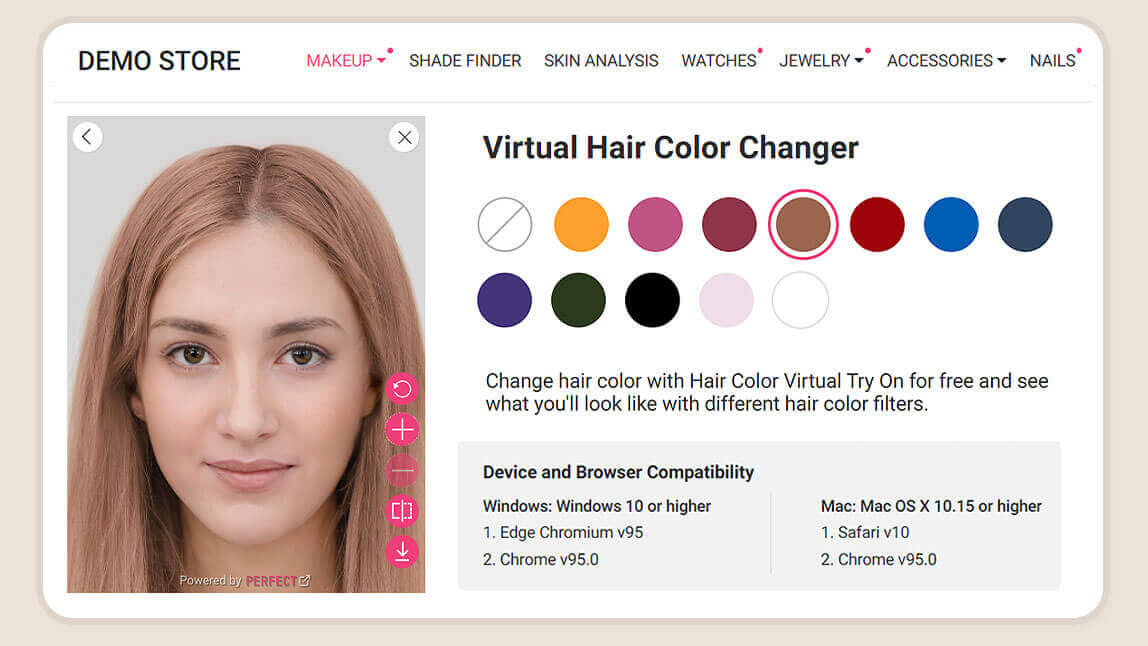
Try it on your own photo, free and with no sign-up.
Reading about color rendering is fine. Seeing your own face in warm copper takes about eight seconds. Perfect Corp keeps a free, no-signup version of its AI hair color try-on demo open to anyone, and it is the fastest way to understand what a modern simulator can do before you read another word.
Three things to know before you open it:
- You have three ways in. Turn on your camera for a live 360 degree preview, upload a selfie you already like, or use one of the built in models if you would rather not show your own face.
- It is not a swatch menu. The demo runs on a full RGB range, so you are not stuck with twelve preset shades. Ombre, two tone, and root to tip gradients are all in there.
- It tracks movement. Tilt your head and the color stays glued to your hair, including flyaways at the hairline, because the render happens per frame rather than once on a still image.
Play with it for a minute, then come back. The rest of this guide will make a lot more sense once you have watched your own hair turn ash gray and back.
Try it free: Open the AI Hair Color Simulator demo
What Is a Hair Color Simulator and How Does It Actually Work?
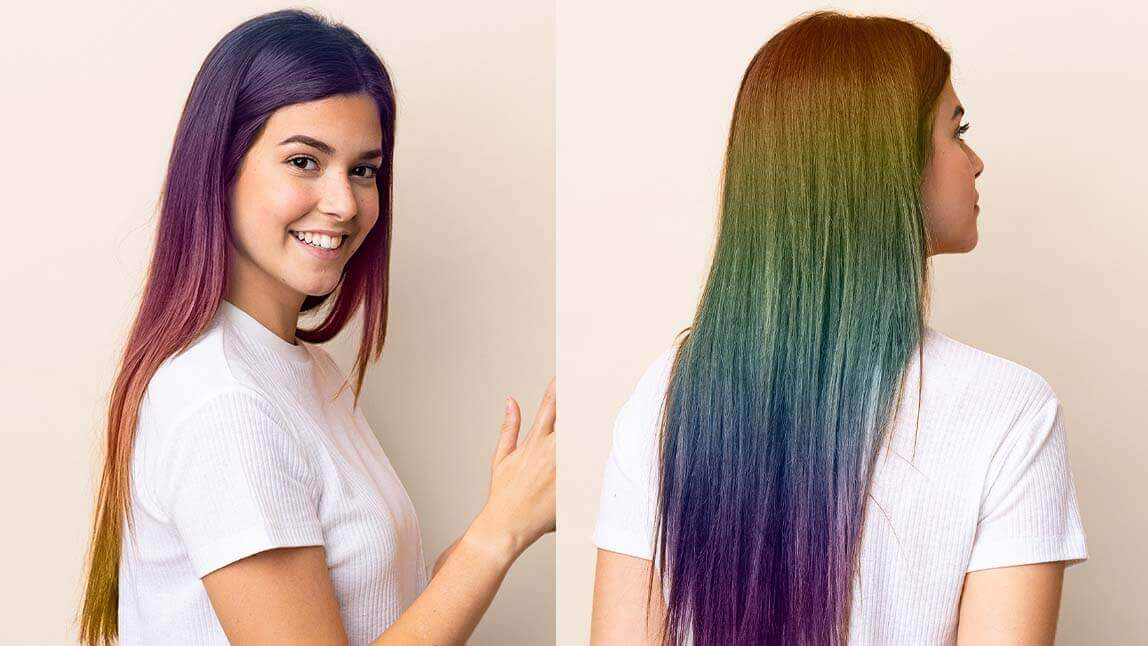
A hair color simulator is software that identifies the hair region in an image or video stream and re-renders it in a different color while preserving the original lighting information. That second half of the sentence is the whole game. Anyone can fill a shape with pink. Making the pink look like hair is the hard part.
The Three Steps Behind Every Realistic Color Render
See the technology behind real-time hair color rendering.
- Detection. A segmentation model separates hair from skin, clothing, and background at the pixel level. Modern models handle the messy edges that used to break these tools: wispy baby hairs, gaps between curls, hair falling across a shoulder.
- Luminance extraction. The system reads the brightness map of your existing hair, every highlight on the crown, every shadow behind the ear. This map is what makes hair read as three dimensional.
- Recoloring. The new hue is applied as a tint layer that multiplies against the original luminance map rather than replacing it. Your highlights stay highlights. Your shadows stay shadows. Only the color channel changes.
Skip step two and you get the flat, painted-on effect that made early try-on filters so unconvincing. Nail it and the result survives a second look.
Why Texture and Shine Matter More Than the Color Itself
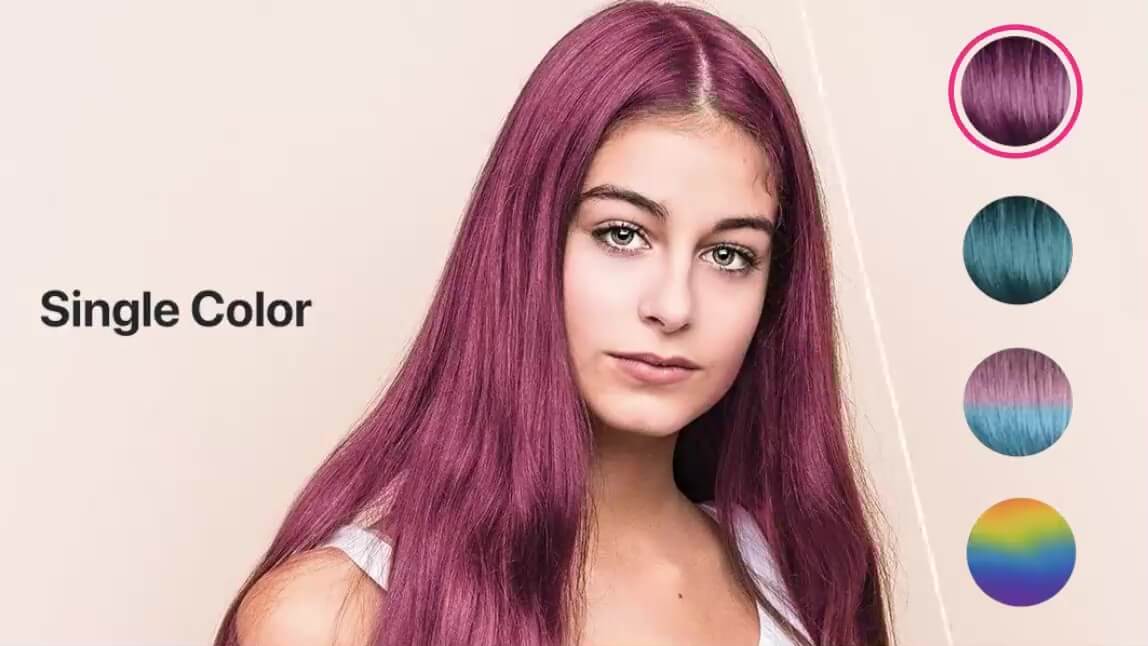
Ask a colorist what separates a salon dye job from a kitchen disaster and they will talk about dimension, not hue. The same applies on screen. A believable simulation has to reproduce:
- Specular highlights, the bright band that wraps the crown and shifts as you move
- Strand separation, the fine dark lines between clumps of hair that give it depth
- Root shadow, the naturally darker zone at the scalp that almost every real head of hair has
- Edge softness, so the color fades at the hairline instead of stopping at a hard border
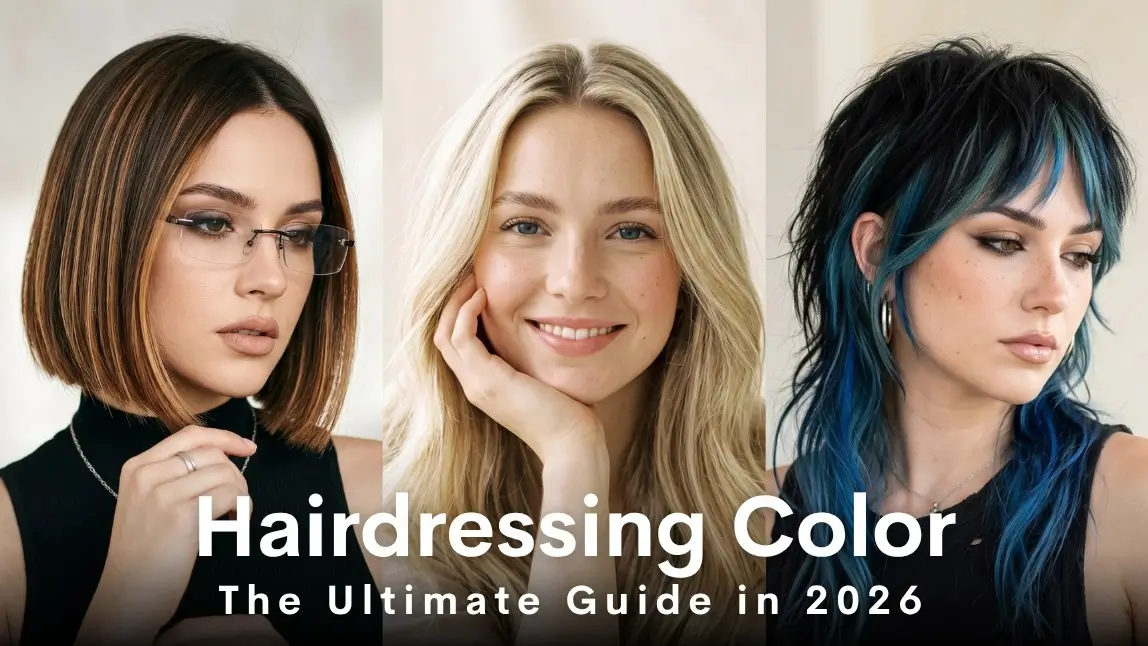
Perfect Corp's engine renders strand-accurate texture and shine in real time, which is why a shade can look different on you than it does on the model in the box. Your hair's existing shine pattern is part of the output. For a deeper read on how color families behave across different hair types, our guide to hairdressing color covers the underlying theory.
How Accurate Is a Hair Color Simulator?
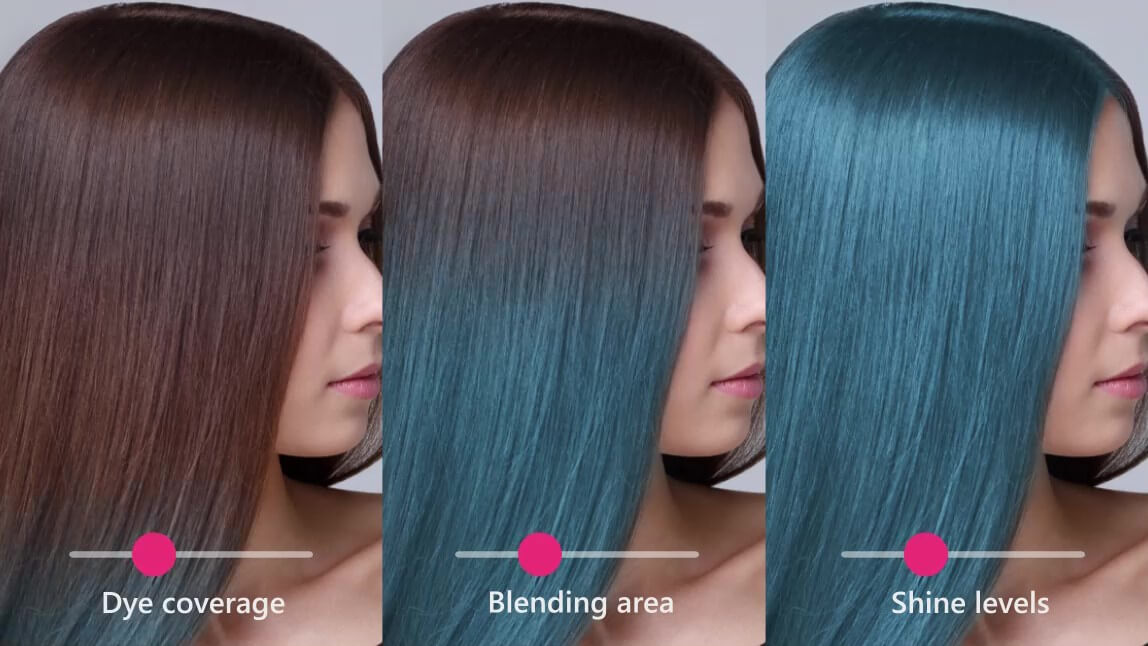
Judge the accuracy yourself in the live demo.
Accurate at predicting tone and mood. Less reliable at predicting chemistry. That distinction matters, so let us be precise about it.
What a simulator gets right, reliably:
- Whether a shade family flatters your skin tone
- How light or dark a color reads against your features
- Whether warm, cool, or neutral suits you better
- How a placement style (all over, ombre, face framing) changes your face
What it cannot know:
- Your starting level. Going from level 3 dark brown to level 9 blonde takes lifting, and lifting takes multiple sessions. A simulator shows the destination, not the road.
- Your hair's history. Previous box dye, henna, and bleach all change how new color deposits. Software has no way to see that from a photo.
- Porosity and condition. Highly porous hair grabs tone faster and fades faster.
- Fade behavior. That vivid red looks perfect on day one. Ask your colorist what it looks like on day twenty.
The honest framing: treat the simulator as a styling decision tool, not a chemical prediction. It answers "do I look good as a redhead," which is the question you actually have. Your colorist answers "can we get there safely," which is the question you did not know to ask.
Which Hair Color Simulator Should You Use?
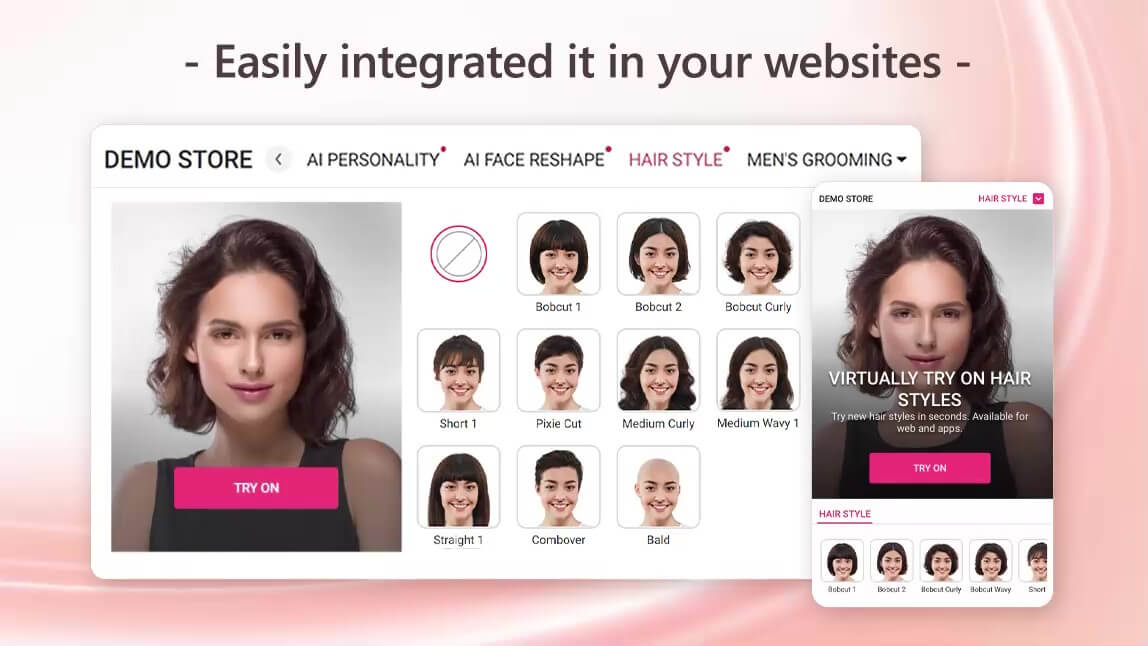
Most of the tools that rank for this search are brand owned, which means they are built to sell a specific shade line. That is not a criticism, it just shapes what you get. Here is the practical breakdown.
| Type of tool | Best for | Shade range | Live camera | Watch out for |
|---|---|---|---|---|
| Brand box-dye try-on (drugstore brands) | Deciding between two shades of the same brand | Limited to that brand's SKUs | Usually yes | Every result maps to a product you can buy from them |
| Professional salon brand try-on | Prepping for a salon consultation | Broad, formulated shades | Often yes | May require a salon locator step or sign-up |
| Free AI photo editors | Casual experimenting on a saved photo | Wide but generic | Rarely | Flat rendering, watermarks, credit limits |
| AI and AR beauty tech engines | Realism and full color freedom | Full RGB plus multi-tone styles | Yes, 360 degrees | Demo pages are built to showcase technology, not sell a shade |
If your goal is "which of these two boxes do I buy," a brand tool is fine. If your goal is "what do I actually look like with this color," you want an engine that renders texture, and you want to be able to try shades no brand currently sells. The AI live hair color try-on product page covers what the technology behind that second category supports, including ombre, two tone, and gradient placements.
How Do You Get the Most Accurate Result From a Photo?
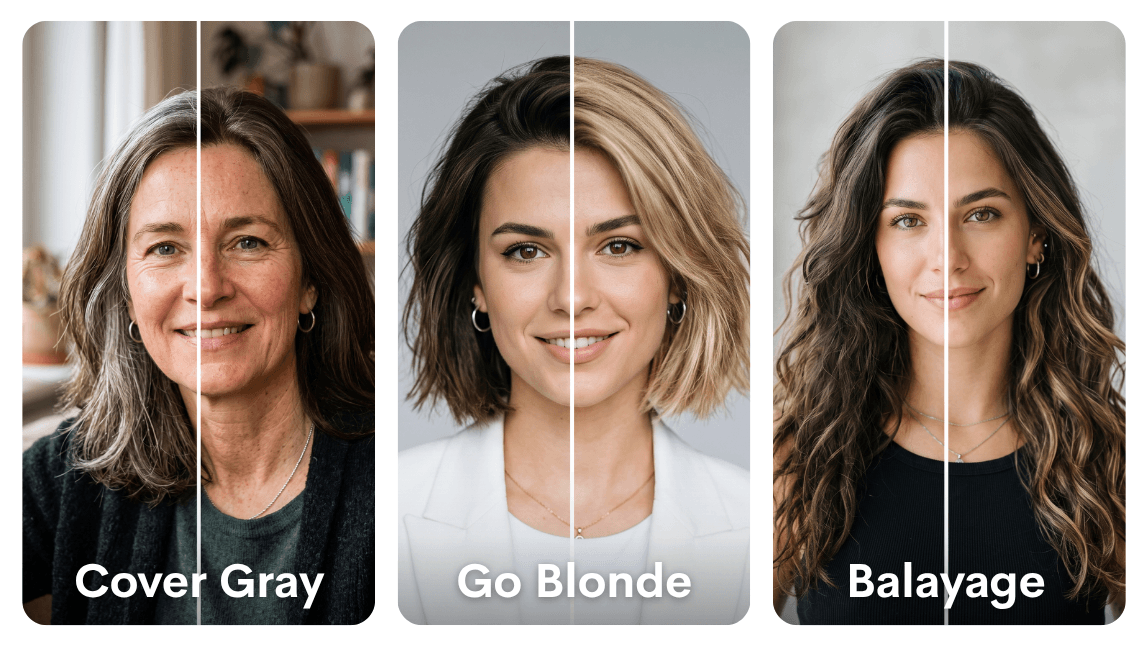
Browse every live beauty AI demo in one place.
Garbage in, garbage out applies here more than almost anywhere. Five minutes of setup changes the output more than any tool choice.
- Use soft, even, natural light. Stand facing a window. Overhead ceiling light carves shadows into your hair and confuses the luminance map. Direct sun blows out your highlights entirely.
- Show all of your hair. No hats, no hoods, no ponytails tucked behind you. The simulator can only recolor what it can see.
- Start clean and dry. Wet hair reads much darker and much shinier than it really is, which skews every shade you preview.
- Keep the background simple. A busy or hair-colored background makes edge separation harder, especially around curls.
- Shoot at eye level. A high angle shrinks the visible hair area and hides the mid-lengths where color actually shows.
- Try the same shade twice, in two lights. Daylight and indoor light are genuinely different answers. If a color survives both, it is a real contender.
One more: preview in motion if you can. A still photo can flatter a shade that falls apart the moment you turn your head. Live camera mode is the stress test.
Which Hair Color Suits Your Skin Undertone?
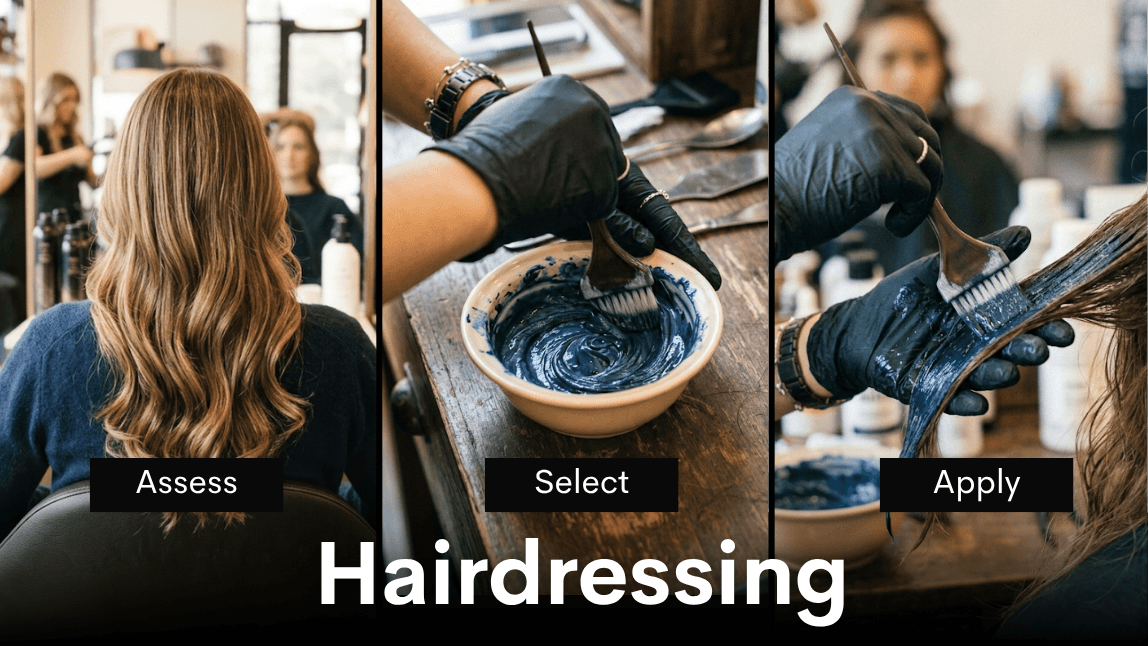
Check the inside of your wrist in daylight. Blue or purple veins usually mean cool undertones. Green usually means warm. Both, or hard to tell, usually means neutral, which is the easy setting on this particular game.
| Undertone | Flattering shade families | Usually harder to wear | Safest place to start |
|---|---|---|---|
| Cool | Ash blonde, platinum, cool espresso, blue black, mushroom brown | Golden blonde, orange-leaning copper, warm mahogany | Two levels lighter than your natural, in ash |
| Warm | Honey, caramel, golden brown, copper, warm auburn | Flat platinum, blue black, silver gray | Face framing caramel on your natural base |
| Neutral | Almost anything, including beige blonde, chestnut, soft chocolate | Very few restrictions | Whatever you have wanted to try |
| Olive | Deep chocolate, chestnut, bronde, rich burgundy | Very ashy pale blondes, yellow gold | A deep dimensional brown with subtle warmth |
Here is the part worth saying out loud: these are tendencies, not rules, and a simulator is precisely how you find the exception that works on you. Run a shade the table calls risky. If it looks great, the table was wrong about you.
Do Hair Color Simulators Work on Gray, Curly, and Very Dark Hair?
This is where most tools quietly fall apart, and almost no article about hair color simulators will tell you so. Three genuinely hard cases:
Textured and Curly Hair
Ask our team how the engine handles every hair texture.
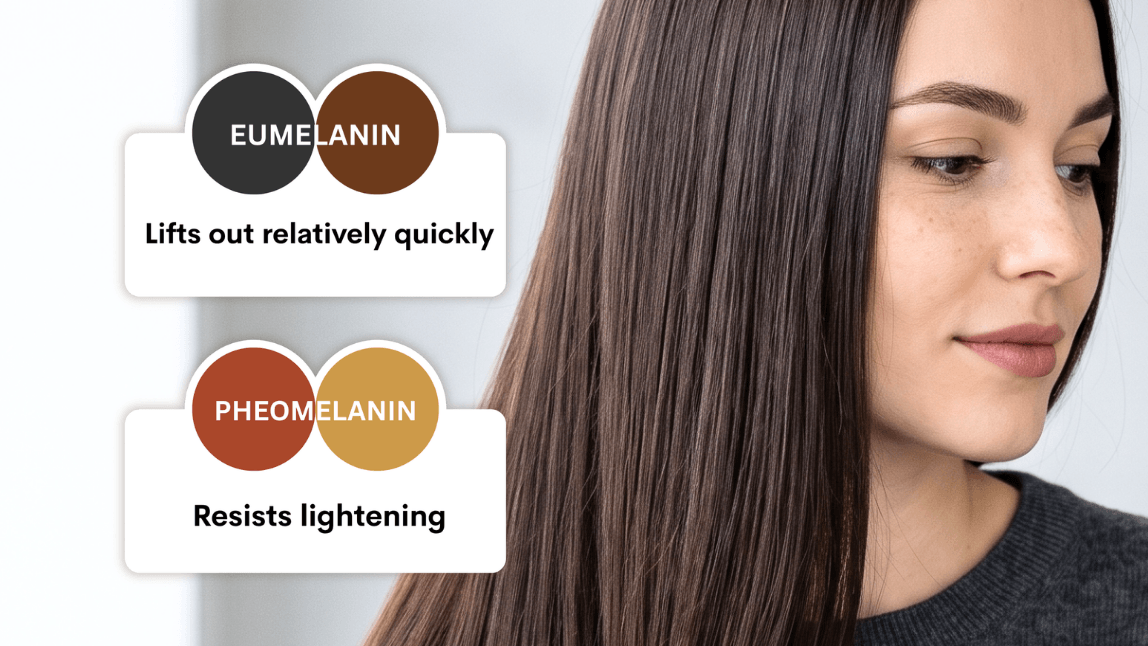
Coils and curls create thousands of small gaps where background shows through. A weak segmentation model either bleeds color into those gaps (a colored halo around your head) or refuses to color the outer edges (a strange dark crust). Engines trained on genuinely diverse hair data handle this. Older filters do not. Test it by looking at the outline of your hair against the background, not at the color itself.
Gray and Silver Hair
Gray hair is a rendering gift and a chemical trap. On screen it is easy, because unpigmented hair takes a tint layer cleanly and the preview looks fantastic. In a salon chair, resistant gray is one of the hardest things to cover evenly, and coverage percentage varies enormously by formula. Preview freely, then have a real conversation about coverage.
Very Dark Hair Going Light
The simulator will happily show you platinum on level 2 hair. It looks incredible. It is also a multi-session lift with real integrity risk. Use the preview to confirm the destination is worth it, then let a professional map the route. This is the single biggest gap between what these tools show and what a bottle can deliver.
Which Hair Colors Are People Simulating Most in 2026?
Test the hair color models in the YouCam AI API playground.
Try-on data is a surprisingly honest trend indicator, because people preview far more shades than they ever commit to. These five dominate the previews right now, and each one behaves differently on screen, which makes them a useful test set when you are evaluating a simulator.
Expensive Brunette
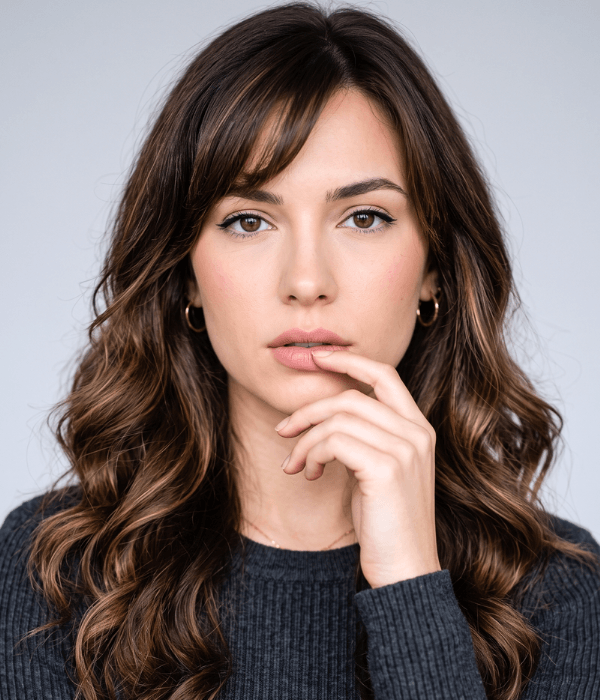
Dark, glossy, and dimensional rather than flat. The whole effect lives in the shine, which is exactly why it is the best stress test for a simulator. If a tool renders expensive brunette as a solid dark mass with no ribboning, its luminance handling is weak. On a good engine you should still see the highlight band wrapping the crown.
Cowboy Copper

Preview cowboy copper on your own hair in seconds.
Warm, burnished, somewhere between auburn and true copper. It is the shade most people are scared to commit to, which makes it the single most previewed color in the category. Preview it in two lighting conditions before you decide, because copper shifts dramatically between daylight and indoor bulbs.
Glazed Honey Blonde

Soft, warm, and deliberately rooted rather than uniformly bright. The root shadow is the point, so this is where placement matters more than shade. Look for a simulator that renders a natural gradient from scalp to ends instead of one flat level.
Mushroom Ash
See the full shade range the engine supports.
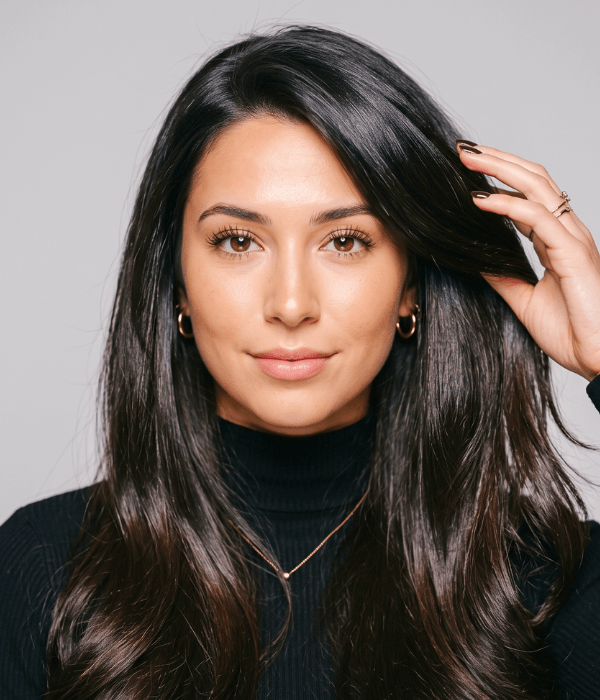
Cool, smoky, slightly gray leaning. Beautiful on cool and neutral undertones, unforgiving on warm ones, which makes it a shade worth previewing rather than guessing. It is also the hardest family to achieve on warm natural bases in real life.
Silver Blending for Men
Not coverage, blending. The goal is softening the contrast between gray and natural rather than erasing the gray. Preview this one at a lower opacity if the tool allows it, because full coverage on a partially gray head almost always reads as too flat.
Hair Color Simulator vs. Color Chart vs. Salon Consultation
These three tools answer three different questions, and confusing them is how people end up disappointed.
| Hair color simulator | Printed color chart | Salon consultation | |
|---|---|---|---|
| Question it answers | Does this shade suit my face? | What is this shade called? | Can my hair get there safely? |
| Personalized to you | Yes, on your own photo | No, shown on a swatch or a model | Yes, fully |
| Accounts for your hair history | No | No | Yes |
| Cost and time | Free, about a minute | Free, instant | Paid or booked, 15 to 30 minutes |
| Best used | First, to shortlist | Second, to name what you want | Last, to confirm and execute |
Run them in that order and the whole process gets easier. Shortlist virtually, name the shade correctly, then let a professional tell you what it takes. Skipping straight to the third step is why consultations run long, and skipping the third step entirely is why kitchen dye jobs go wrong.
How Do You Take a Virtual Shade to a Real Salon Appointment?
Colorists do not mind screenshots. They mind vague adjectives. Bring the following and your consultation gets dramatically shorter:
- Two or three saved results, not fifteen. Narrow it down yourself first.
- The same shade in two lighting conditions, so your colorist sees how you actually want it to read.
- A note on what you liked about each one. "I want the brightness at the front, not the overall level" is useful information.
- Your honest color history. Box dye from eight months ago is still in there and it changes everything.
- Your maintenance reality. How often will you genuinely come back for a root touch up?
A simulated image is a shared reference point. It replaces the sentence "something like a warm brown but not too warm," which has caused more color disappointments than any chemical ever has.
What Are the Most Common Hair Color Simulator Mistakes?
People blame the tool for five things that are almost always user error.
- Previewing under warm indoor bulbs. Household lighting is heavily yellow. Every cool shade will look wrong and every warm shade will look better than it is. This single factor causes more bad decisions than anything else on this list.
- Judging from a single still frame. A static photo hides the moment a color falls apart in motion. If live camera mode is available, use it for at least ten seconds per shade.
- Trying twenty shades in one sitting. Your eye adapts fast, and by shade fifteen everything looks the same. Preview five, walk away, come back.
- Assuming the render equals the result. The preview is a styling answer. Your starting level, previous color, and porosity decide what a bottle or a bowl can actually deliver.
- Ignoring maintenance. Vivid reds and cool blondes look spectacular on screen and demand the most upkeep in real life. Preview the shade, then ask yourself honestly how often you will be back for a root touch up.
- Testing on a photo where half the hair is hidden. A ponytail, a hood, or a tight crop gives the simulator almost nothing to work with, and the result will look thin and unconvincing through no fault of the software.
How Has Hair Color Simulation Changed?
It helps to know why these tools suddenly got good, because it explains what to expect from any given one you find.
- The filter era. Early tools used simple color replacement on a rough hair region. Edges bled, shine disappeared, and results looked like a sticker. Useful as a novelty, useless for a decision.
- The segmentation era. Neural networks learned to isolate hair at the pixel level, which fixed the edges. Shine handling was still crude, so results looked clean but flat.
- Real-time AR. Luminance-preserving rendering arrived, along with enough on-device performance to run it at video frame rates. This is where try-on stopped being a gimmick and became a genuine purchase tool, which is roughly when brands started reporting real conversion lifts.
- Generative extensions. Newer engines can go beyond recoloring into restyling, changing length, cut, and texture alongside color. That expands the question from "what color" to "what look."
Practically, this means the age of a tool tells you a lot about its output. If a simulator on some site looks flat, it is probably running on architecture from two generations back rather than making a design choice.
How Do Brands and Salons Use a Hair Color Simulator?
Here is the commercial side that consumer articles skip. Hair color has the highest return and return-to-shelf rate of nearly any beauty category, for an obvious reason: you cannot test it without committing to it. Virtual try-on attacks exactly that friction, and the numbers brands report are not subtle.
| Deployment | Where it sits | Reported business impact |
|---|---|---|
| AVEDA | Virtual color try-on across web experience | Up to 220% increase in traffic and a 5x increase in salon locator visits |
| Madison Reed | Color explorer on the shade selection flow | Approximately 38% improvement in conversion among engaged users |
Perfect Corp works with 800+ brand partners across beauty and fashion, and the pattern in hair color is consistent: sessions get longer, shade pages get deeper engagement, and support tickets about "this is not the color on the box" go down. Salons use the same technology differently, as a consultation tool at the chair, which shortens the conversation and reduces the redo rate.
If you are evaluating this for a brand rather than for your own head, the full showcase of live demos is the fastest way to see the range, and our team can walk you through integration and licensing. Contact Perfect Corp for a demo when you want the version tailored to your shade catalog.
How Do You Add a Hair Color Simulator to Your Own Site or App?
Two routes, depending on how much control you need.
- API or SDK integration. You send an image or a camera stream, you get back a rendered result, and you keep full control of the interface. This is the route for brands that want the try-on embedded inside an existing shade finder or product detail page, mapped to real SKUs.
- Hosted experience. A configured try-on page you point traffic at, which gets you live far faster with less engineering work.
Practical checklist before you commit to a vendor:
- Does it render texture and shine, or does it flat fill? Test on textured and curly hair specifically.
- Does it run in browser, or does it force an app download? Every install step costs you users.
- Can you map results to your actual shade catalog, or only to generic colors?
- What are the latency and device requirements on mid-range Android phones, not just flagship iPhones?
- How is user imagery handled and retained? Ask this one early.
You can test the underlying models yourself before writing any integration code. The YouCam AI API playground lets you upload an image and see the raw output, which is a much faster answer than a sales call.
Hair Color Simulator FAQ
Can I try on hair color online using just a photo?
Yes. Most modern simulators accept a straightforward selfie, and the better ones also support a live camera feed so you can move your head and see the color from every angle. For a photo upload, use one taken in soft daylight with all of your hair visible.
What is a hair color simulator and how does it work?
It is software that detects the hair region in your image, reads the existing brightness and shine pattern, then applies a new color as a tint layer over that pattern. Because your original highlights and shadows are preserved, the result reads as real hair rather than a flat block of color.
Which hair color simulator is the most realistic?
Realism comes down to two things: how cleanly the tool separates hair from background at the edges, and whether it preserves texture and shine. Engines built on AI and AR beauty technology, including the one powering the Perfect Corp demo, generally outperform basic photo filters because they render strand-level detail in real time.
Do I need to download an app to use an online hair color simulator?
No. Browser-based try-on is now standard. You will be asked for camera permission if you use live mode, but no install is required.
Is a hair color simulator free to use?
The consumer-facing tools from beauty brands and technology demos are typically free with no sign-up. Paid tiers usually appear in generic AI photo editors that charge for credits or watermark removal.
Do hair color simulators work on all hair types and skin tones?
The good ones do, but quality varies widely. Tightly coiled and curly hair is the real test, because it creates many small gaps that weak segmentation models handle badly. If you see a colored halo around the outline of your hair, the tool is not trained well enough for your texture.
Can a hair color simulator show me what gray coverage will look like?
It can show you the target shade over gray hair, and the preview will look clean because unpigmented hair takes a tint layer easily on screen. Real coverage depends on formula and how resistant your gray is, so confirm the details with a colorist.
Will the simulated color match what I get from a box dye?
Not necessarily. A simulator shows the destination shade, but box dye results depend on your starting level, previous color, and porosity. Treat the preview as a styling answer, not a chemistry prediction.
How do I save or share my virtual hair color result before a salon appointment?
Save or screenshot two or three favorites, ideally the same shade captured in both daylight and indoor light, and bring them to your consultation along with your honest color history.
Can I preview ombre, balayage, or two-tone color virtually?
Yes, on engines that support placement styles rather than a single flat shade. Look for root to tip gradients, two tone options, and face framing placement, which is where the more advanced tools separate themselves.
How do I bring my virtual hair color look to a salon appointment?
Bring the saved images, say what specifically you liked about each, and be upfront about maintenance. The image removes ambiguity from the conversation, which is exactly what your colorist wants.
Can brands add a hair color simulator to their own website?
Yes, through an API or SDK integration mapped to your actual shade catalog, or through a hosted try-on experience for a faster launch. Brands that have done it report meaningful lifts in engagement and conversion on shade selection pages.
Ready to see it on your own hair? Open the free AI Hair Color Simulator demo, or talk to our team about bringing virtual color try-on to your brand.



