


 Author:
 ![Earring Filter: Try On Earrings Virtually Before You Buy [2026]](https://plugins-media.makeupar.com/smb/blog/post/2026-09-16/webp_5ed6366e-715d-4b0a-935d-e6187f27fa94.jpg)
Disclaimer: Some images in this article may have been created or modified by AI
An earring filter lets you see a pair of earrings on your own ears before anything is bought, clipped on, or pierced. Some live inside TikTok and Snapchat as quick social lenses. Others sit on jewelry brand product pages as full AR try-on experiences that track your ears in real time and render metal, stones, and shadows in 3D. The gap between those two things is bigger than most shoppers realize, and for jewelry retailers it is the difference between a fun five second clip and a measurable lift in conversion. Here is how earring filters work, where to find the good ones, and what it takes to put one on your own storefront.Table of Contents
- What Is an Earring Filter, Exactly?
- Want to See One Work? Try the Earring Filter Demo First
- Where Can You Find an Earring Filter?
- How Does an Earring Filter Actually Work?
- How Do You Use an Earring Filter Step by Step?
- What Makes an Earring Filter Look Real (and What Makes It Look Fake)?
- Social Filter vs Branded Earring Filter: Which One Wins?
- Why Should Jewelry Brands Care About Earring Filters?
- How Do You Add an Earring Filter to Your Own Store?
- Earring Filter FAQ
What Is an Earring Filter, Exactly?
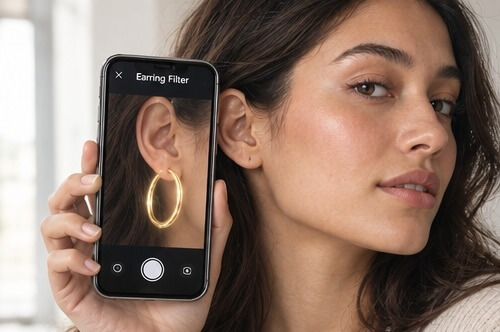
An earring filter is an augmented reality tool that overlays virtual earrings onto a live camera feed or an uploaded photo, so you can preview how a style looks on your own ears before buying or piercing. It tracks the position and angle of each ear and renders the jewelry in place as you move.
That is the short version. The longer version is that "earring filter" now covers at least four different kinds of software, and they behave nothing alike. A social lens might slap a flat sticker on a face. A brand grade filter runs ear tracking, 3D geometry, and physically based rendering at 30 frames a second on a mid range phone. Both get called a filter. Only one of them changes whether someone hits Add to Cart.
Want to See One Work? Try the Earring Filter Demo First
Reading about AR jewelry is a bit like reading about a roller coaster. Two minutes in the seat beats twenty minutes of description. Perfect Corp keeps a live, no download virtual earring try-on demo open to anyone: turn on your camera or upload a front facing photo, pick a style, and watch hoops, studs, and drops sit on your own ears in 3D with 360 degree rotation and 13 selectable piercing placements.
Run the demo before you read the rest of this guide. Two things usually land immediately. First, the earrings hold their position when you tilt your head, which is the single hardest part of ear tracking. Second, the metal actually reflects the light in your room, which is why the result reads as jewelry rather than as a graphic. Once you have seen that, everything below about rendering quality, conversion, and integration will make a lot more sense.
CTA: Try the live virtual earring try-on in your browser, no app required.

See how AR virtual earring try-on works
Where Can You Find an Earring Filter?
Search for an earring filter and you land in four different neighborhoods. Each one solves a different problem.
TikTok earring filters and effects
TikTok is where the phrase gets the most searches. Creator built effects let you preview studs, hoops, and stacked ear looks in the camera tab, and "how would I look with earrings" style effects trend regularly. The tracking is usually decent for a straight on shot and falls apart the moment you turn your head sharply. Great for content. Not built to sell a specific SKU.
Instagram earring filters
Instagram effects skew fashion editorial: gold hoops, pearl drops, seasonal collections published by jewelry brands themselves. Brands use them as top of funnel reach rather than as a catalog. You get the vibe of a style, not an accurate rendering of the 14k piece you are considering.
Snapchat earring lenses
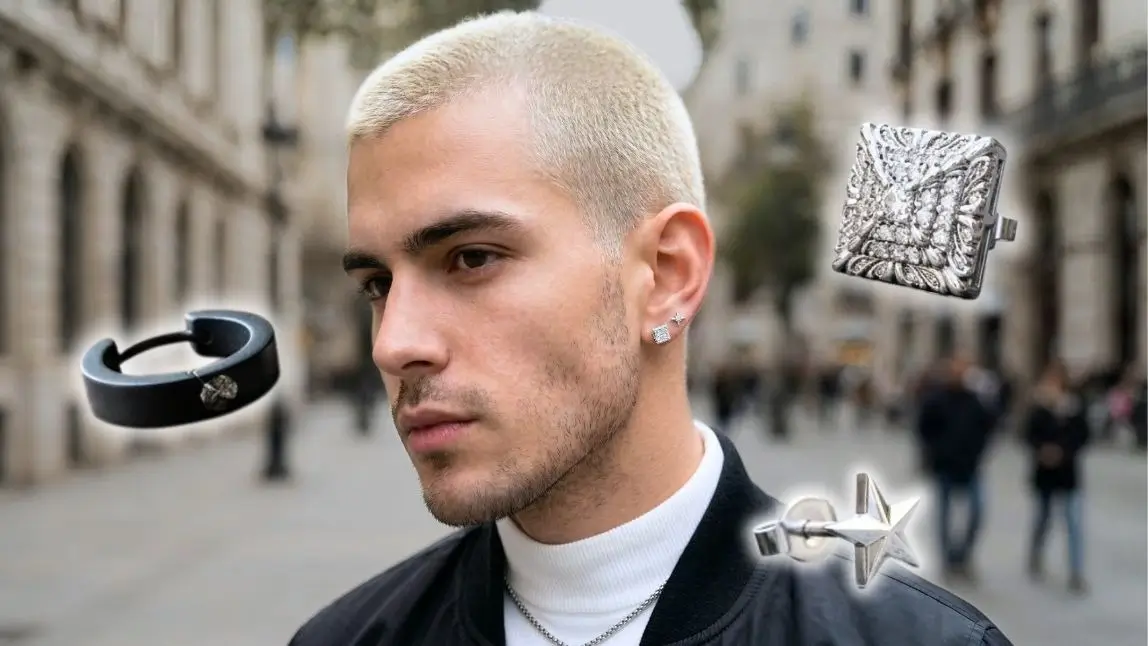
Snapchat has the deepest bench of community built earring lenses, including men's stud and hoop lenses that are genuinely popular. Snap also exposes dedicated earring try-on capability to lens developers, so the tracking quality on the better lenses is a step up from a generic sticker effect.
Try the virtual earring try-on demo
Web based virtual try-on on brand sites
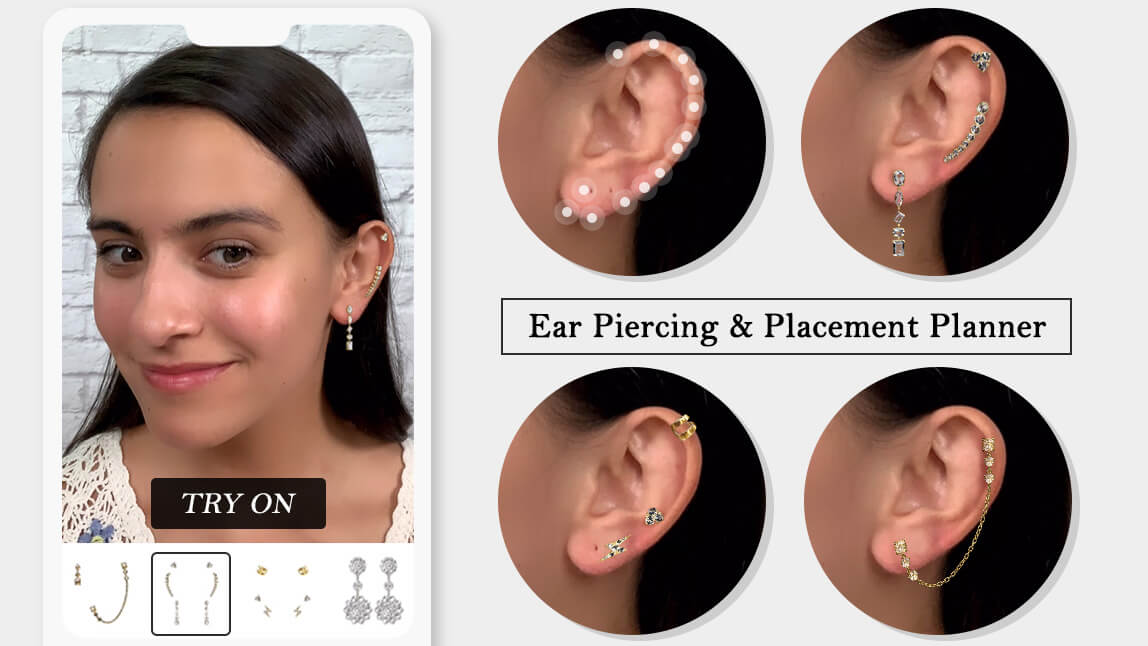
This is the commerce grade tier. It lives on the product page, runs in the browser with no app install, and renders the exact SKU you are looking at with real material data. It also unlocks the piercing planner use case, which is where a lot of the shopper anxiety actually sits. Perfect Corp's AR virtual earring try-on solution sits in this category.
Talk to Perfect Corp about adding it to your store
AI photo editors
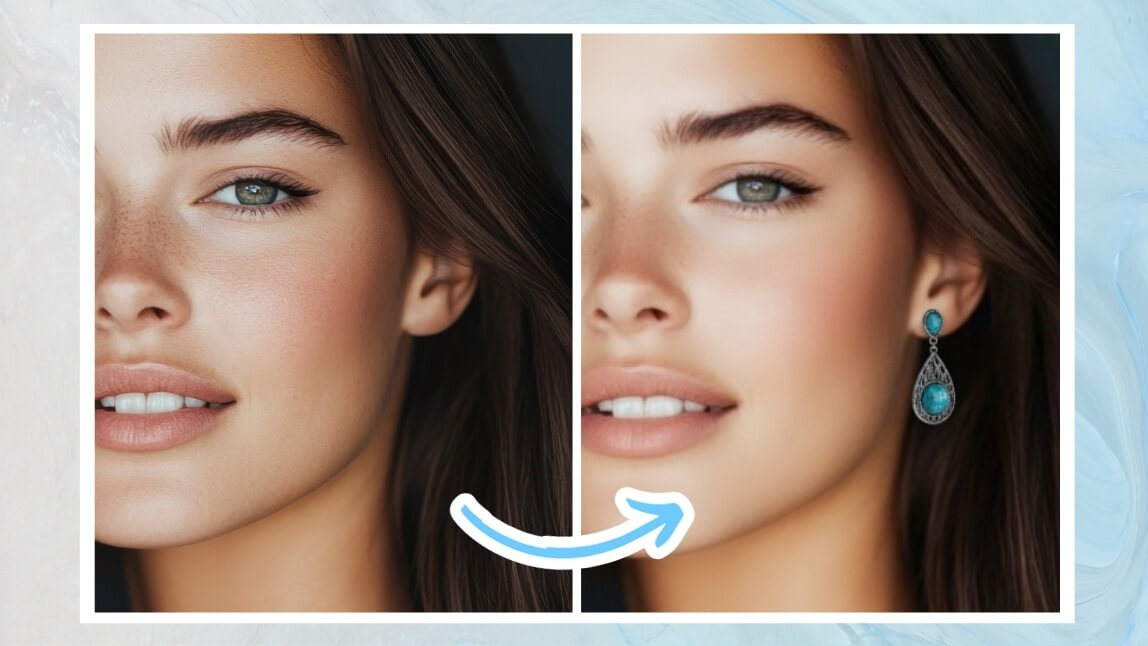
The newest option. Instead of tracking a live camera, you upload a photo and describe or select the earring you want added, and a generative model composites it in. Useful for planning a piercing or a styling mood board rather than for evaluating a specific product. The ear piercing filter in YouCam Online Editor is a good example of this photo first approach.

Try the ear piercing filter in YouCam Online Editor
How Does an Earring Filter Actually Work?
Four things have to happen in under 33 milliseconds, every frame, or the illusion breaks.
Ear detection and tracking
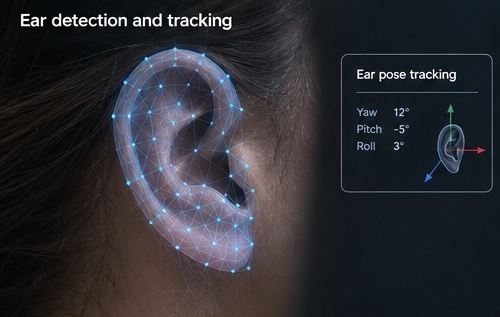
The system runs facial analysis on the camera feed to locate the head, then isolates each ear and estimates its 3D pose (how far it is turned, tilted, and rotated). Ears are a harder target than lips or eyes: they are small, frequently covered by hair, and often only one is visible at a time. Robust models are trained on large, diverse image sets so detection holds across skin tones, ear shapes, hairstyles, and lighting.
3D geometry and anchoring
Each earring is a real 3D model, not an image. The renderer anchors it to the correct point on the ear (lobe, helix, tragus, and so on), then keeps it there as the head moves. Multi placement support is what lets shoppers build a full curated ear rather than swap a single stud, and it is a surprisingly heavy technical lift. Perfect Corp covered the engineering behind it in this breakdown of multiple ear piercing placements in virtual try-on.
Material and light rendering
Gold, rose gold, sterling silver, pearl, and faceted stones all behave differently under light. Physically based rendering assigns each material real optical properties (reflectance, roughness, refraction) so a gold hoop picks up the warm light in your kitchen and a diamond stud throws a believable sparkle. This is the step most social filters skip, and it is the reason those filters read as cartoonish.
Occlusion and physics
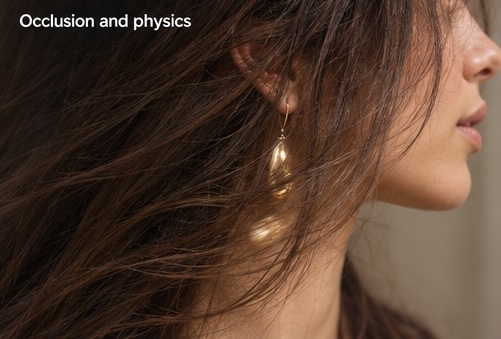
Hair should fall in front of the earring. A dangling drop should swing slightly when you move. A hoop should cast a soft shadow on the neck. Occlusion and simple physics are the final 10 percent that push a try-on from "neat" to "I can judge whether I like this on me."
How Do You Use an Earring Filter Step by Step?
Web based try-on is the fastest path, so that is the flow below.
Step 1: Open the try-on and allow camera access
Load the try-on page on your phone or laptop and grant camera permission. Prefer not to go live? Upload a clear, front facing photo taken in even light with your ears visible and hair tucked back.
Step 2: Pick a style and a placement
Choose a category first (studs, hoops, huggies, drops, ear cuffs), then pick the placement you are curious about. If you are planning a new piercing, this is the moment to stack a second or third placement and see how the whole ear reads together.
Step 3: Turn your head and judge it in motion
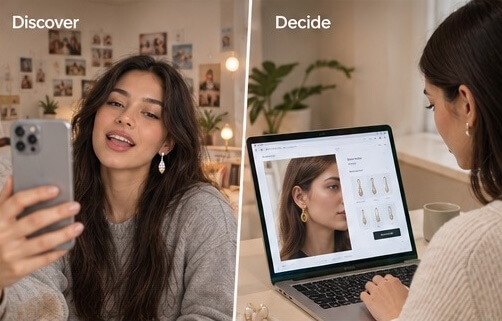
Look left, look right, tilt down. A good filter holds the earring in place through all of it. This is also where you learn something a product photo can never tell you: whether a drop length flatters your jawline, and whether a hoop diameter looks proportional next to your face.
Step 4: Save, compare, share
Capture two or three looks and compare them side by side. Shoppers who share a try-on screenshot with a friend before purchasing convert at noticeably higher rates, which is exactly why brands put a share button in the experience.
What Makes an Earring Filter Look Real (and What Makes It Look Fake)?
If you are evaluating filters, whether as a shopper or as a brand about to license one, these are the tells.
| Signal | Looks real | Looks fake |
|---|---|---|
| Movement | Earring stays locked to the ear through head turns | Earring drifts, lags, or pops off at profile angles |
| Scale | Size is proportional to the actual ear in frame | One fixed size regardless of face distance |
| Material | Metal reflects room light, stones refract | Flat color fill with a painted-on highlight |
| Shadow | Soft contact shadow on the lobe and neck | No shadow, so the earring floats |
| Occlusion | Hair passes in front of the earring | Earring renders on top of hair |
| Catalog accuracy | Renders the exact SKU, correct length and finish | Generic "gold hoop" that matches nothing you can buy |
That last row matters more than it looks. A shopper who buys based on a generic filter and receives something different is a return, a refund, and a review problem. Accuracy is not a vanity metric in jewelry AR, it is the whole business case.
Social Filter vs Branded Earring Filter: Which One Wins?
They are not competing. They do different jobs at different points in the funnel.
| Social earring filter | Branded AR try-on | |
|---|---|---|
| Primary job | Reach, entertainment, brand awareness | Purchase confidence, conversion |
| Where it lives | TikTok, Instagram, Snapchat camera | Product page, app, in-store tablet or mirror |
| Catalog tied | Rarely | Always, down to the SKU |
| Rendering | Light 2D or basic 3D | Physically based 3D with occlusion |
| Piercing planner | Almost never | Standard feature |
| Data you get back | Views and shares | Try-on counts, style-level interest, add-to-cart lift |
| Build effort | Days, per platform | Weeks, once, reusable everywhere |
The strongest jewelry programs run both: a social lens to pull people in, a branded try-on on the product page to close them.
Why Should Jewelry Brands Care About Earring Filters?
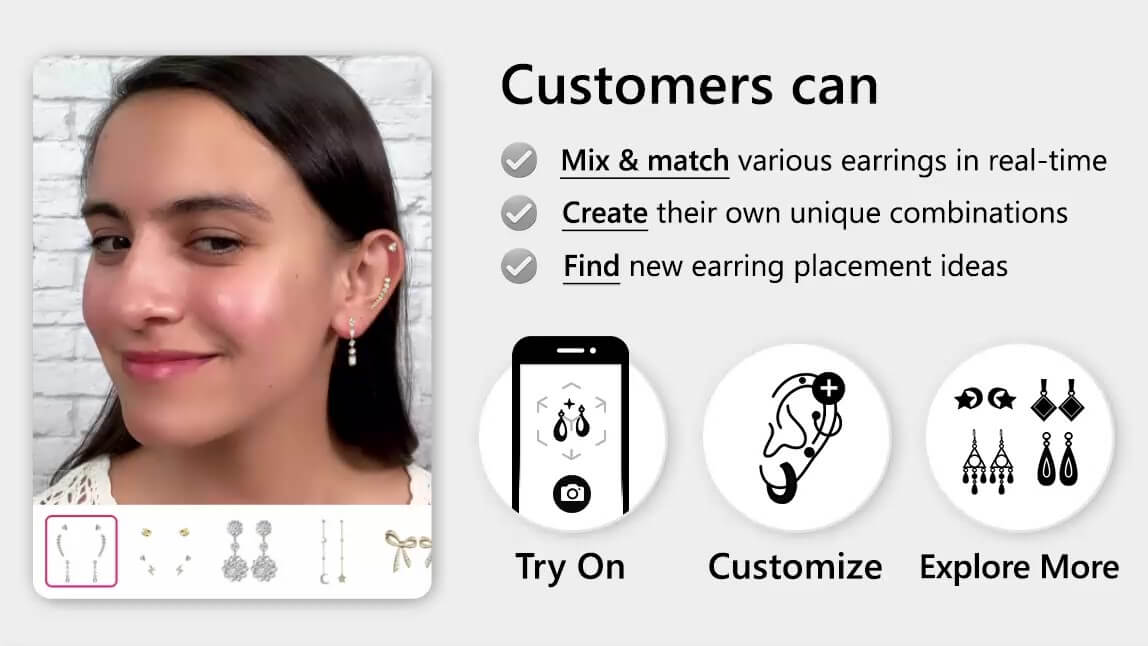
Earrings are one of the hardest categories to sell online. They are small, they are personal, they are judged entirely on proportion against a face the product photo does not show, and a meaningful share of the category depends on a piercing decision the shopper has not made yet. AR try-on attacks all four problems at once.
Purchase confidence goes up
Shoppers stop guessing at drop length and hoop diameter. Perfect Corp works with 800+ brand partners across beauty, fashion, and jewelry, and virtual try-on consistently correlates with longer product page dwell time and higher add-to-cart rates in that portfolio.
Returns go down
Fit and appearance mismatch drives a large share of jewelry returns. When a shopper has already seen the piece on their own ear at their own scale, the surprise on delivery day mostly disappears.
Piercing regret disappears
A virtual piercing planner lets someone audition a second lobe, a helix, or a full curated ear stack with zero commitment. For piercing studios and for brands selling piercing services in store, this is the single highest value use of the technology.
You finally get style level data
Every try-on is a signal. Which styles get tried most, which get tried and abandoned, which convert. That feeds merchandising and buying decisions with something better than gut feel.
It works in store too
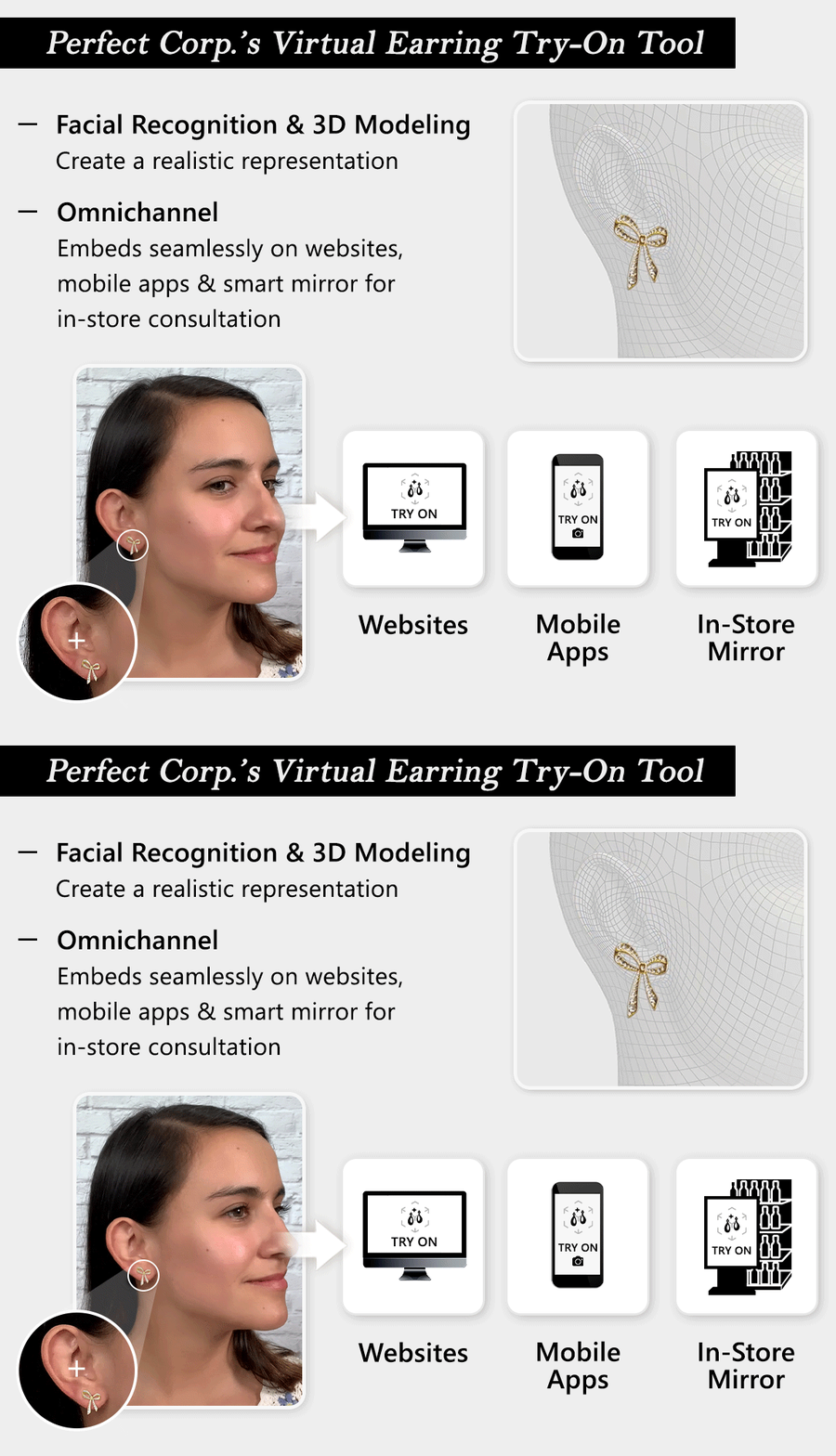
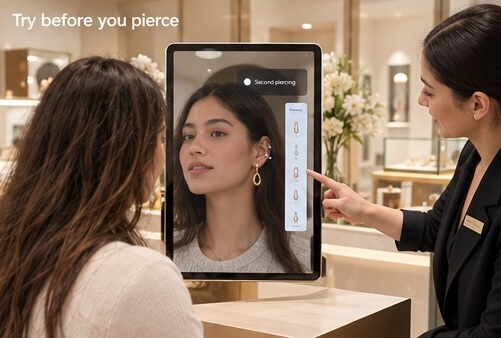
The same engine runs on an in store tablet or smart mirror, which lets a piercing counter show a customer the outcome before the needle comes out. Hygiene concerns around trying on physical earrings quietly vanish as a bonus.
CTA: Building a jewelry AR program and want a walkthrough of your catalog? Contact Perfect Corp for a demo and a customized plan.
How Do You Add an Earring Filter to Your Own Store?
Three practical routes, in rising order of control.
Publish a social effect
Cheapest and fastest. Build a lens or effect for TikTok, Instagram, or Snapchat, hand it to creators, and treat it as a reach play. Do not expect it to carry your catalog.
License a ready made AR try-on module
Drop a hosted try-on onto your product pages, hand over your earring assets for 3D conversion, and launch in weeks rather than quarters. This is the standard path for most jewelry retailers and the one that covers web, app, and in store from a single integration.
Build on an API or SDK
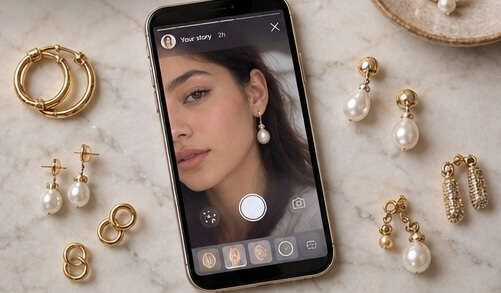
If you want the try-on inside a custom flow, your own app, or a marketplace integration, go API level. You can test face and ear aware capabilities directly in the YouCam AI API playground before writing a line of production code, then wire the endpoints into whatever front end you already run.
Test it in the YouCam AI API playground
What you need to prepare
- High quality 3D models or reference photography for each SKU you want live
- Accurate material specs (metal type, finish, stone cut) so rendering matches reality
- Real dimensions, especially drop length and hoop diameter
- A placement map for pieces designed for specific piercings
- Analytics hooks so try-on events land in the same dashboard as your sales data
Earring Filter FAQ
How do I see what I would look like with earrings?
Open a virtual earring try-on in your browser, allow camera access or upload a clear front facing photo, then select a style. The earrings render on your own ears in real time, and you can turn your head to check the look from every angle.
Is there an app that lets you try on earrings?
Yes. Mobile beauty apps like YouCam Makeup include earring try-on, social apps host creator built earring effects, and most jewelry brands with AR enabled product pages let you try on directly in the browser without installing anything.
What is the earring filter on TikTok?
It is a creator made effect in the TikTok camera that overlays virtual earrings on your ears. Several variants trend at any given time, including "how would I look with earrings" effects and men's stud and hoop versions. Quality varies widely because anyone can publish one.
Does Snapchat have an earring filter?
Snapchat hosts a deep library of community built earring lenses, and Snap provides earring try-on capability to lens developers, so the better lenses track the ear properly rather than pasting a flat image on the face.
Are earring filters free?
Social filters are free to use. Brand hosted virtual try-on is free for shoppers as well, since the retailer licenses the technology. Only businesses pay, and pricing depends on catalog size, channels, and traffic.
Can you try on earrings virtually before buying?
Yes, and on a brand grade try-on you are previewing the exact SKU with its real dimensions and finish, not a generic stand in. That is what makes it useful for an actual purchase decision rather than just for fun.
How accurate are virtual earring try-ons?
Accuracy depends on three things: ear tracking quality, whether the earring is a true 3D model with real measurements, and whether the renderer simulates the actual material. A physically based 3D try-on gets close enough that shoppers can judge proportion and finish reliably. A flat 2D social effect cannot.
Can an earring filter help me plan a new piercing?
That is one of its best uses. A virtual piercing planner lets you preview multiple placements, including second and third lobe, helix, tragus, and conch, and see the full curated ear before committing to anything permanent.
Do earring filters work with long hair or glasses?
Good ones do. Occlusion handling keeps hair rendering in front of the jewelry, and ear tracking is designed to work alongside glasses arms. Tuck hair behind the ear anyway for the cleanest preview.
Can jewelry retailers add an earring filter to their own website?
Yes. Retailers either license a hosted AR try-on module and add it to their product pages, or integrate at the API level for full control. Both approaches typically cover web, mobile app, and in store screens from a single setup.
The Takeaway
"Earring filter" means something different depending on where you type it. On social platforms it is entertainment with a light commercial edge. On a jewelry product page it is a conversion tool that removes the biggest reason people hesitate on earrings, which is not knowing how a piece will actually sit on their own ear. If you are shopping, run a real try-on before you buy. If you are selling, the filter is not the toy on the campaign, it is the infrastructure on the product page.
CTA: See the technology in action with the free virtual earring try-on demo, then talk to our team about bringing it to your catalog.



